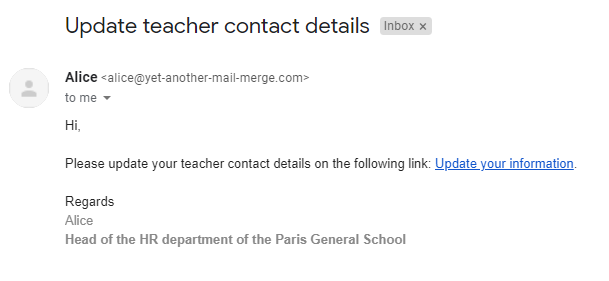
Send personalized prefilled form URLs to your recipients
Sending unique URLs with YAMM is very easy. You can use this feature to send personalized prefilled form links to your recipients. This option works with Google Form, TypeForm or any other type of form.
In our use case, we are working for the administration of a school. We had previously collected personal information from teachers via a Google Form (or TypeForm etc.), and we want them to update it.
You can use YAMM to send to each recipient his personalized form prefilled with information submitted in the past (telephone number, address...).
When your recipients receive your email with their unique link to the prefilled form, they can access the form and easily update their answers.
Get the prefilled link for each Google Form
We will focus on Google Form. If you are using another type of form, please check your own tool's guide.
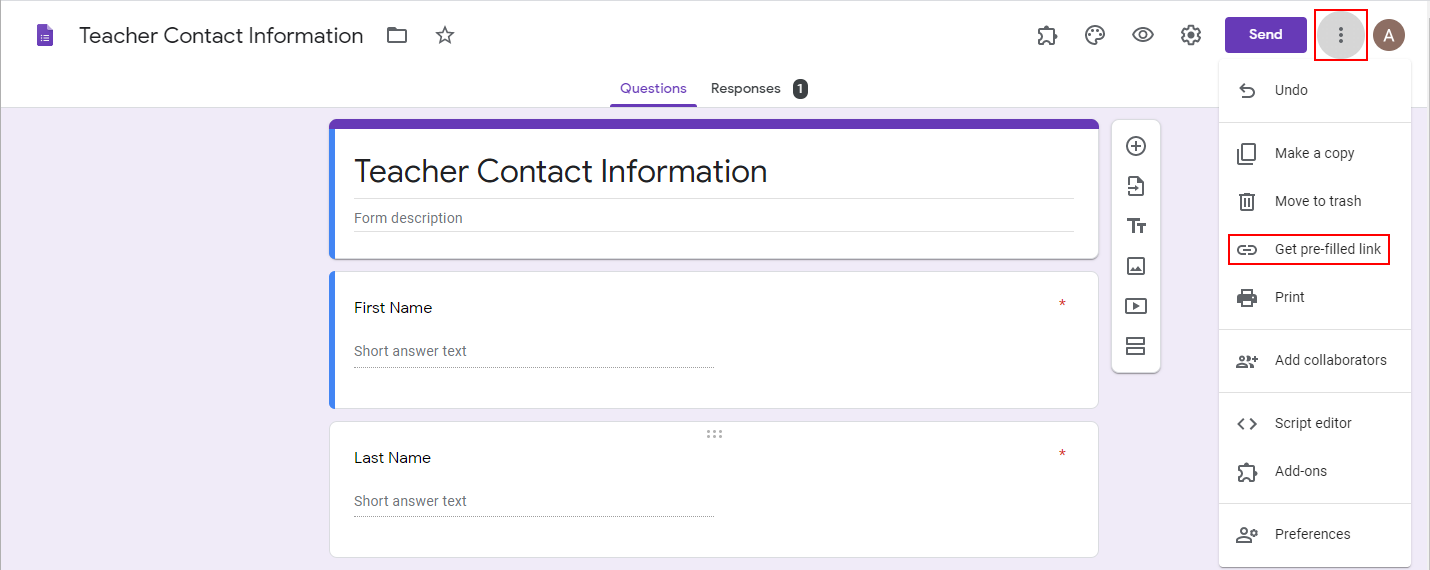
Open your Google Form and click on the three dots menu (top right corner), and click Get prefilled link.
Then prefill your form with some necessary information, and click Get link.
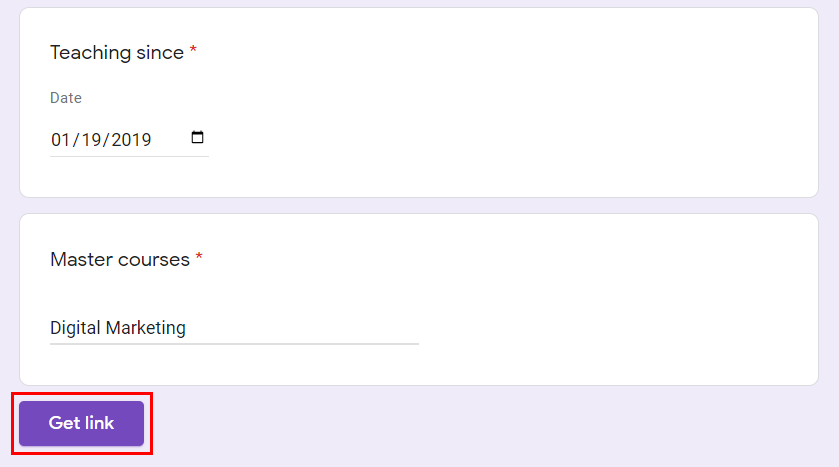
Once done, click Copy Link at the bottom left. That is how you get your prefilled link for this specific form.

Repeat the same process for each one of your forms. In our example, we do this for each teacher we want to email and ask them to update their personal details.
List all prefilled links for each form in your Google Sheets
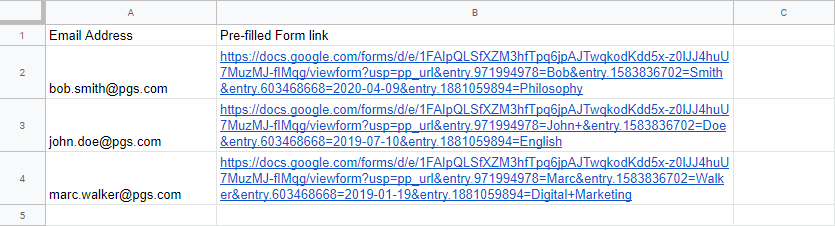
For better visibility, use the =HYPERLINK formula to display a short text instead of this very long URL in your email (learn more).

Personalize the prefilled link in your email and send your campaign
Add the corresponding marker in your email (in our example: {{Pre-filled Form Link}}).
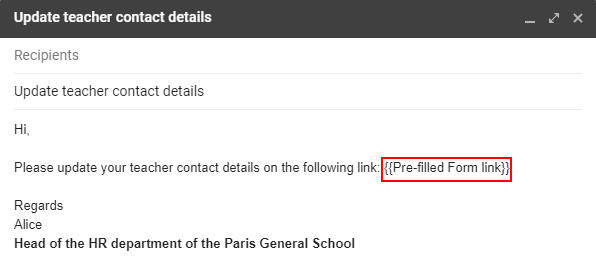
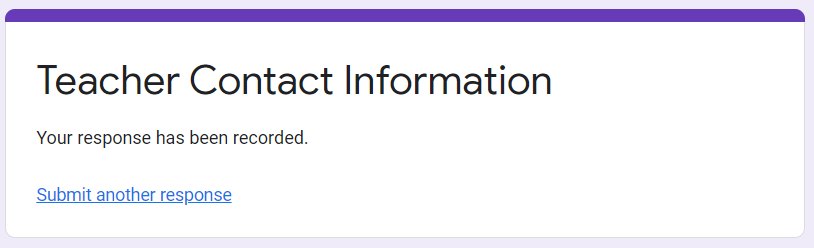
Once your recipients receive your email, they can update their information from the prefilled form and submit a new one.