How to log out from multiple accounts?
If you are logged in with multiple accounts under the same browser session, it can affect YAMM's functionality, and you may have technical issues. You must log in with one single your account in your web browser.
Using multiple accounts in the same browser affects YAMM's functionality in the following ways:
-
Duplicated emails
-
Delivery email issues
-
Daily quota issue
Procedure
-
Open your Gmail account.
-
Select the icon at the top right and click Sign out of all accounts.
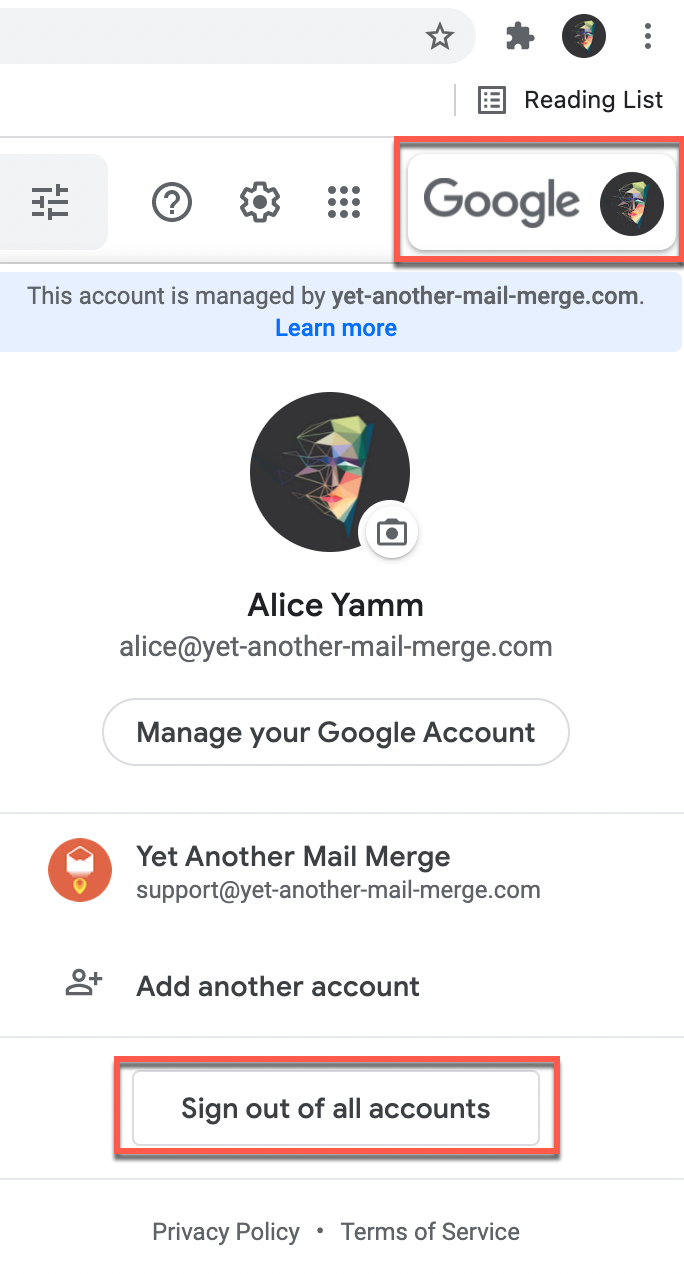
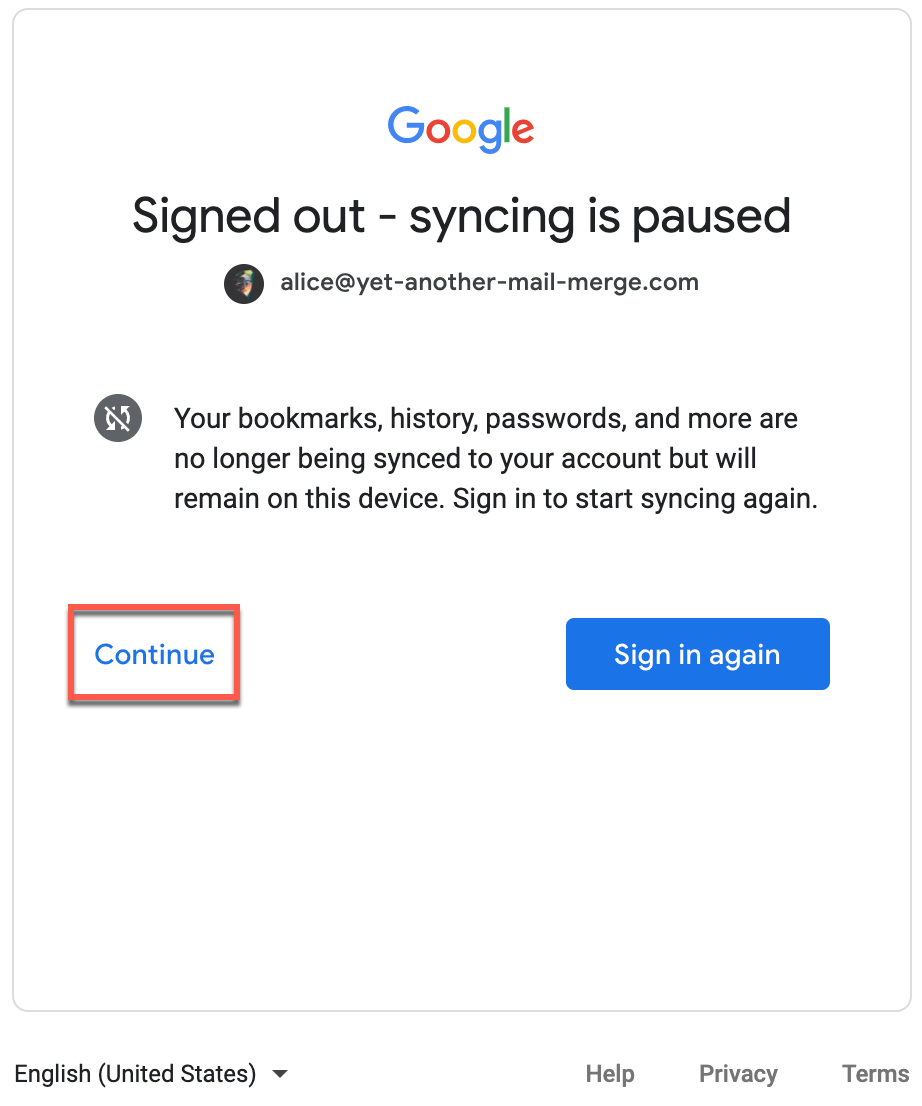
The window Signed-out - syncing is paused appears.
-
Click Continue.
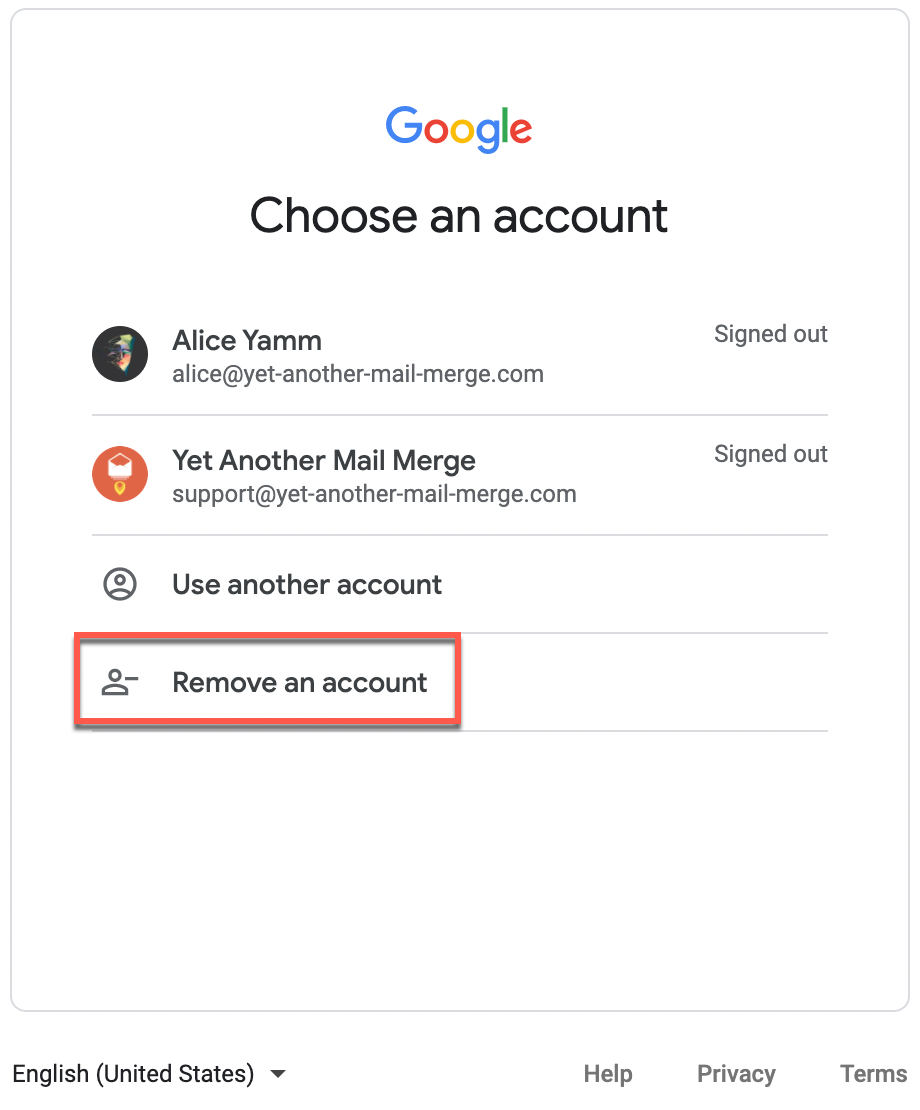
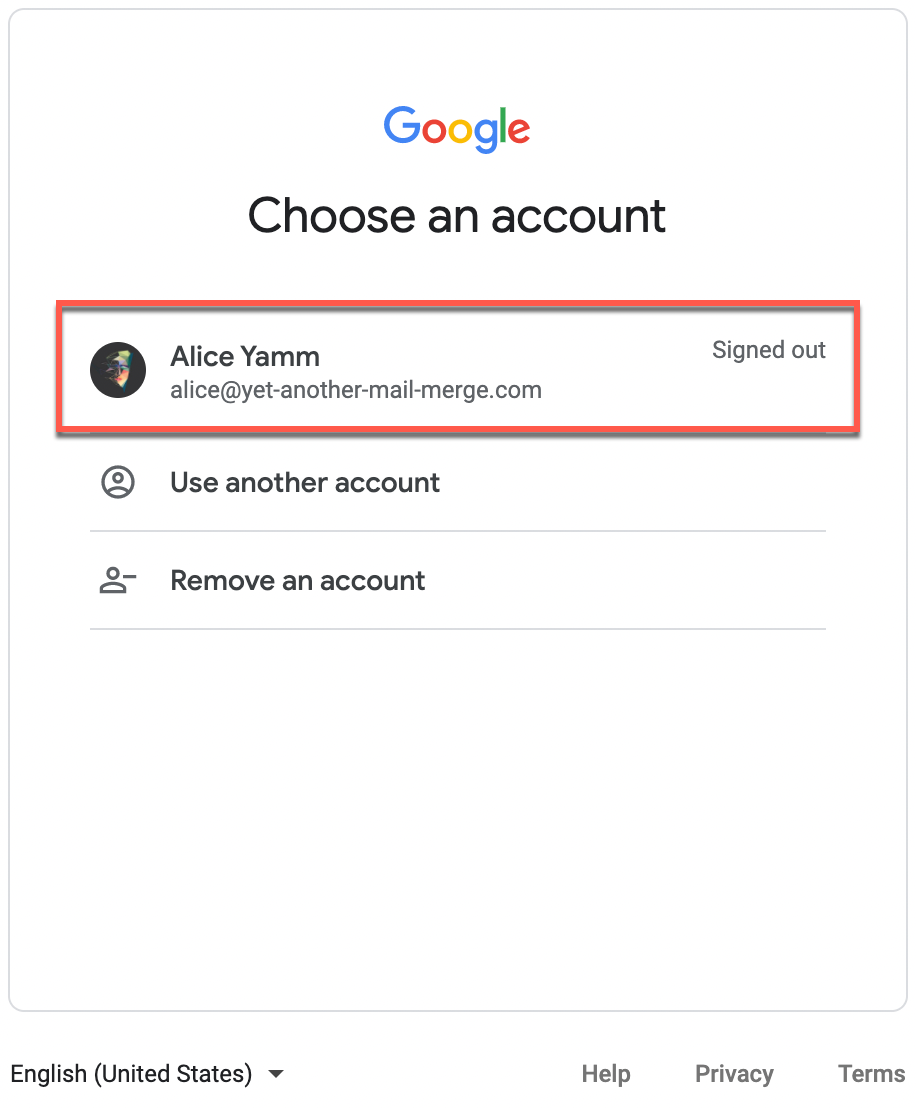
Google asks you to Choose an account. You can see the list of all the accounts you just logged out of.
-
Click Remove an account.
-
Click the minus icon next to the account you want to remove.
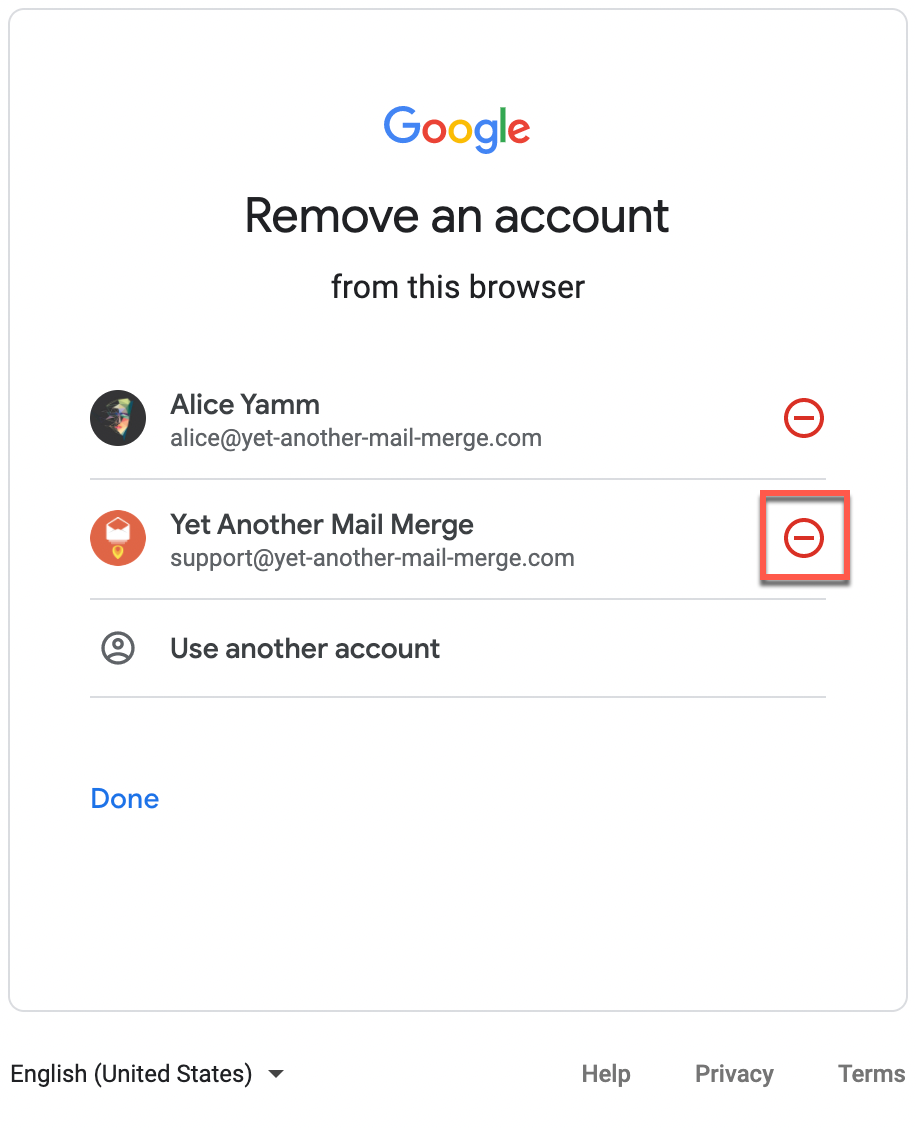
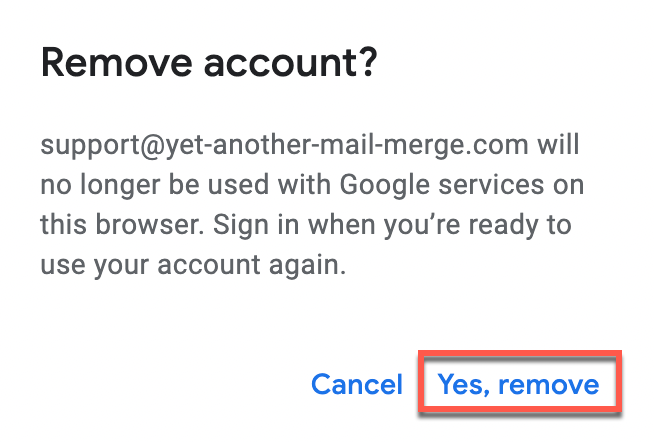
A Remove account confirmation pop-up window appears.
-
Click Yes, remove.
-
-
(Optional) Repeat step 5 if you have more than one account on the list.
-
Click on the account you want to use YAMM with.
-
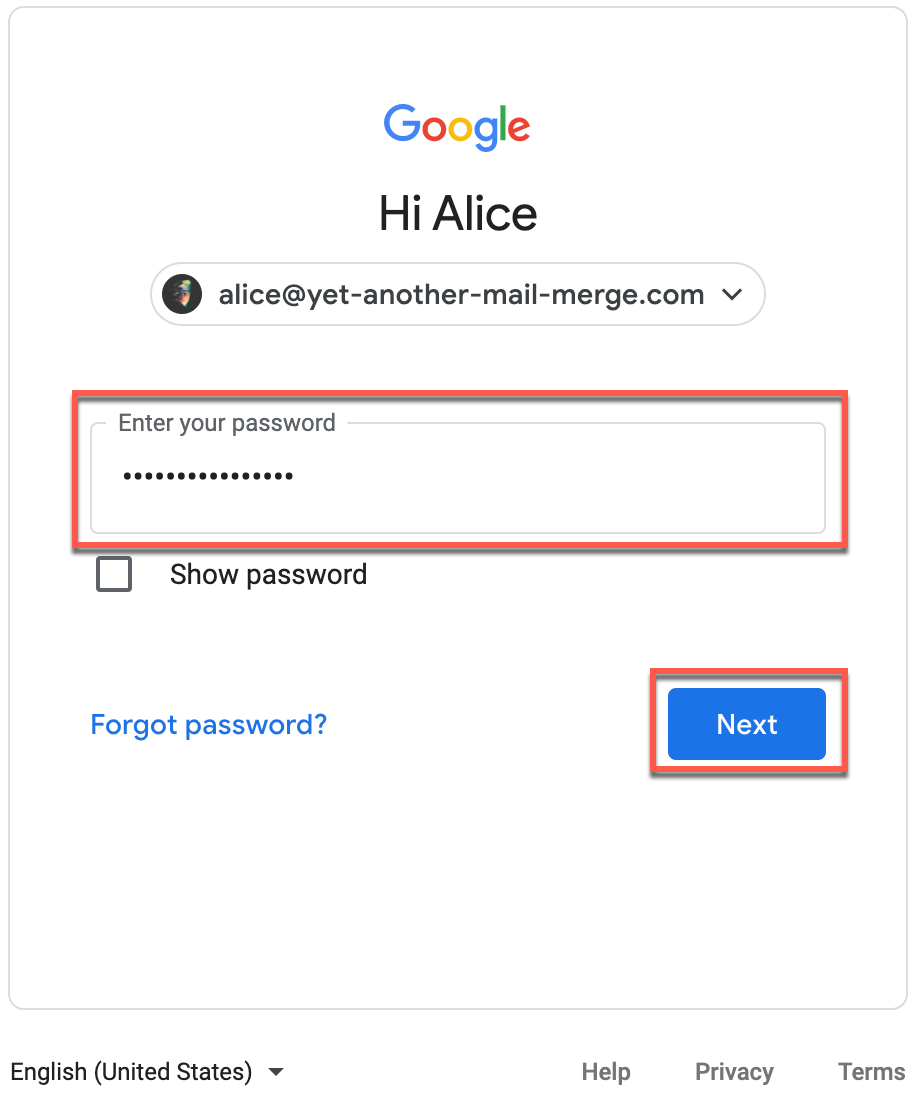
Enter your password and click Next.
Result
You are now logged in with one single Google account in your web browser, and you can start using YAMM.Related articles**