How to track bounced emails with YAMM?
Some emails in your recipient list may bounce after a mail merge. Yet Another Mail Merge tracks these bounces and helps you clean your contact list for future mail merges.
Activate the tracker
Enable the tracking tool before sending your mail merge.
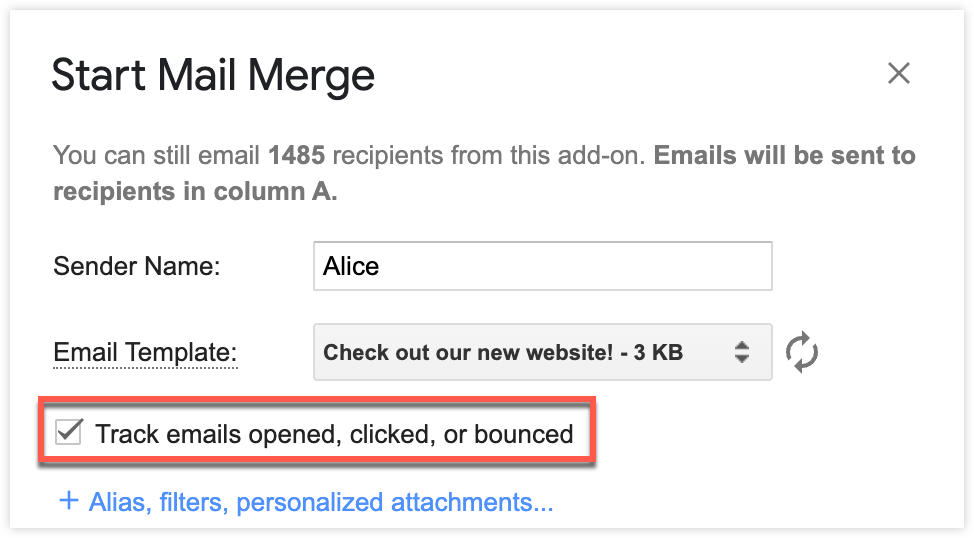
Manage bounced email addresses
If an email you sent in a previous mail merge bounced (i.e. could not be delivered), YAMM automatically detects it and flags it in your spreadsheet. This helps you avoid sending future emails to invalid addresses.
Check bounces in real time
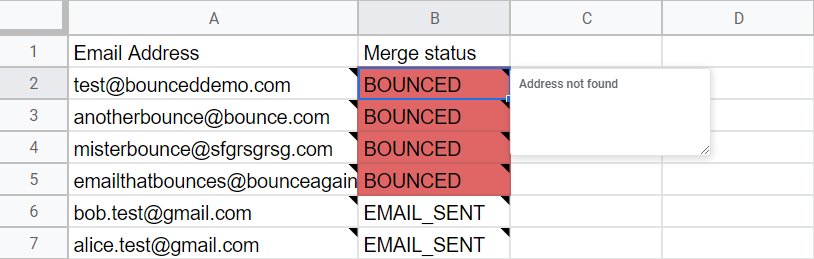
After sending a mail merge, YAMM marks any bounced email as BOUNCED in your spreadsheet under the Merge status column. The bounce reason appears as a cell note.
Skip bounces in all mail merges
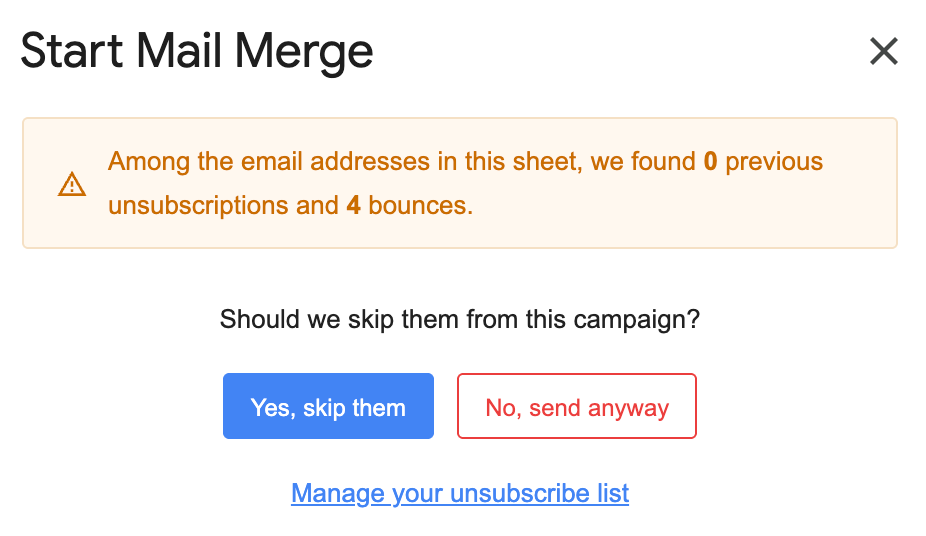
When you start a new mail merge, YAMM automatically checks your sheet for any email addresses that previously bounced.
If any are found, you see a pop-up window letting you know how many bounced addresses are in the current sheet. You can then choose to:
-
Yes, skip them — recommended to prevent additional delivery issues
-
No, send anyway — if you still want to include them in the merge
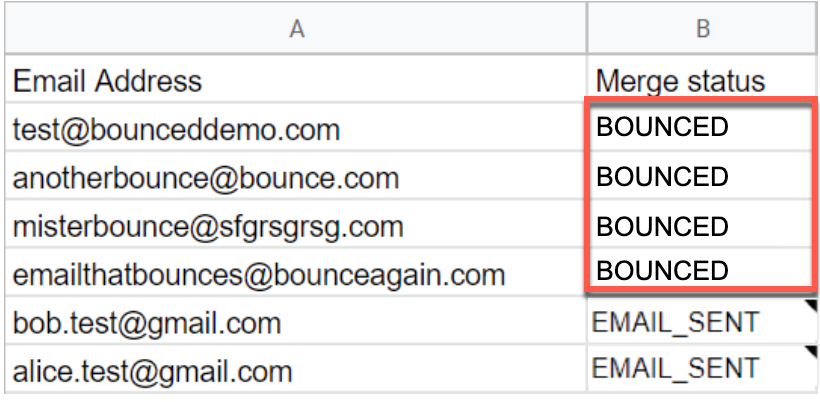
If you choose to skip them, YAMM excludes those addresses from the current mail merge and displays BOUNCED again in the Merge status column.
YAMM only flags email addresses that bounced in previous mail merges. If any new bounces occur during the current mail merge, they will only be reflected in the sheet after the merge has been sent.