[DATA ACCESS] Why share your Google Sheets with Edit access?
When you contact our YAMM Support team for a question or to report an issue, we may ask you to share your Google Sheets with Edit access. This article explains why we need it to troubleshoot your issue.
Why do we ask you to share your Google Sheets?
Sharing your Google Sheets with Edit access is required for us to troubleshoot your issue.
When you face a technical issue with Yet Another Mail Merge, a member of our Support Team will ask you to share your original Google Sheets. Please, send it to us with Editing access.
That will help us check:
-
The Version History of your spreadsheet to understand what happened with your mail merge (see Recover data erased by mistake from your spreadsheet).
-
If your Named ranges have been correctly defined on the Merge status, and the recipient column (see Error: 'We couldn't find the 'Merge status' column).
-
If your Google Sheet has been correctly configured and formatted (see Configure your spreadsheet and list all your recipients).
-
Or identify other possible causes of the problem.
Your grant of permissions during the installation of YAMM is limited to the functionality of the service. YAMM neither propagates these permissions nor allows access to your files/folders to the YAMM Support team automatically.
What will happen to my data?
As per our Terms of Use, we will not store, share or sell any of your data to a third party.
We ask for such access only for troubleshooting purposes and to provide you with a solution:
-
We will use the access only for the specified purpose and for the required duration of the investigation.
-
We will ask for your permission in case we need to make any modifications to these files.
-
We won't make a copy of your spreadsheet data unless we want to show you an example after which we will permanently delete the copy.
-
We don't change the sharing settings or share the file with anybody else.
-
We prompt you to stop sharing the files/folders with us, once our investigation is over.
How to share your spreadsheet in edition with us?
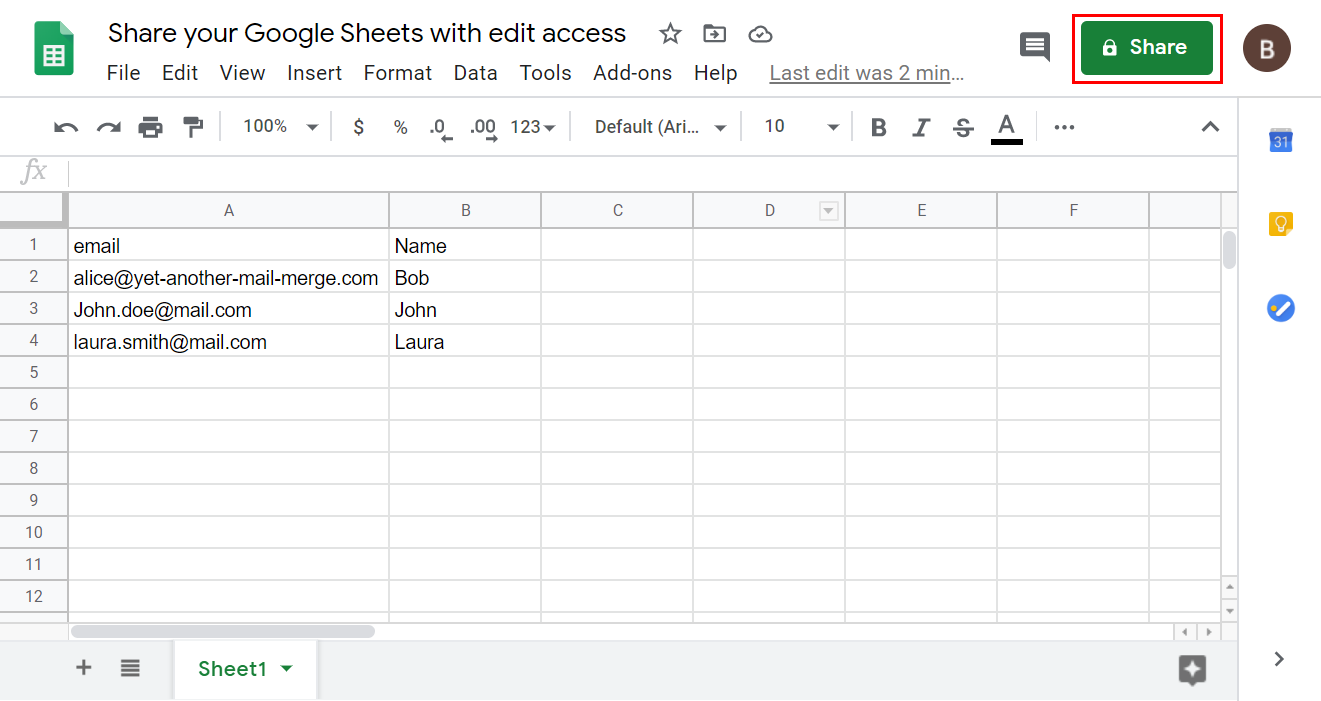
First, click the green Share button located on the top right corner of your spreadsheet.
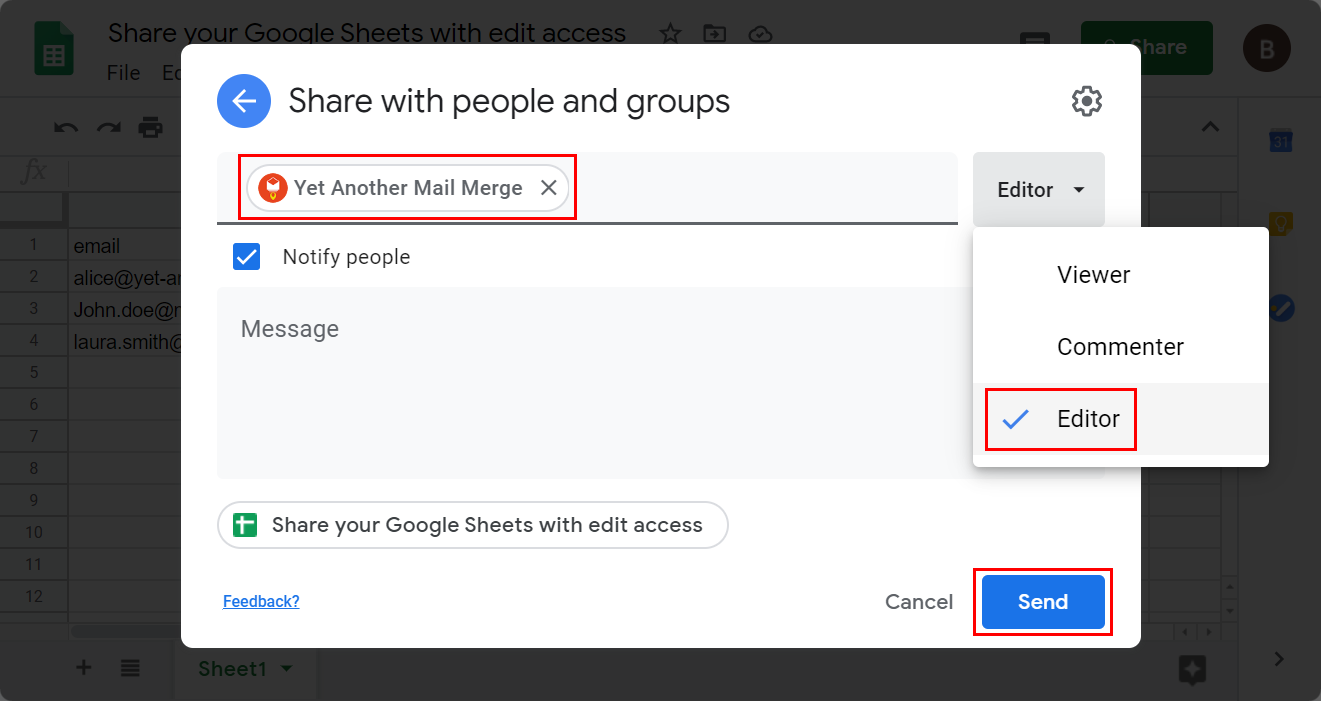
Then enter support@yet-another-mail-merge.com in Add people and groups, make sure that Editor is selected, and click Send.
How to revoke our access to your spreadsheet?
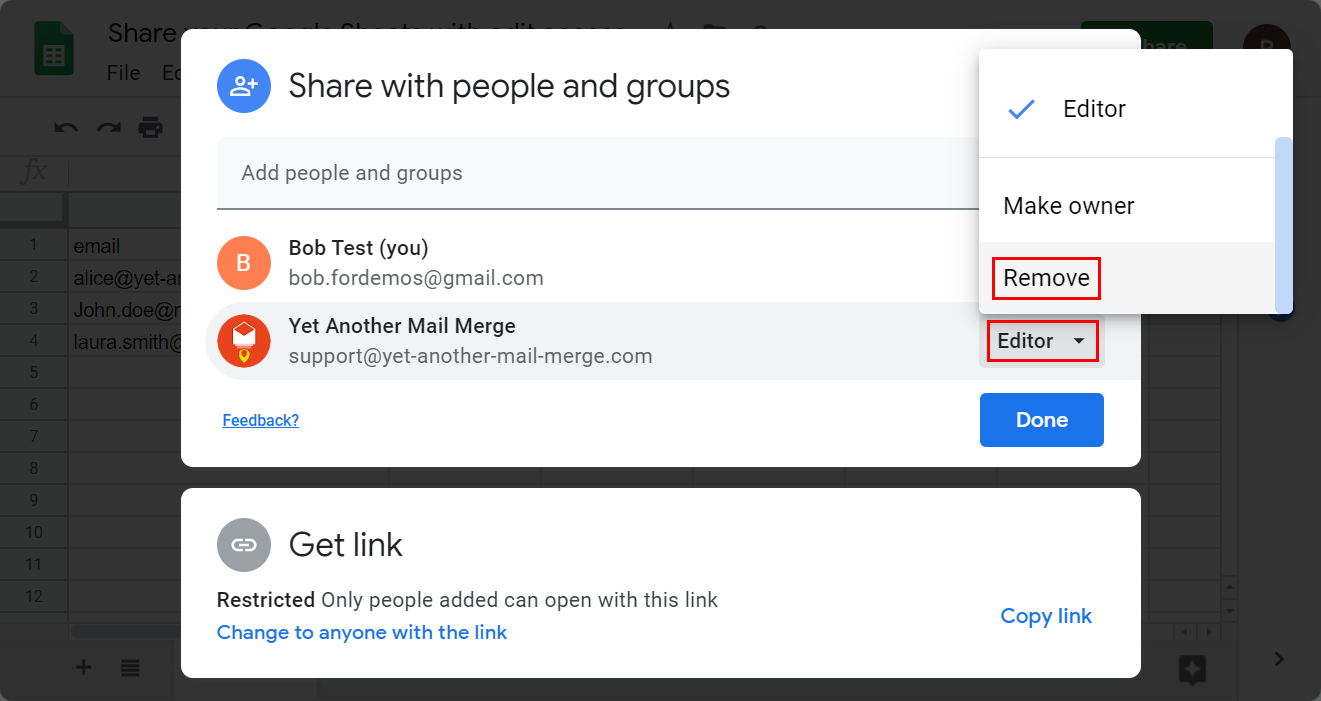
Open the sharing settings again, click Editor>Remove.
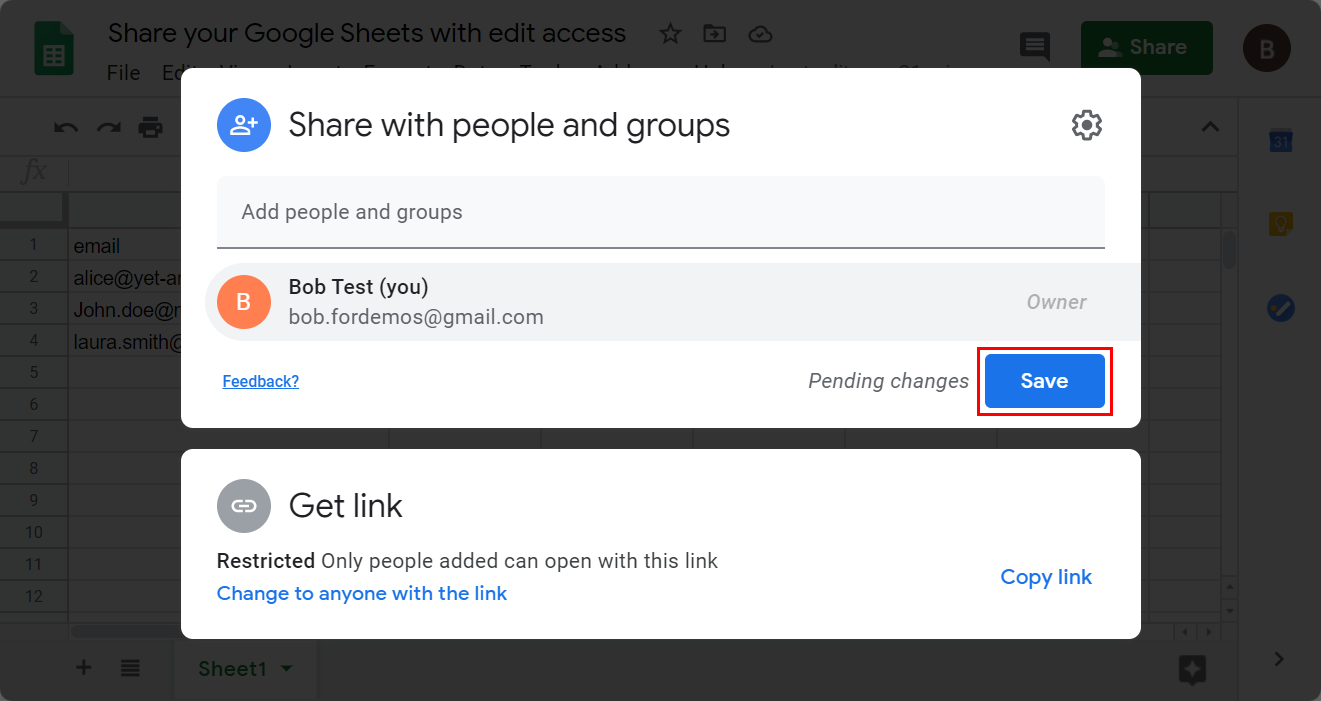
Click Save.
Once your issue is solved, just delete access to support@yet-another-mail-merge.com from the sharing settings and we will not have access to your Google Sheets anymore!