Does a domain-wide installation of YAMM by a Google Workspace admin put the users/company data at risk?
Read this article to know how safe is your users' and company data during the installation of YAMM for your domain.
Difference between installation by Individual vs Google Workspace Admin
An individual can install YAMM from Google Workspace Marketplace or Chrome Web Store page. During installation, the user will be asked for authorization of a set of permissions that are needed for YAMM.
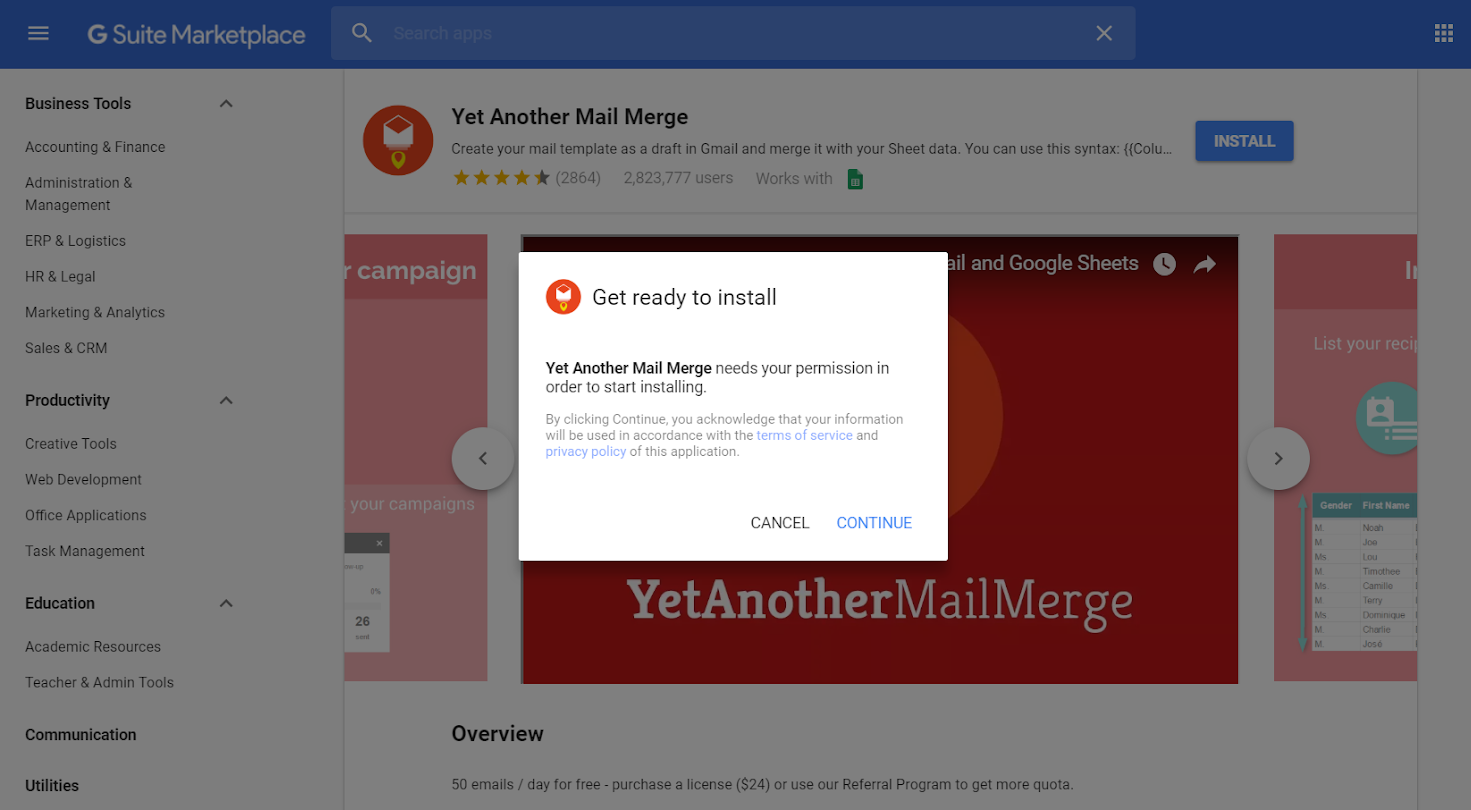
As a Google Workspace admin, you can also pre-install and pre-authorize YAMM from Google Workspace Marketplace, for all users of your domain. Your installation for domain-wide use is one-time and makes YAMM readily available for all your users.
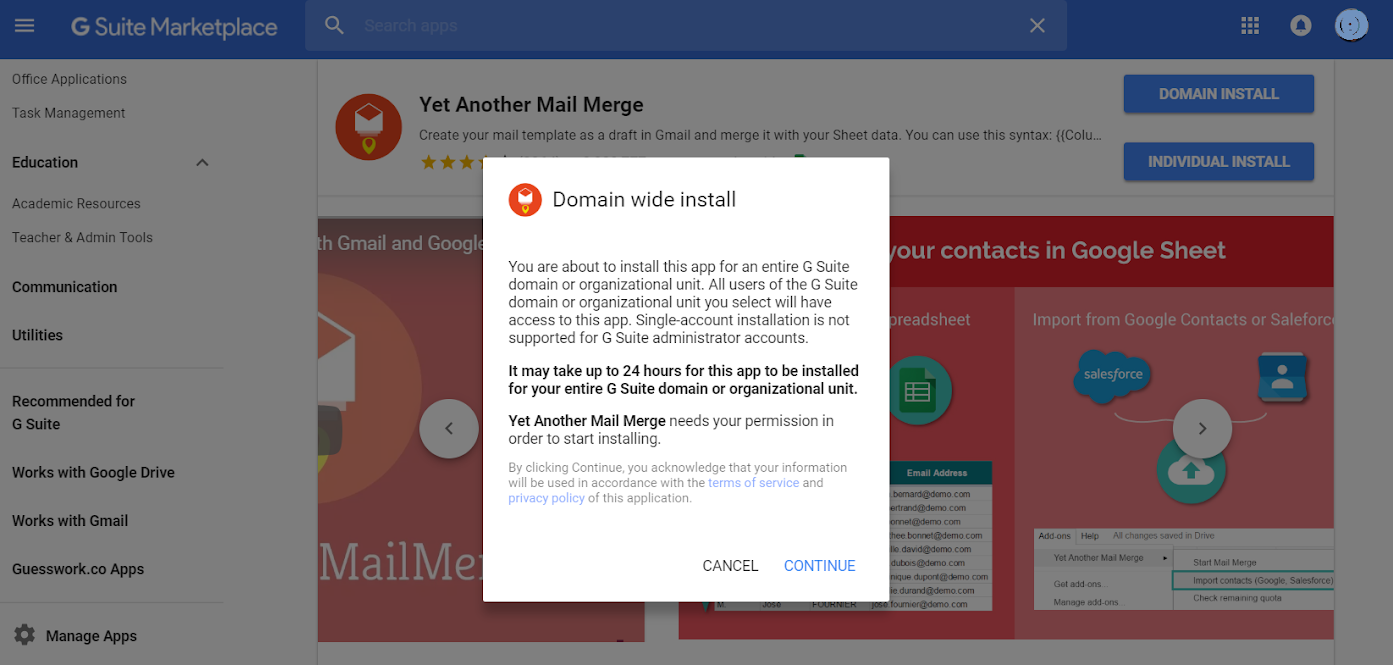
You authorize and grant the same set of permissions as in an individual install, but you do it on behalf of all your users as well. So when the users want to use YAMM, they don't need to authorize it again individually.
Does your permission for YAMM allow it to have access to all your user's data?
No. Your permission to use YAMM does not give us extra rights to access the data of your users.
We cannot impersonate your users and retrieve their Drive/Gmail data, programmatically.
We can retrieve their data only when a specific user interacts with YAMM's add-on. This behavior is just as if he had installed and authorized YAMM himself.
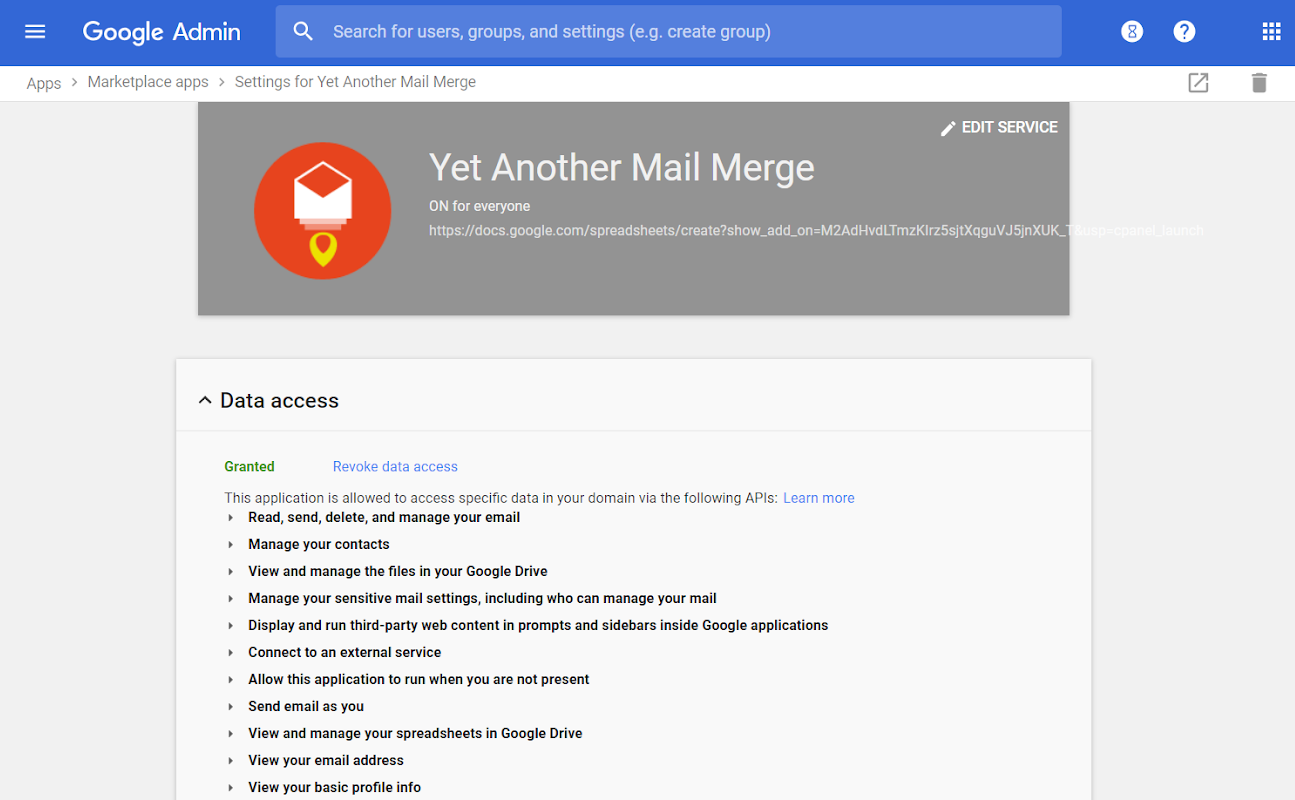
Is your company and user data at risk?
No. Domain-wide installation is not the same as domain-wide access (referred to as domain-wide delegation of authority) to your users' data.
Unlike many other Google Workspace apps, YAMM doesn't ask to create a 'service account with domain-wide delegation'. So YAMM does not access to data of the users who aren't using the product.
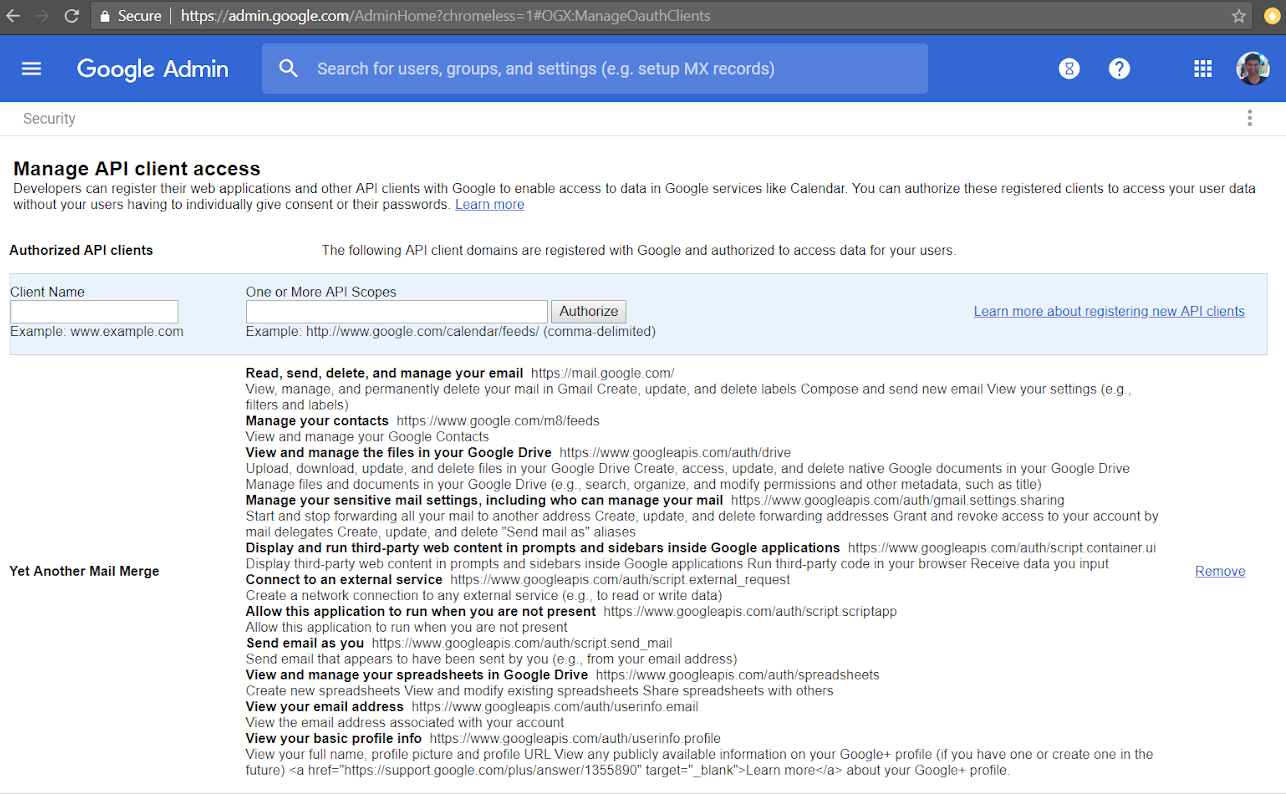
Can I whitelist YAMM instead of domain-wide installation?
OAuth apps whitelisting is to specifically allow selected third-party applications to access your users' Google Workspace data.
YAMM is neither a Google Workspace web application (it is an add-on for Google Sheets) nor does it ask for access to your users' data (via domain-wide delegation of authority).
So whitelisting is not applicable for YAMM.