Cancel auto-renewal on your subscription
Cancelling your Pro plan subscription will stop it from renewing at the end of the billing cycle. You'll still have access to Pro features until then.
How to cancel the auto-renewal
Prerequisite:
You are the owner of the space.
-
Sign in to your YAMM dashboard.
-
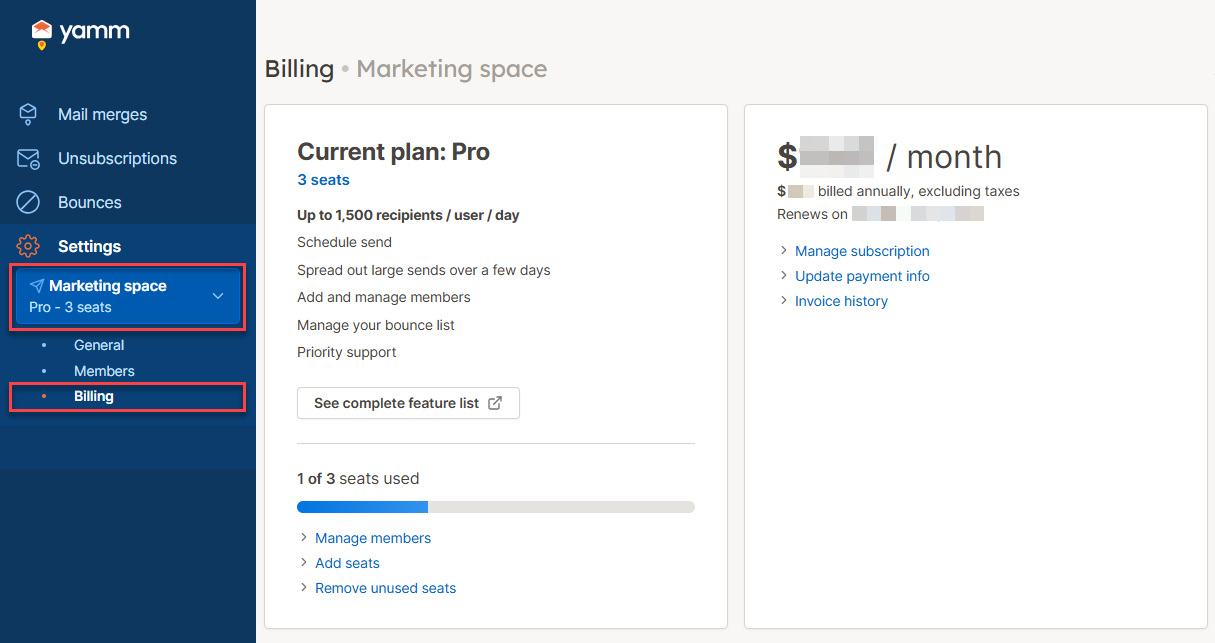
In the sidebar, select the space, and click Billing.
-
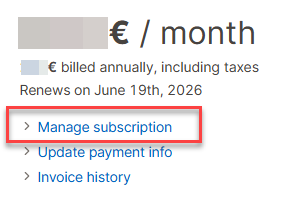
Click Manage subscription.
-
Click Cancel subscription and confirm cancellation.
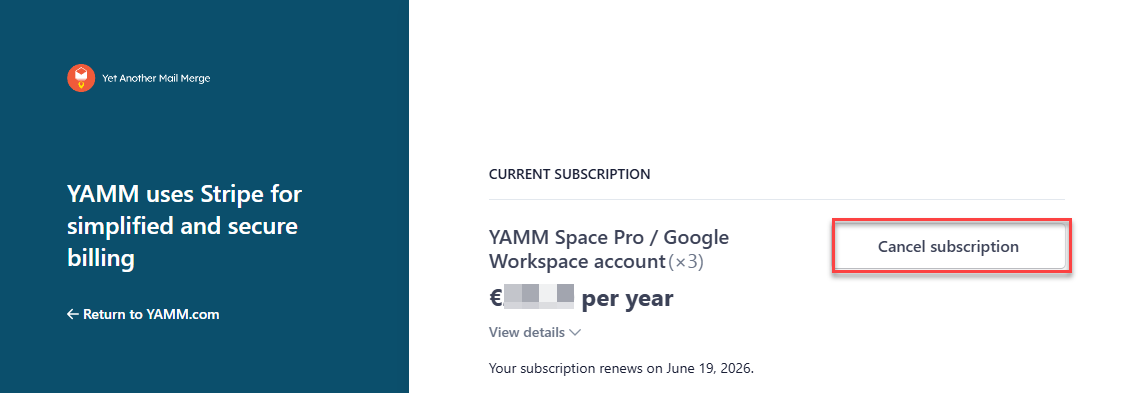
Your subscription to the Pro plan will stop at the end of the current billing cycle, and you won't be charged again.
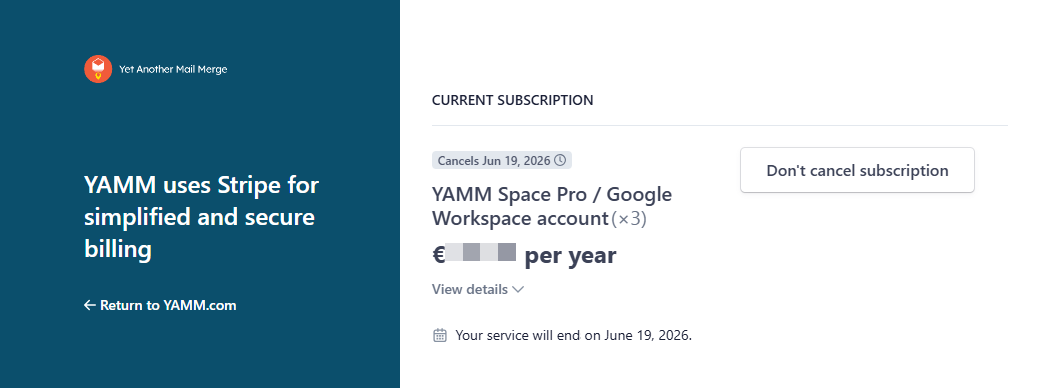
Your Pro plan remains active until the end of the current billing cycle. After that, your space becomes a free personal space. Other members can still use YAMM from their own spaces.
What's next
You can re-enable the automatic renewal before the billing cycle ends. To do so, click Manage subscription again.