Update your payment information
When you enjoy a product or service, you expect that it runs smoothly and without unexpected interruptions. If you already have a Pro plan and have a new debit or credit card you want to use for future payments, you can update your payment information to avoid interruptions caused by unsuccessful payments.
How to update your payment information
Procedure
-
Sign in to your YAMM dashboard.
-
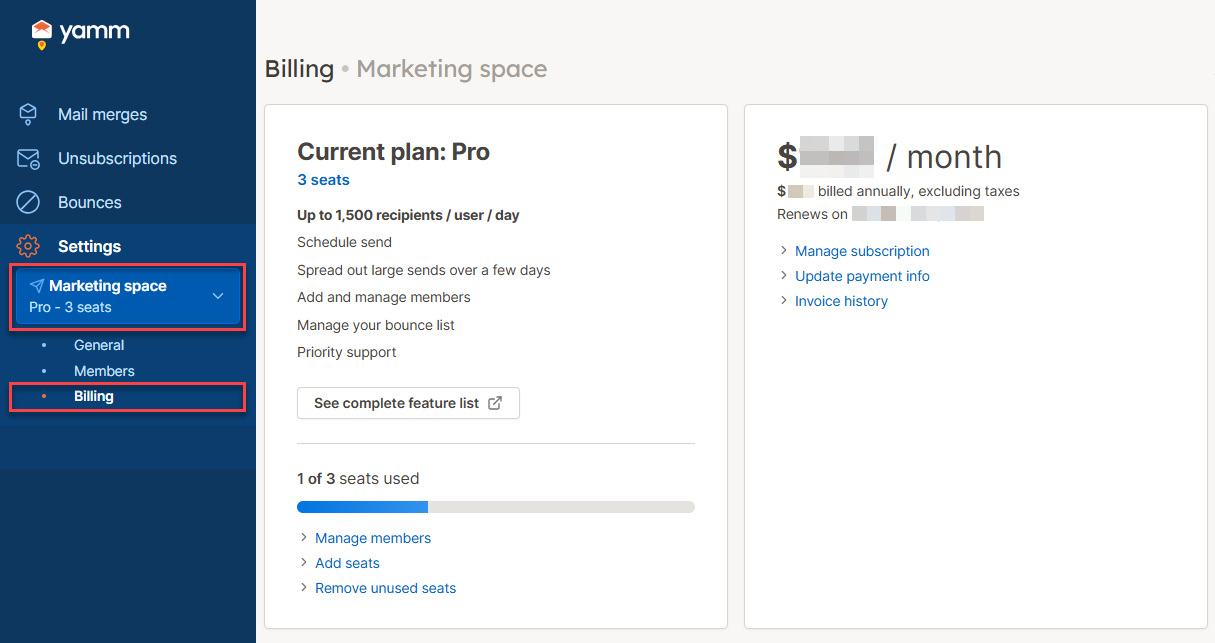
In the sidebar, select the space, and click Billing.
-
Click Update payment info.
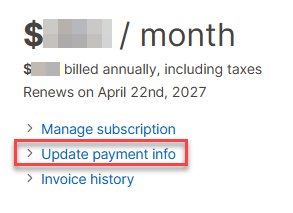
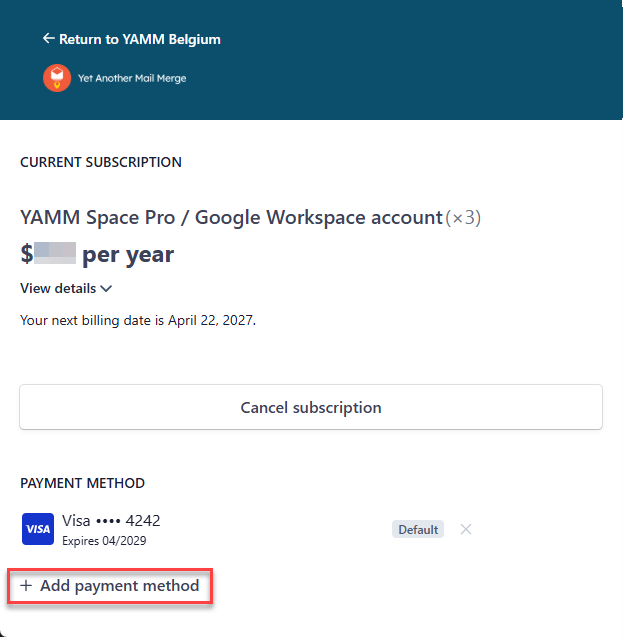
You are redirected to your checkout page on Stripe.com.
-
Click Add payment method and enter your new debit or credit card information.
-
Click Add.
The added card is now the default payment method.
-
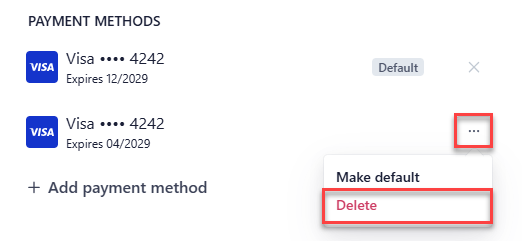
(Optional) Delete the old card under PAYMENT METHODS:
-
In the row of the old card, click the three dots and select Delete.
-
In the confirmation box, click Delete payment method.
-
Result
Your payment information is now updated. When your next payment is due, the billing system charges the new payment method.