Legacy payment - PayPal
PayPal is no longer supported as a payment method for YAMM. Contact support to switch to the new billing system.
How do I know if I paid via PayPal?
To check your payment method:
-
Sign in to your YAMM dashboard.
-
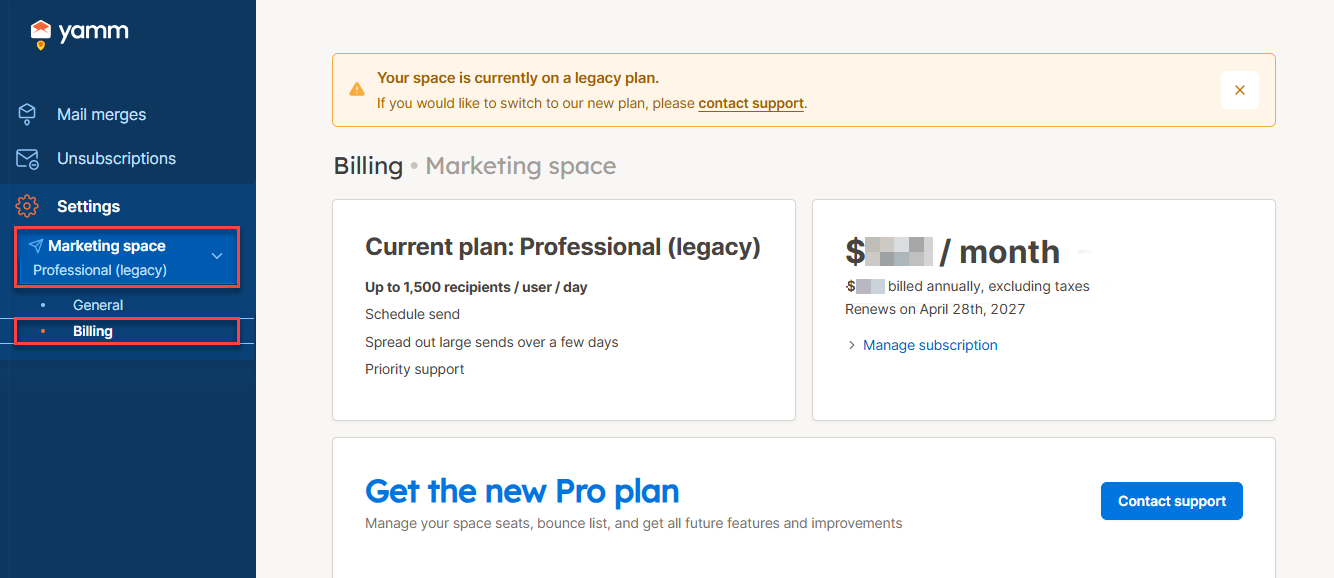
In the sidebar, select your space, then click Billing.
-
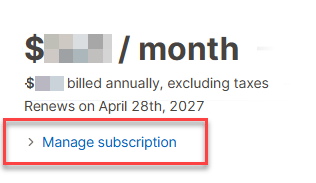
Click Manage subscription.
-
Check what opens:
-
If the YAMM documentation opens, you purchased your plan via PayPal.
-
If Stripe.com opens, you purchased your plan via Stripe and this article does not apply to you.
-
Switch to the new billing system
If you paid via PayPal:
-
Contact our support team and request a switch to the new billing system.
-
Our team cancels your current PayPal plan and issues a pro-rata refund for the remaining time on your license.
-
Once the refund is processed, purchase a new plan under the new billing system.