Upgrade your space plan to Pro
Upgrading to Pro starts a yearly subscription and unlocks additional features.
If you're on a legacy plan, you cannot upgrade directly from the dashboard. Contact support.
Why upgrade to Pro
Upgrading your space plan to Pro unlocks additional features, with some available exclusively to users with a Google Workspace account.
| Feature | @gmail.com | Google Workspace |
|---|---|---|
| Higher daily quotas | Yes | Yes |
| Mail merge scheduling | Yes | Yes |
| Bounce list management | Yes | Yes |
| Buy more seats and add members to your space | No | Yes |
| Grant admin access to your space | No | Yes |
Currently, you can only add members with email addresses in your domain. For example, if your email is alice@example.com, you can add bob@example.com, but not john@company.com.
How to upgrade
The steps to upgrade depend on whether you have a Gmail account or a Google Workspace account.
- Gmail
- Google Workspace
-
Sign in to your YAMM dashboard.
-
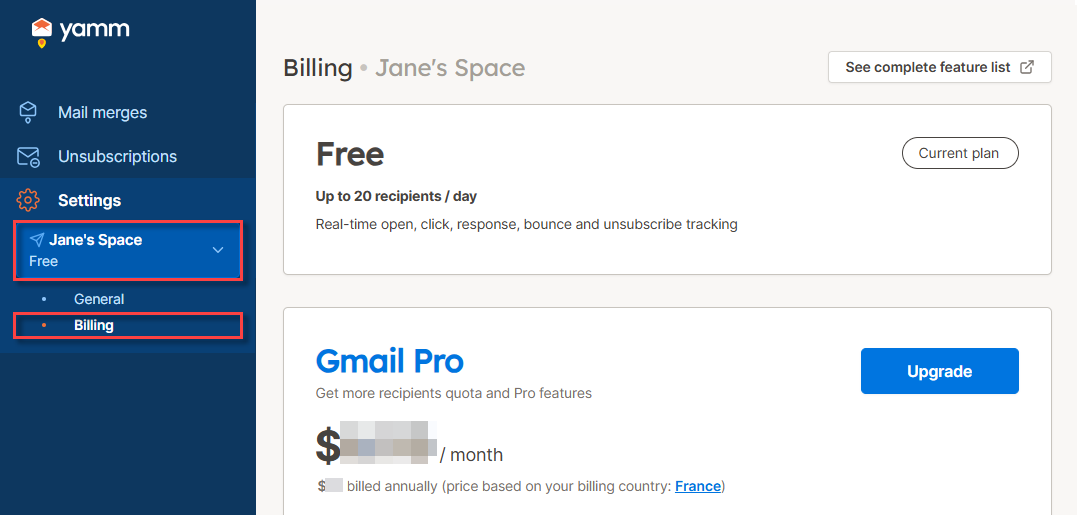
In the sidebar, select the space, and click Billing.
-
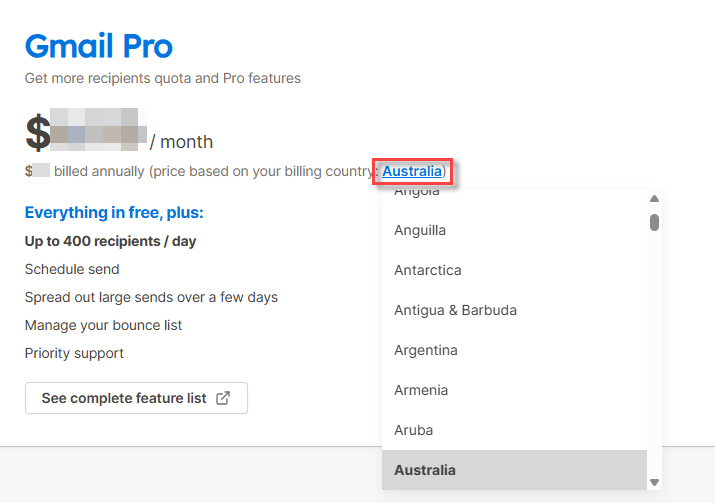
(Optional) To see which price applies to your region, select your billing country.
-
Click Upgrade.
-
Click Next: Billing information and follow the instructions to complete the subscription.
Result
Your Free plan is upgraded to Pro. A yearly subscription starts. You can cancel the auto-renewal of your Pro plan at any time.
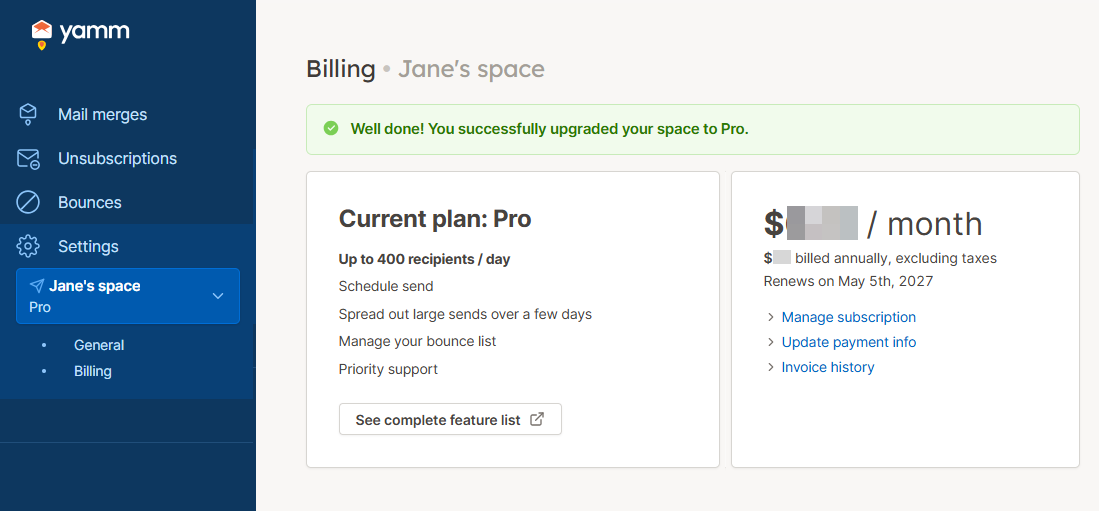
You pay upfront for the number of seats you choose.
-
Sign in to your YAMM dashboard.
-
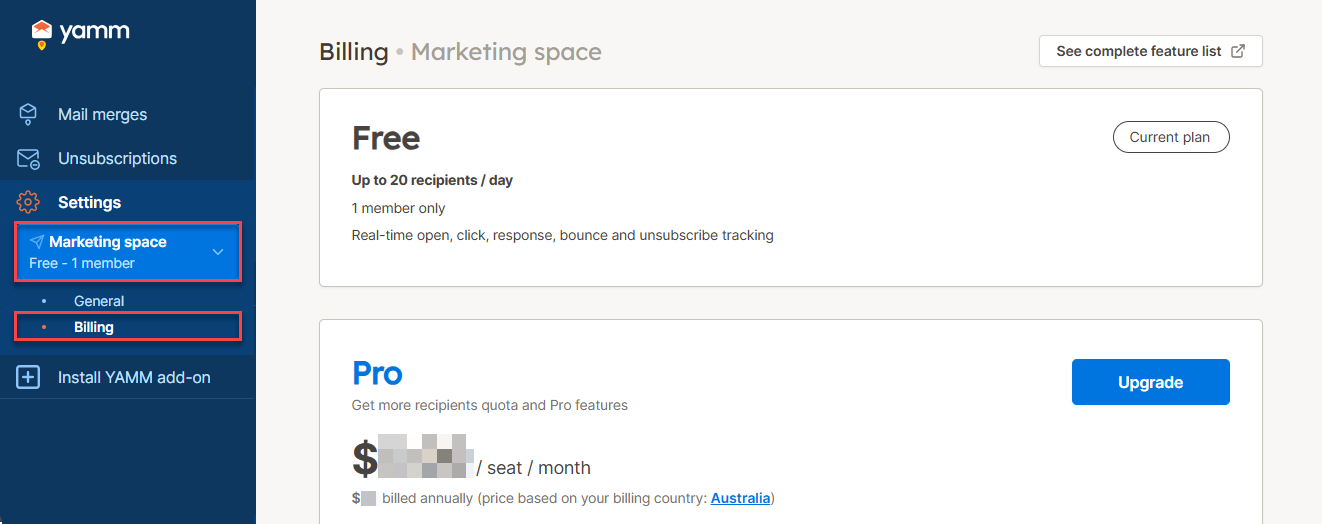
In the sidebar, select the space, and click Billing.
-
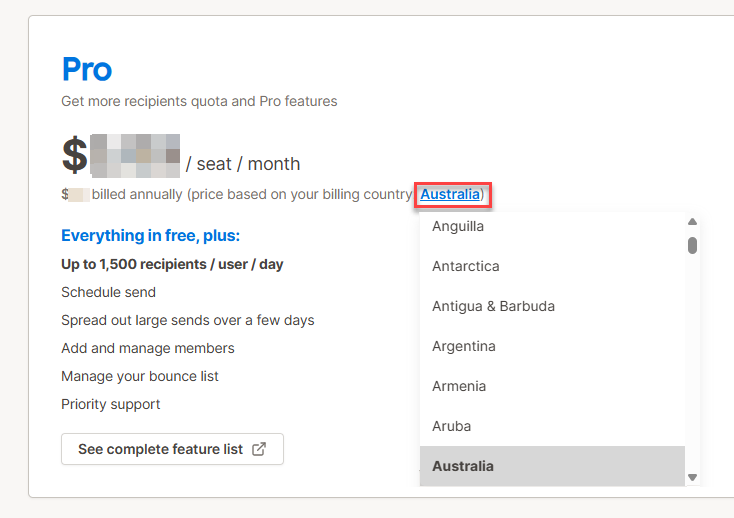
(Optional) To see which price applies to your region, select your billing country.
-
Click Upgrade.
-
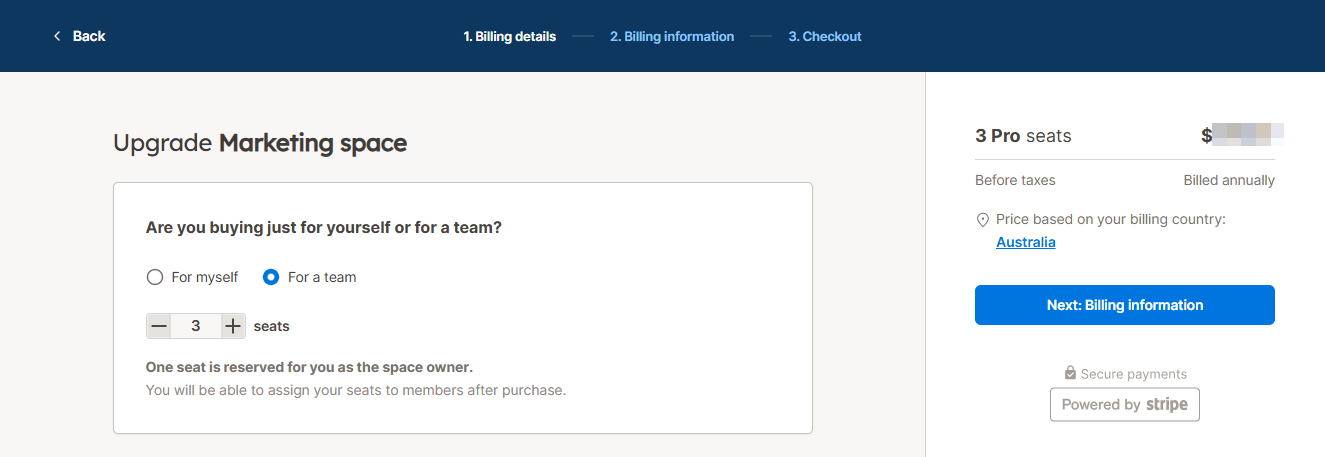
Choose one of the following:
-
For myself - to purchase one Pro seat
-
For a team - to purchase several Pro seats (one seat is reserved for you as the space owner)
-
-
Click Next: Billing information and follow the instructions to complete the subscription.
Result
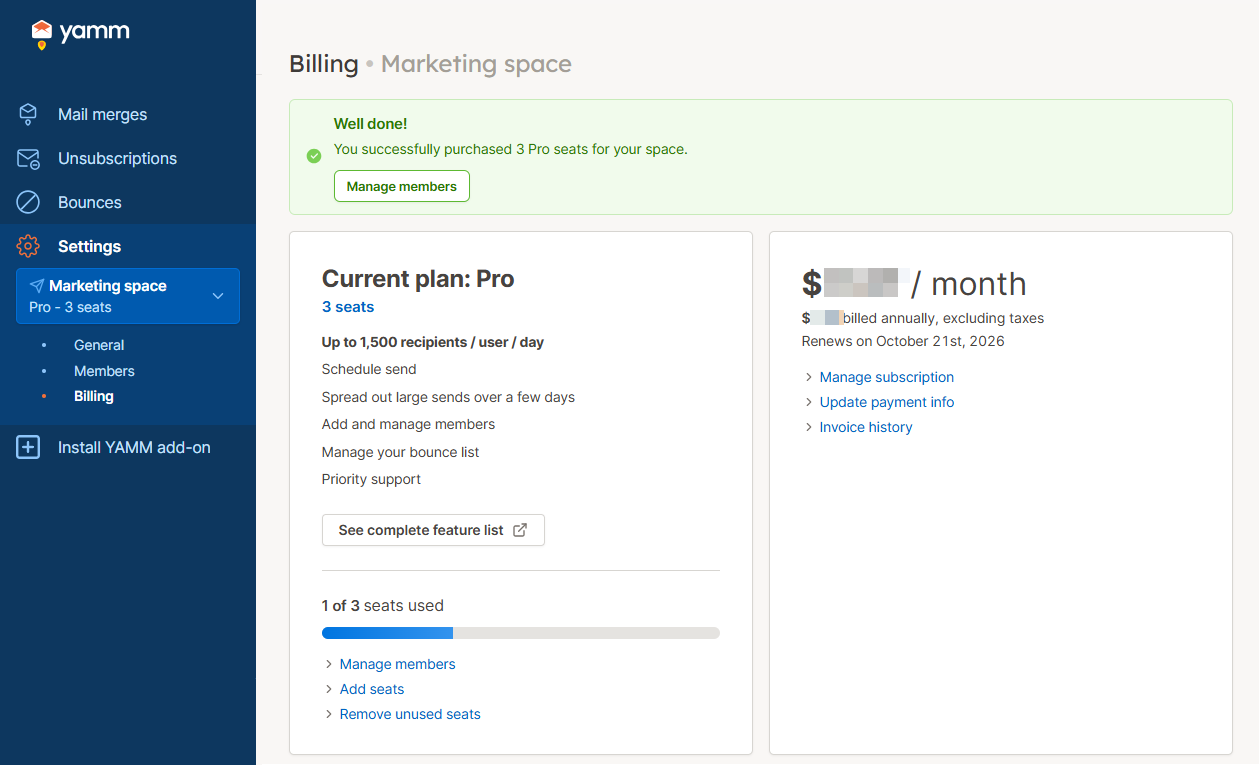
Your Free plan is upgraded to Pro. A yearly subscription starts for the number of Pro seats selected. You can cancel the auto-renewal of your Pro plan at any time.
What's next
- Gmail
- Google Workspace
- Send a mail merge using your new Pro features and limits.
-
Send a mail merge using your new Pro features and limits.
-
Assign your seats to users in your domain if you've purchased more than one seat.