Tracking stats colors are missing in my spreadsheet
You want to track a YAMM mail merge on your Google sheet, and for some reason, the colors are missing in the tracking stats.
Why are colors missing in the tracking stats?

Usually, this issue appears after sending multiple mail merges on several tabs in the same Google sheet.
If you think you have this issue for another reason, submit a support request.
Re-enable colors in the Merge status column
Open a Google Sheet where you can see the colors after sending a YAMM mail merge.

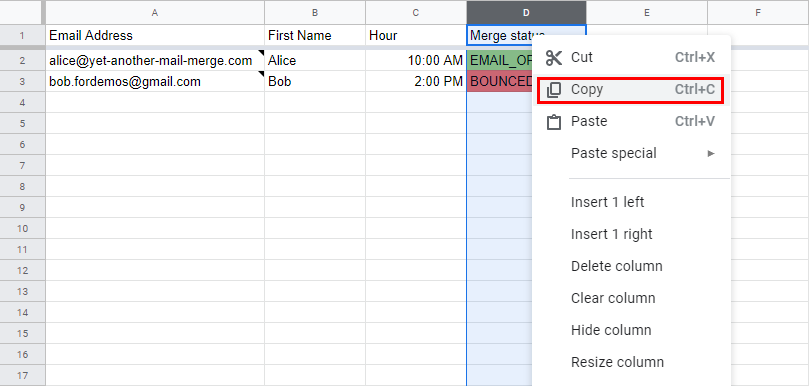
Select the Merge Status column from the letter (in our example, we selected from 'E'). Once the whole column is selected, right-click, and click Copy.
Then, open the sheet without colors, right-click the whole Merge Status column (in our example, we selected from column E), and select Paste conditional formatting only.
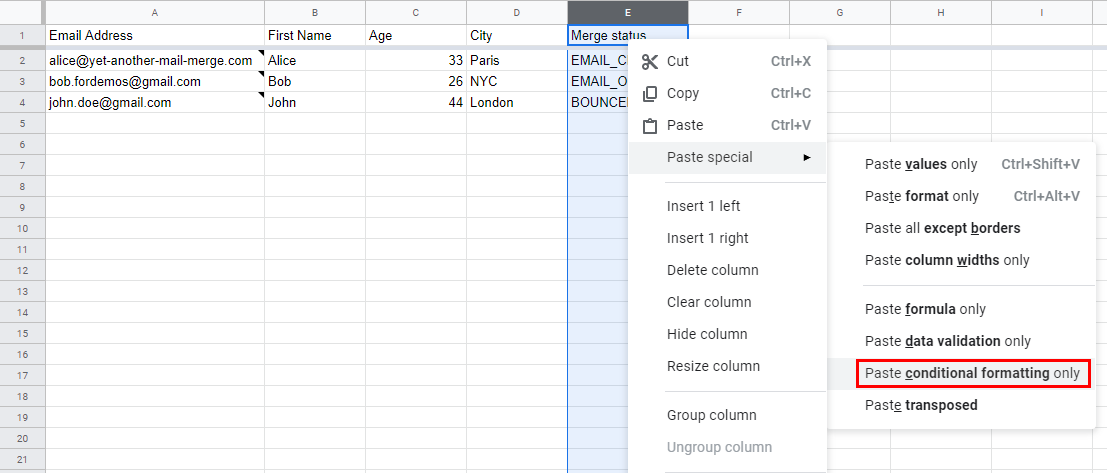
The colors appear.
Re-add the colors manually in the Merge status column
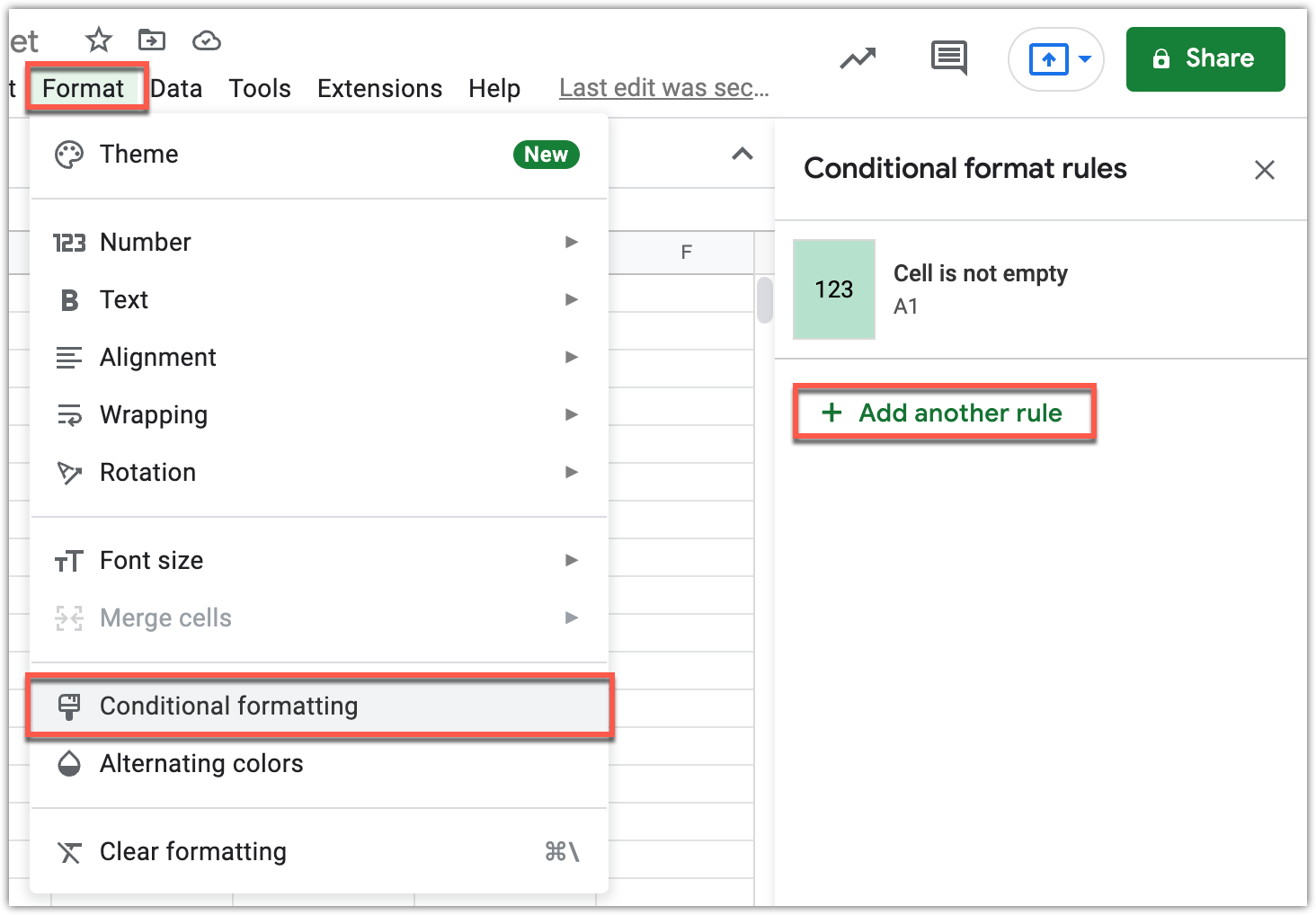
If you still have the issue, select Format and, click Conditional formatting.
The Conditional format rules sidebar opens on the right of the screen, click Add another rule.
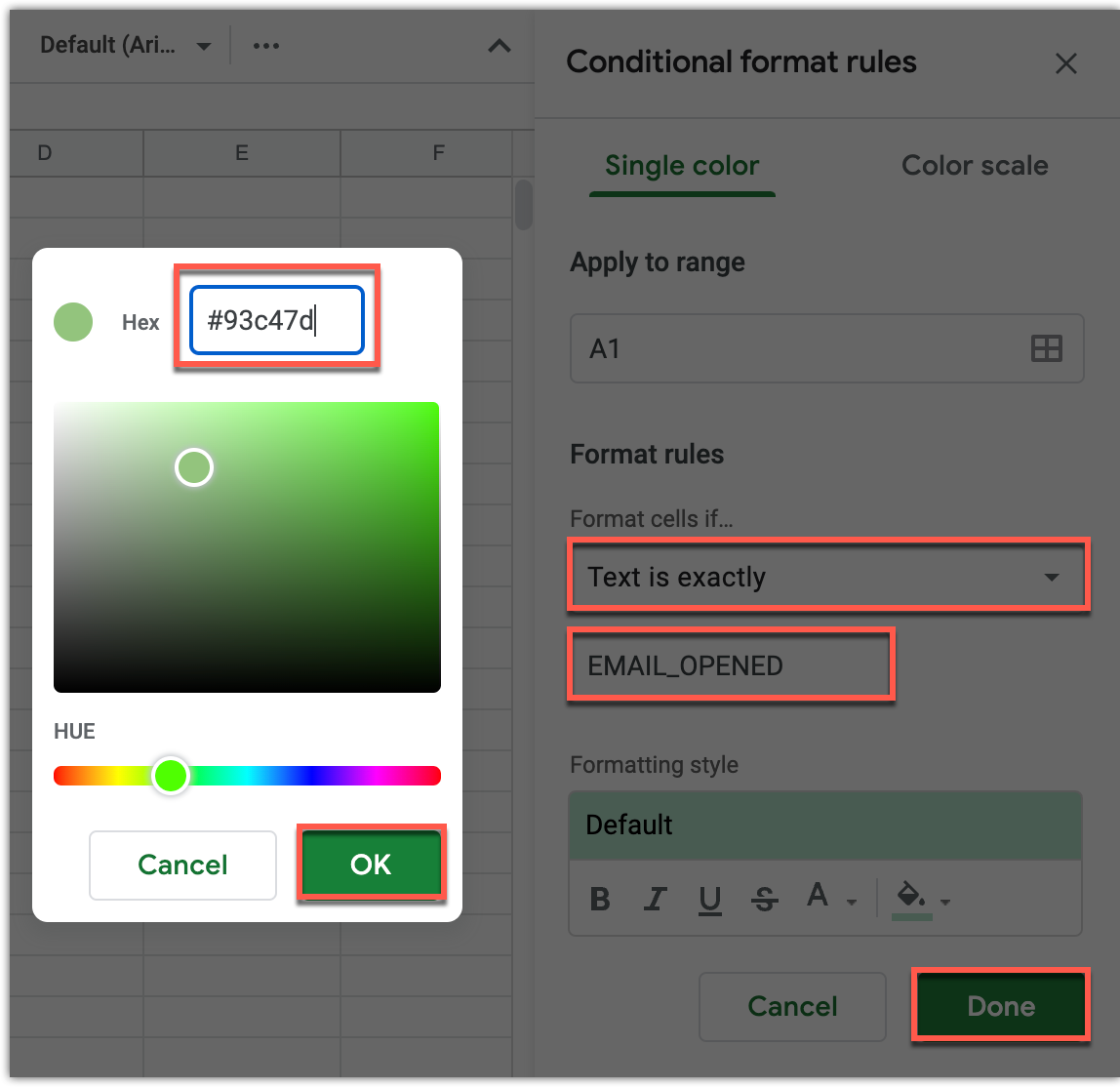
Finally, manually add each of the tracking colors.
| Merge Status | HEX code | Images |
|---|---|---|
| EMAIL_SENT | #ffffff |  |
| EMAIL_OPENED | #93c47d |  |
| RESPONDED | #6aa84f |  |
| BOUNCED | #e06666 |  |
| EMAIL_CLICKED | #6aa84f |  |
| UNSUBSCRIBED | #ffa726 |  |
| ERROR | #ff0000 |  |
| NO_RECIPIENT | #ff9800 |  |