Why are responses and bounces not tracked by YAMM?
If the tracking report in your Google Sheets doesn't show responses or bounces, refer to the points below to identify the issue and apply the correct fix.
After sending a mail merge, you did receive some answers and/or bounces (delivery failures) in your mailbox.
However, your merge statuses didn't turn into RESPONDED or BOUNCED in your spreadsheet but stayed EMAIL_SENT (or other statuses like opened or clicked).
Gmail labels are missing in your sent emails
At the end of a mail merge, YAMM automatically tags emails with a Gmail label (YAMM - Your subject line).
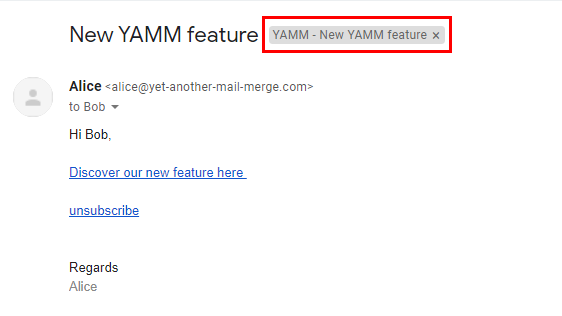
YAMM uses this label to detect responses and bounces. If it's missing, tracking fails.
If the Gmail label is missing on a response or bounce, YAMM won't record it.
All your emails are already labeled correctly
Open the tracking report again (Add-ons > Yet Another Mail Merge > Open tracking report). This updates the spreadsheet with any responses or bounces.
Responses and bounces under the correct label will appear in your spreadsheet.
Some emails are not labeled
Search for your subject line in Gmail (e.g. New YAMM feature), select the matching emails, and drag them into the correct label folder created by YAMM.
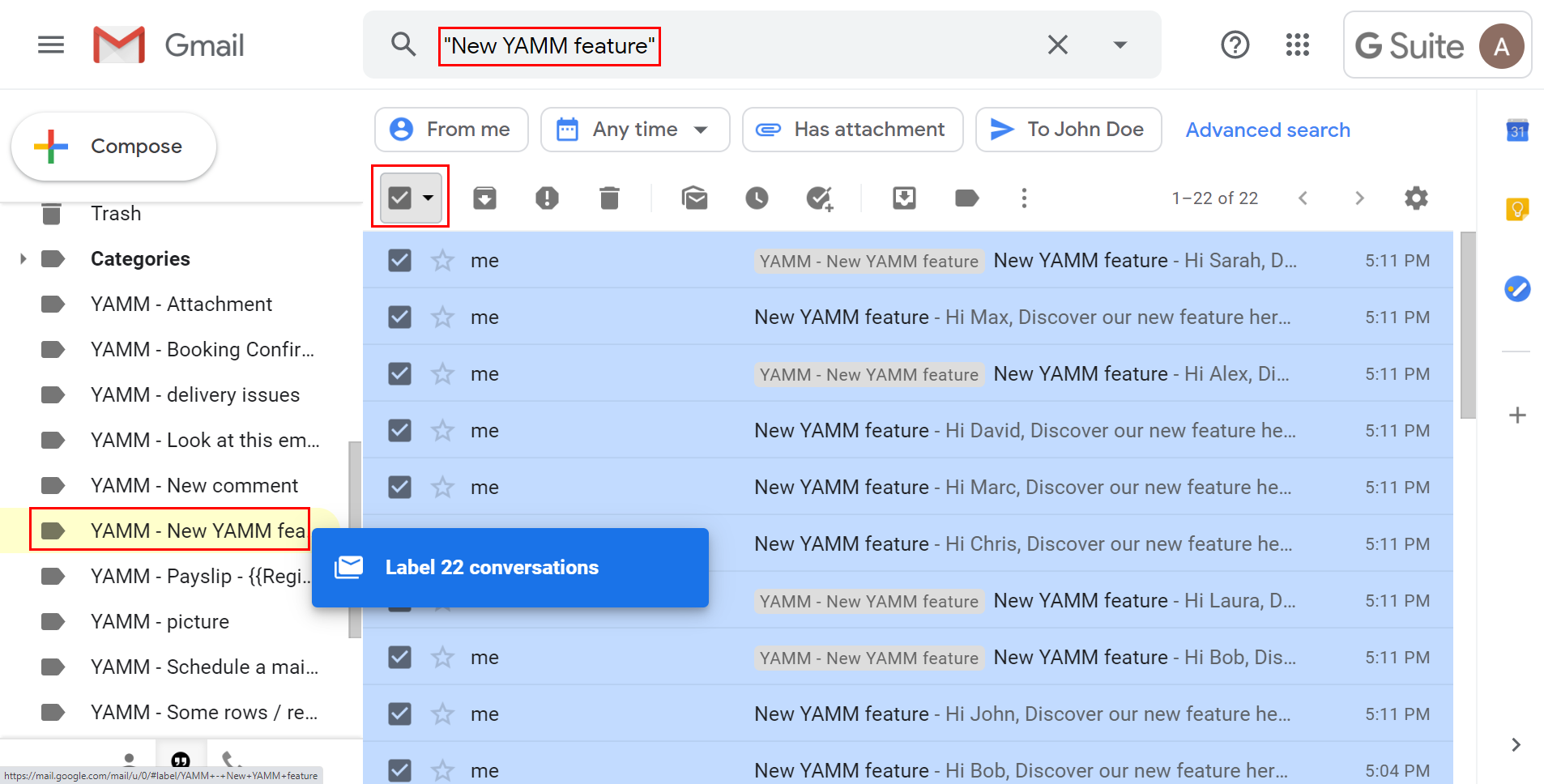
Label those emails manually and reopen the tracking report.
No Gmail label exists
If no label was created, YAMM didn't tag your emails. It must generate the label automatically.
-
Add your own email address to the sheet.
-
Send the same mail merge to yourself using the same subject line.
-
YAMM will create the missing label on this new email.
-
Apply this label to all emails from the initial merge.
Labels must be generated by YAMM, not manually created.
Add your own email address to your spreadsheet and send the same email to yourself to trigger YAMM to add the label on this new email. Then put all previous emails under this label.
The bounce email is sent from a different thread
If the bounce message is sent in a separate thread (depending on the recipient's mail server), Gmail can't group it correctly. YAMM won't detect it. Learn more about Gmail threads.
In this case, bounces are not tracked.
A different reply-to or sender email address was used
If you change the reply-to address or send the mail merge from a different email, YAMM can't track responses.
Responses sent to a different address will not appear in the tracking report.
The subject line was changed between two mail merges in the same spreadsheet
If you change the subject line of the draft email between two mail merges in the same spreadsheet, YAMM will only track the second mail merge. The first one becomes untracked.
YAMM associates tracking with the most recent subject line only.
-
Do not change the subject line if using the same spreadsheet for multiple merges.
-
If the subject line needs to change, run the second mail merge from a different spreadsheet.