Remove members from your space
Remove members from your space if they no longer need YAMM. You can then reuse their seat or remove it from your subscription.
How to remove members
Prerequisite:
You are an admin or the owner of the space.
-
Sign in to your YAMM dashboard.
-
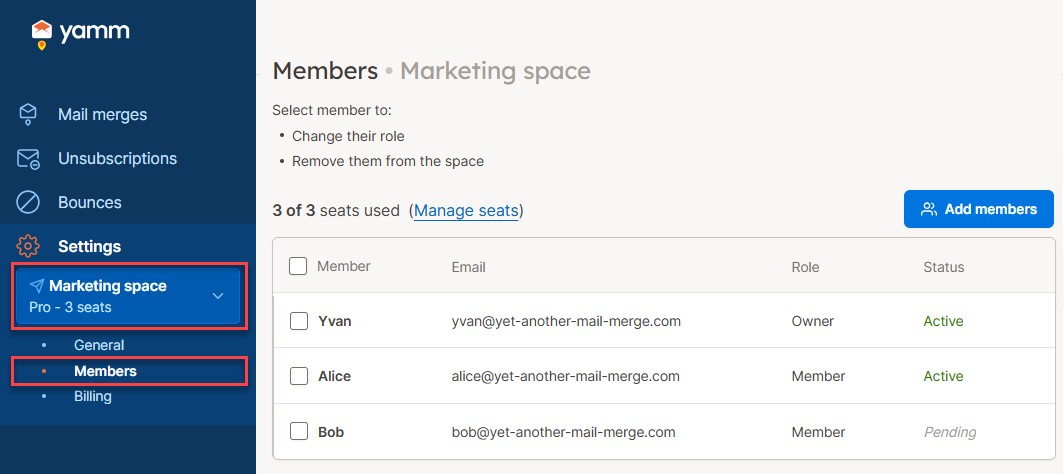
In the sidebar, select the space, and click Members.
-
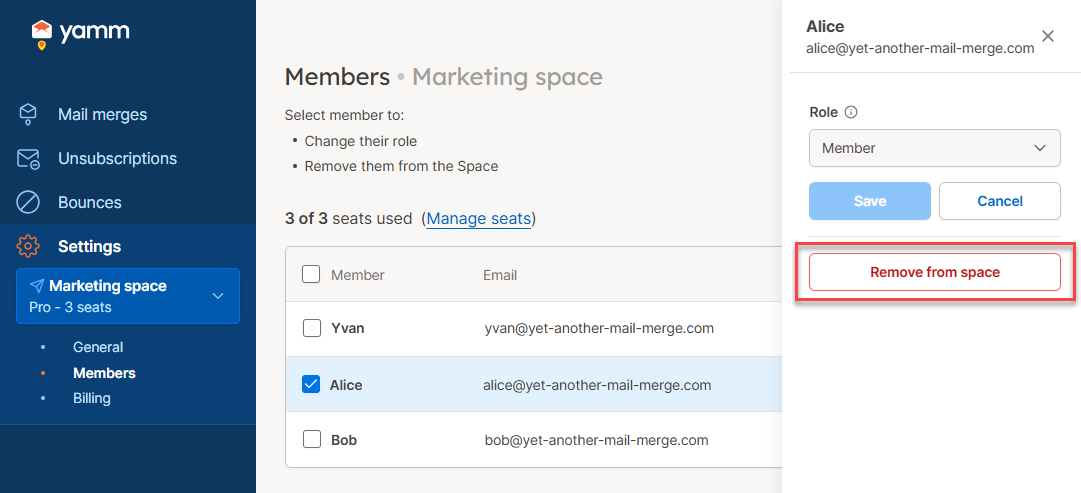
Select the member you want to remove. You can select multiple members.
-
Click Remove from space and confirm removal.
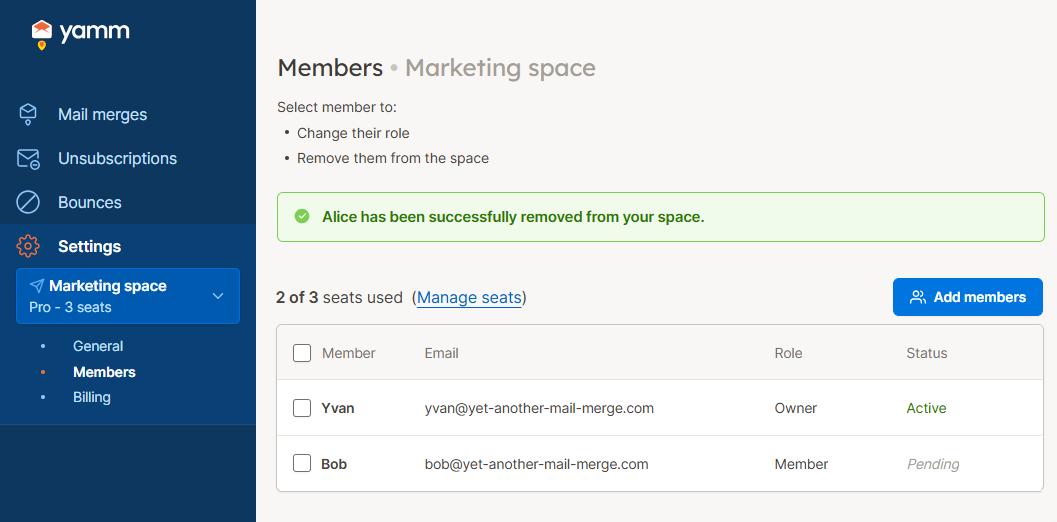
You have removed members from your space. Their seats are now available.
What's next
-
Assign the available seats by adding members to your space.