Remove unused seats
Remove unused seats to keep your subscription aligned with your team size. This schedules a downgrade that takes effect at your next billing cycle.
How to remove unused seats
Prerequisite: You are the owner of the space.
-
Sign in to your YAMM dashboard.
-
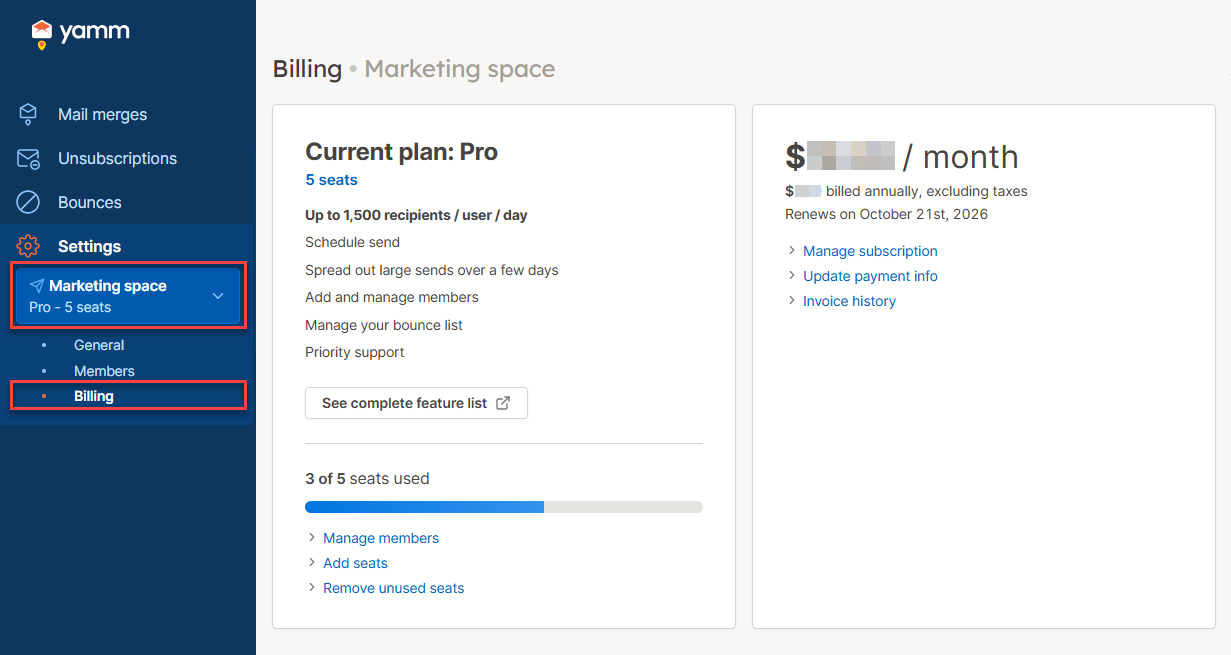
In the sidebar, select the space, and click Billing.
-
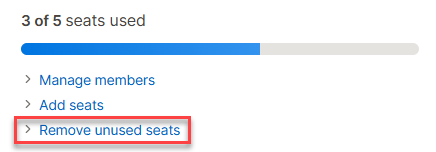
Click Remove unused seats.
-
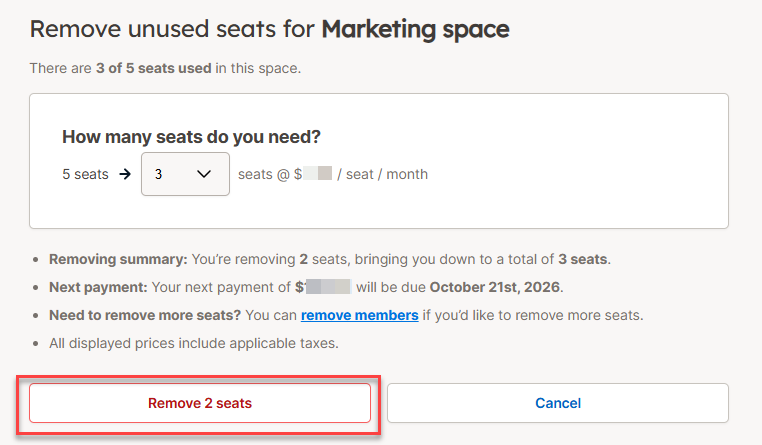
Select the number of seats you want to keep, then click Remove seats.
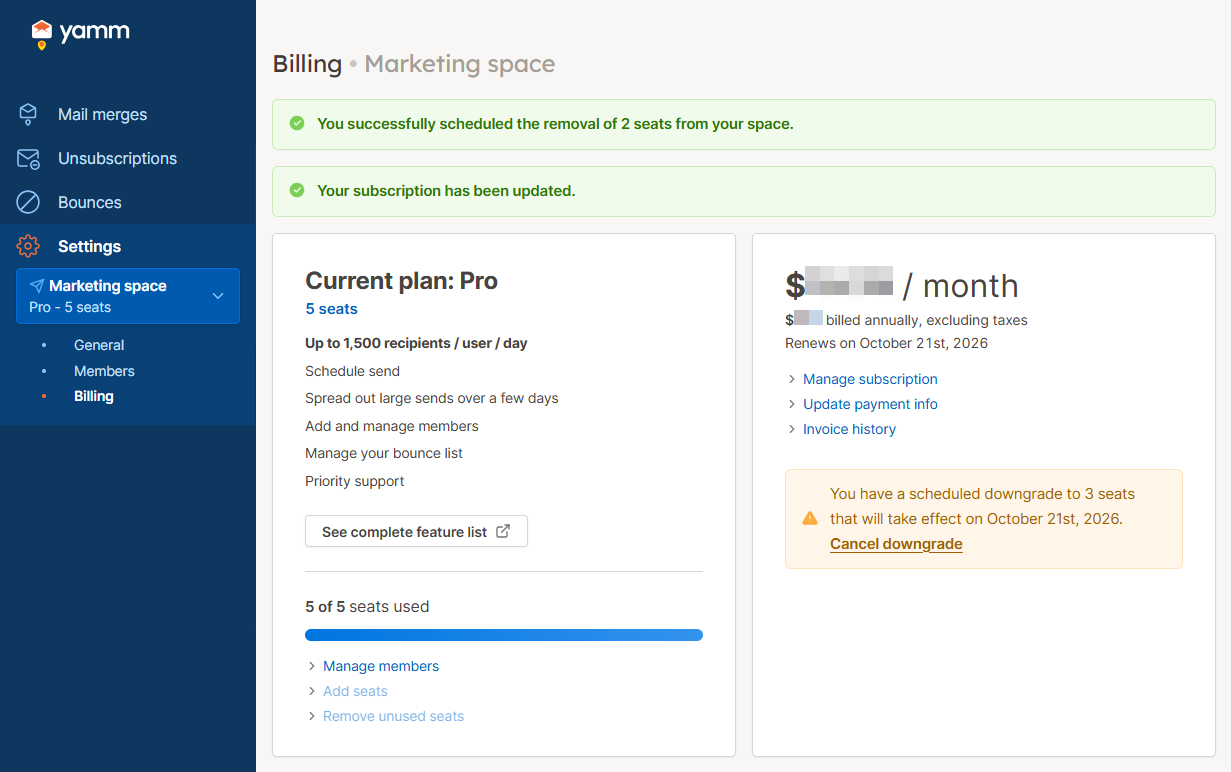
You have removed unused seats from your space. You can cancel this operation at any time by clicking Cancel downgrade.
What's next
- Remove members from your space to free up more seats.