Error: 'Invalid argument' (alias issue)
If you are having an invalid argument issue, then this is linked to your alias in your Gmail settings and draft. Please follow these steps to solve this issue.
Why do you get this error?
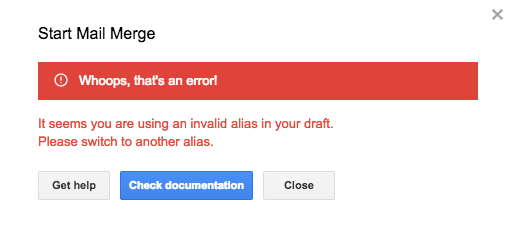
This error message appears because there is an issue either with the alias selected in your Gmail draft, and/or the configuration of your alias on your Gmail settings.
How to solve this issue?
Select the right account in your Gmail draft
Open your draft in Gmail and change the sender (From field) to switch to your default address instead of the alias.
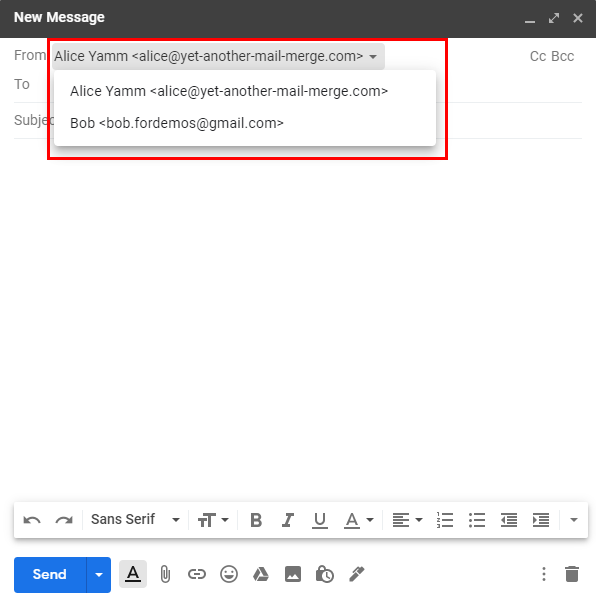
Then, if you need to send your campaign using an alias, you can choose it directly in the add-on. Learn more
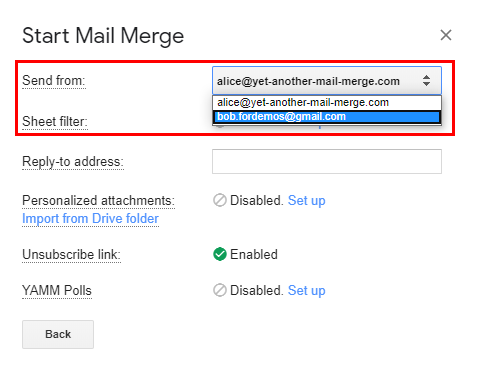
Configure your alias correctly in your Gmail settings
If the solution above doesn't help, go to your Gmail settings, under the Accounts tab, and make sure that the email you have selected (the one that appears next to the Invalid argument error message) is treated as an alias.
If you see Not an alias, then it means that you have to modify this setting.
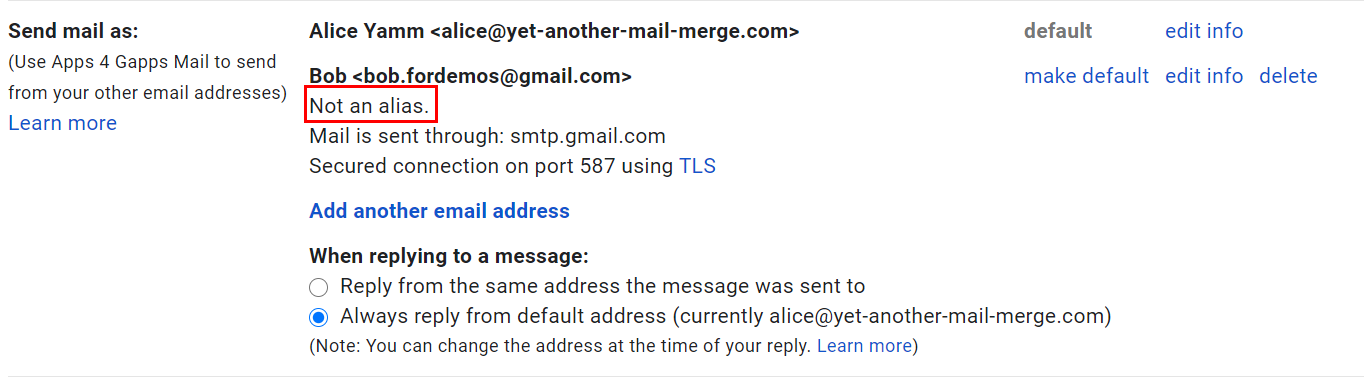
So to set up correctly an alias, click edit info then Treat as an alias and validate. Please consult this article to learn more: Use an alias / Send from another email address