Cancel auto-renewal on your subscription
Canceling your Pro plan subscription will stop it from renewing at the end of the billing cycle. You'll still have access to Pro features until then.
Cancel the auto-renewal
Prerequisite:
You are the owner of the space.
-
Sign in to your YAMM dashboard.
-
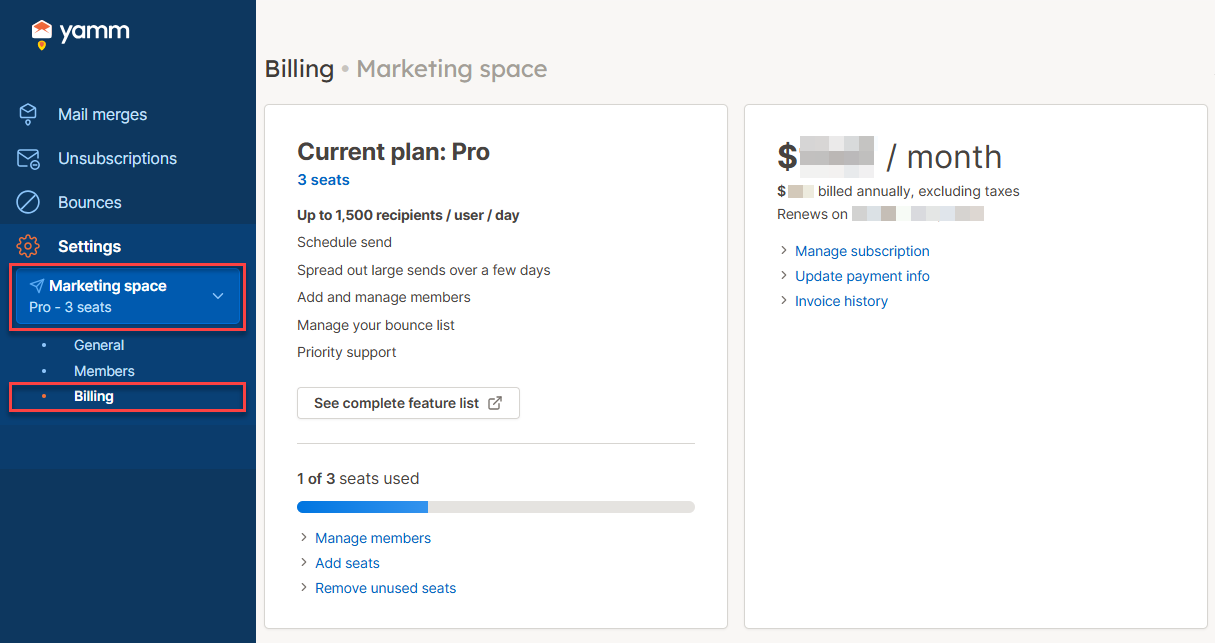
In the sidebar, select the space, and click Billing.
-
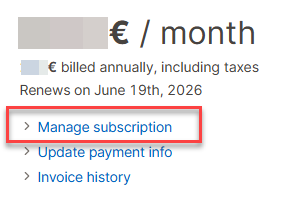
Click Manage subscription.
-
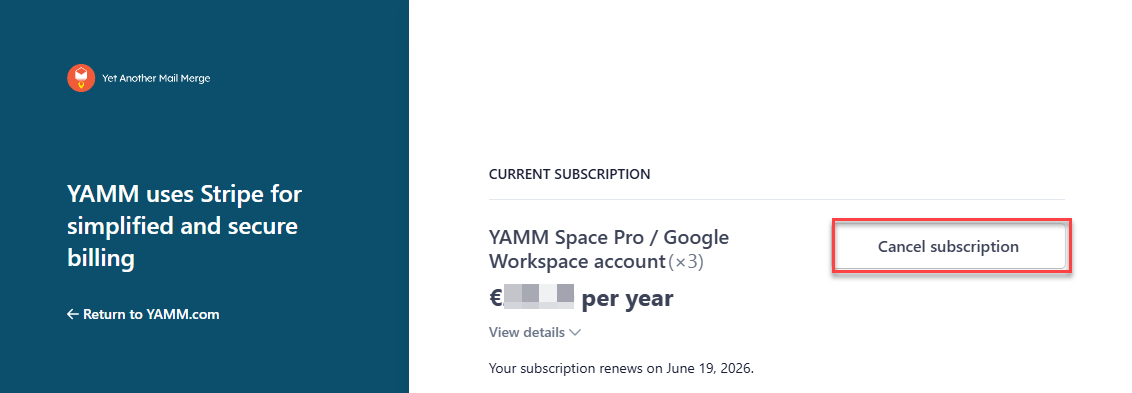
Click Cancel subscription and confirm cancellation.
Your subscription to the Pro plan will stop at the end of the current billing cycle, and you won't be charged again.
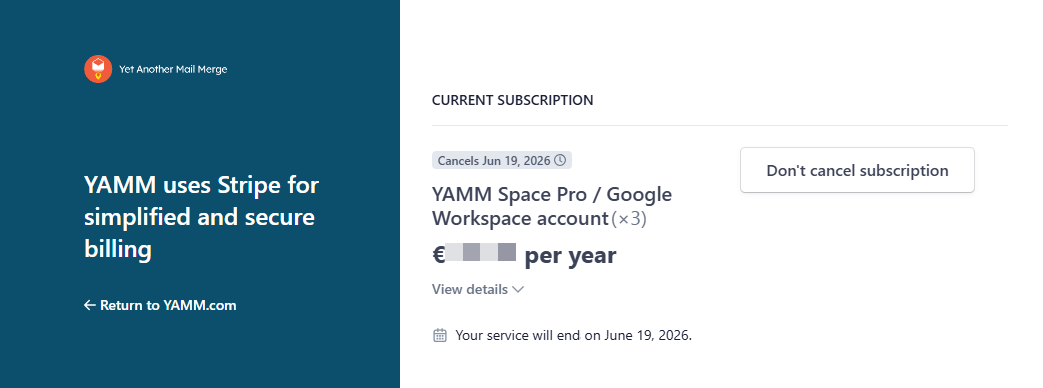
Your Pro plan remains active until the end of the current billing cycle — see What happens to my space when my Pro plan ends?.
What's next
- Reactivate auto-renewal at any time before the billing cycle ends.