Reactivate auto-renewal on your subscription
If you canceled auto-renewal, your subscription is still active but will expire at the end of your current billing cycle. You can reactivate auto-renewal at any time before that date to keep your subscription going.
Reactivate the auto-renewal
-
Sign in to your YAMM dashboard.
-
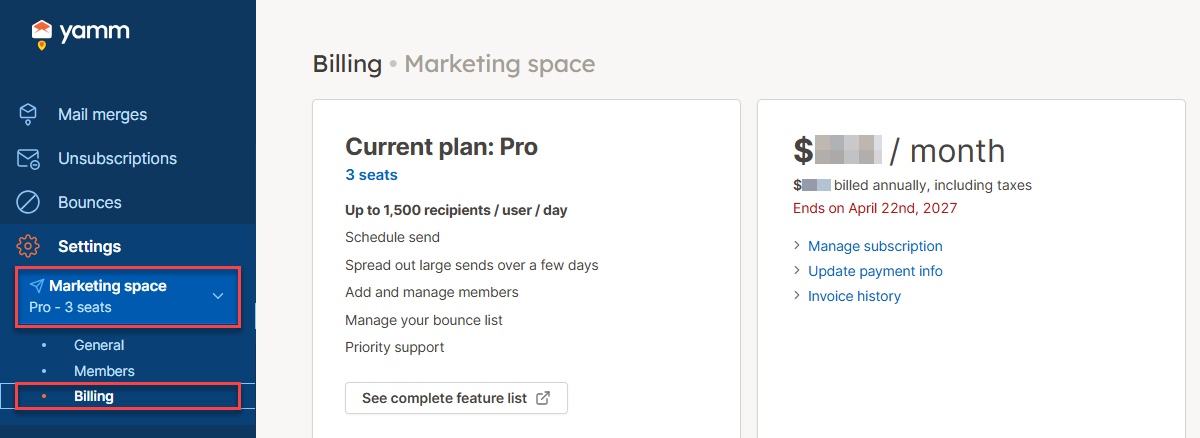
In the sidebar, select the space, and click Billing.
-
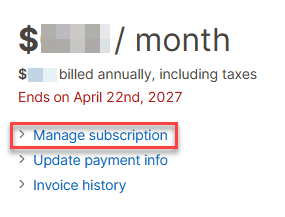
Click Manage subscription.
-
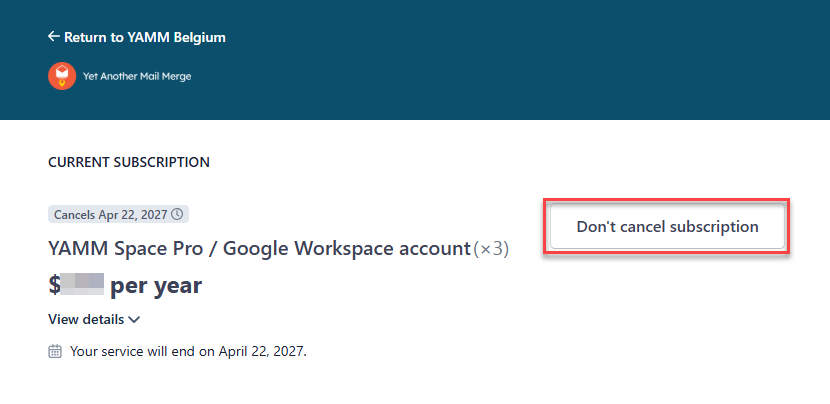
Reactivate auto-renewal on the checkout page.
-
Click Don't cancel subscription.
-
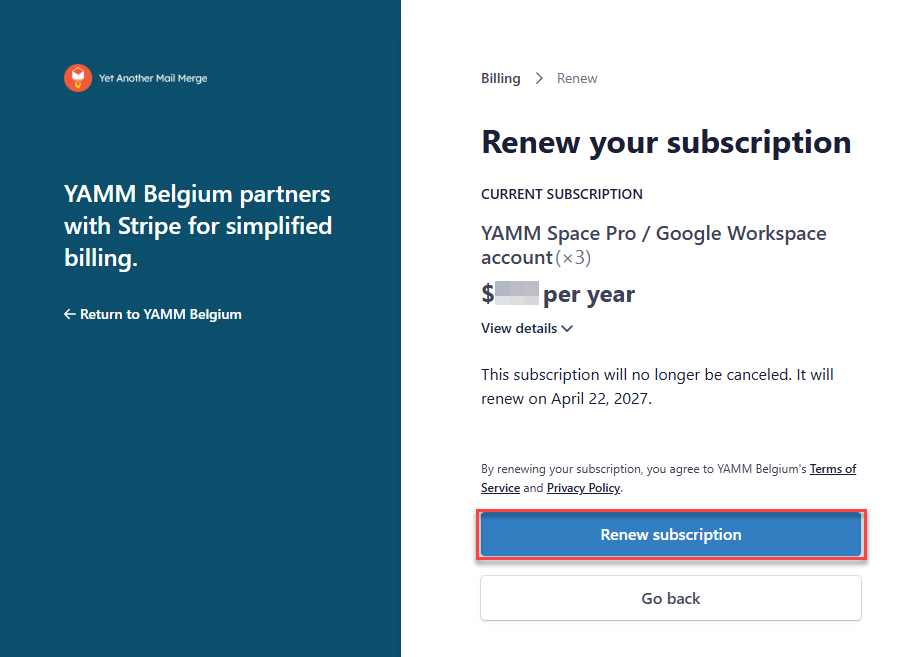
Confirm by clicking Renew subscription.
-
Result
YAMM attempts to charge your payment method.
- If the charge succeeds, your auto-renewal is reactivated and your subscription will continue at the next billing cycle.
- If the charge fails, update your payment information and try again.