Switch from a Team (legacy) plan to Pro
If your space is on a Team (legacy) plan, you can switch it to a Pro plan directly from the YAMM dashboard. Switching to Pro starts a yearly Pro subscription for the number of seats you choose, and replaces your Team plan. The unused portion of your Team subscription is refunded pro rata.
Why switch to Pro
Upgrading your space plan to Pro unlocks additional features:
-
Add users beyond your fixed Team plan size
-
Add and remove individual seats as needed
-
Manage your bounce list
-
Benefit from all upcoming new features
Switch to Pro
Prerequisites
-
Sign in to your YAMM dashboard.
-
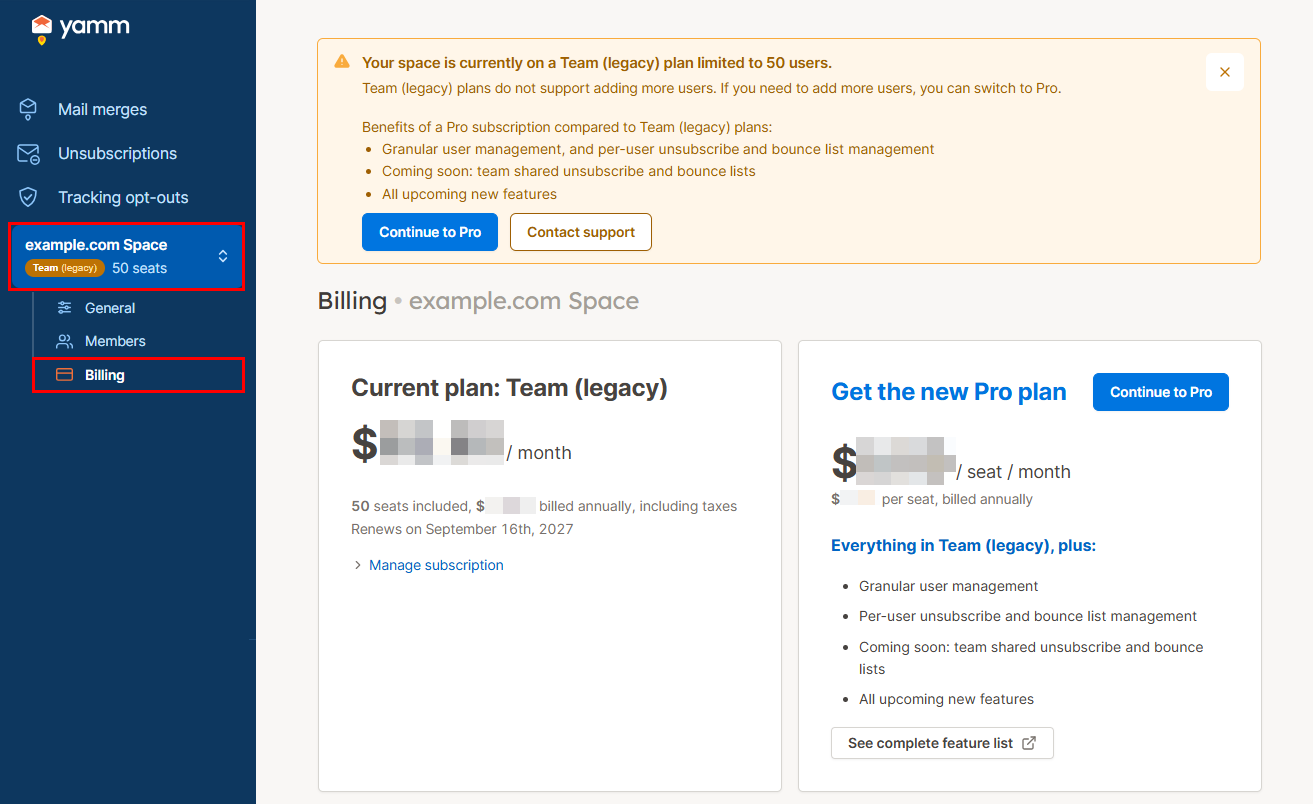
In the sidebar, select the space, and click Billing.
-
Click Continue to Pro.
noteIf your space is on a Team (legacy) plan and you are not invited to switch to Pro on the Billing page, contact support to switch to Pro.
-
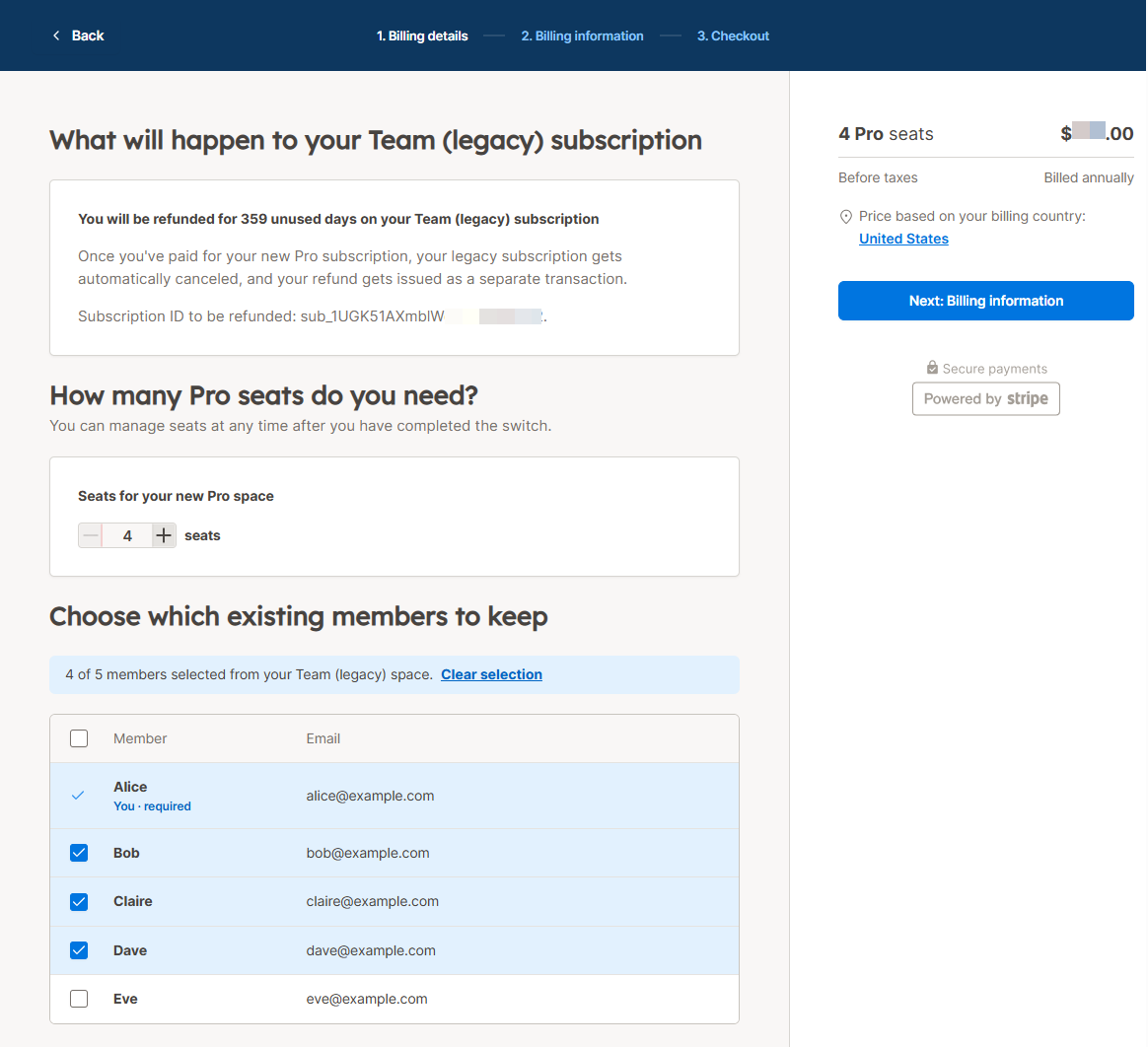
Choose the number of Pro seats you need (one seat is reserved for you as the space owner).
If your Team (legacy) space has more members than the Pro seats you choose, select which existing members to keep. Members you don't select lose access to the space when you switch.
-
Click Next: Billing information and follow the instructions to complete the subscription.
Your space is switched to Pro:
-
Your Team (legacy) plan ends. The unused portion of your Team (legacy) subscription is refunded pro rata.
-
A yearly subscription starts for the number of Pro seats selected.