Cancel your subscription: you paid by Paypal or by card via Paypal
When you buy licenses for Yet Another Mail Merge by Paypal or by card via Paypal, a recurring payment is automatically set up for your customer profile, through PayPal. This article explains how to cancel your subscription: the recurring payment is removed for your profile and your YAMM license won't be renewed when your current license expires.
– This article is for users who purchased their license by Paypal or by card via Paypal. If you paid by credit or debit card without using Paypal, read the article: Cancel your subscription. Learn more: How did you pay for your YAMM license? – If you don't want your license to be renewed automatically, you need to repeat the steps below, each time you buy a plan.
Canceling your subscription is irreversible! If you cancel by accident, you need to buy a new plan through our pricing page.
Cancel your subscription from the YAMM interface
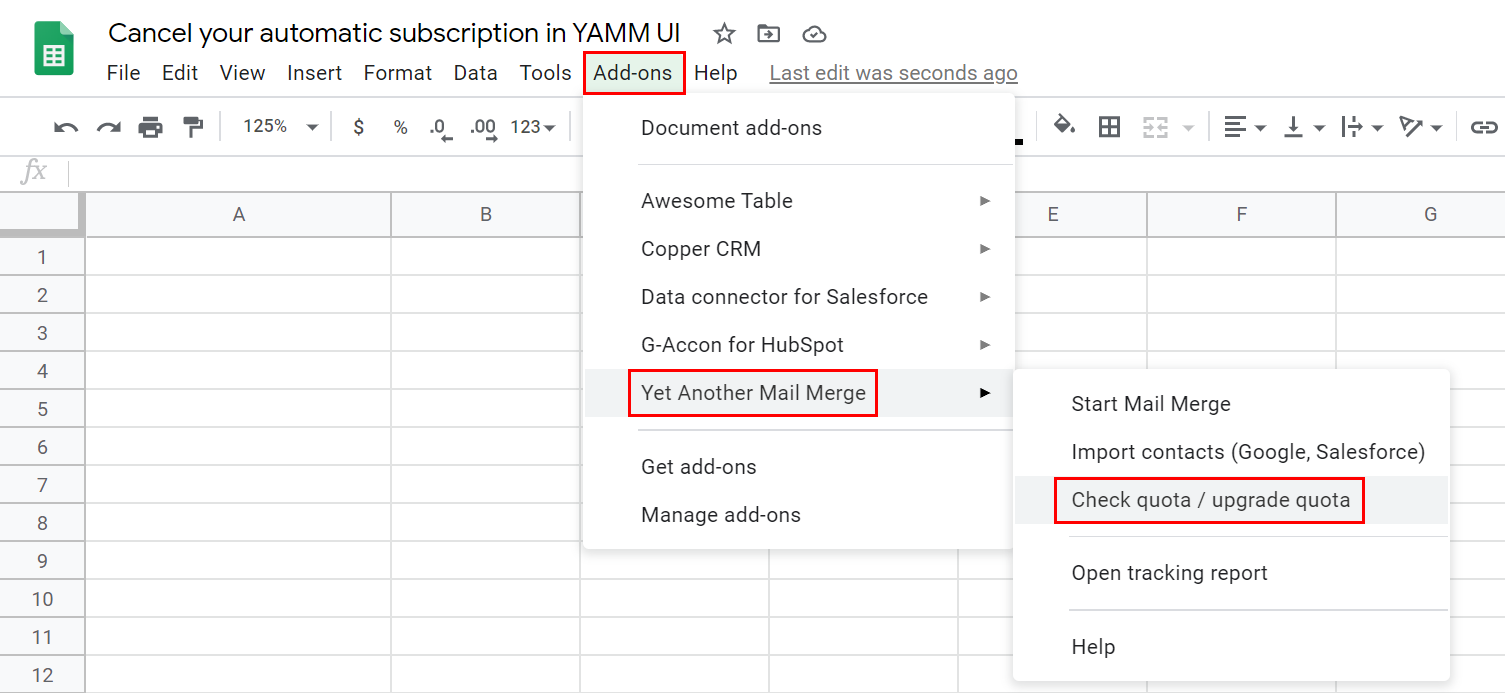
You can cancel your subscription at any time by going to Add-ons > Yet Another Mail Merge > Check quota / upgrade quota.
Click Cancel your subscription.
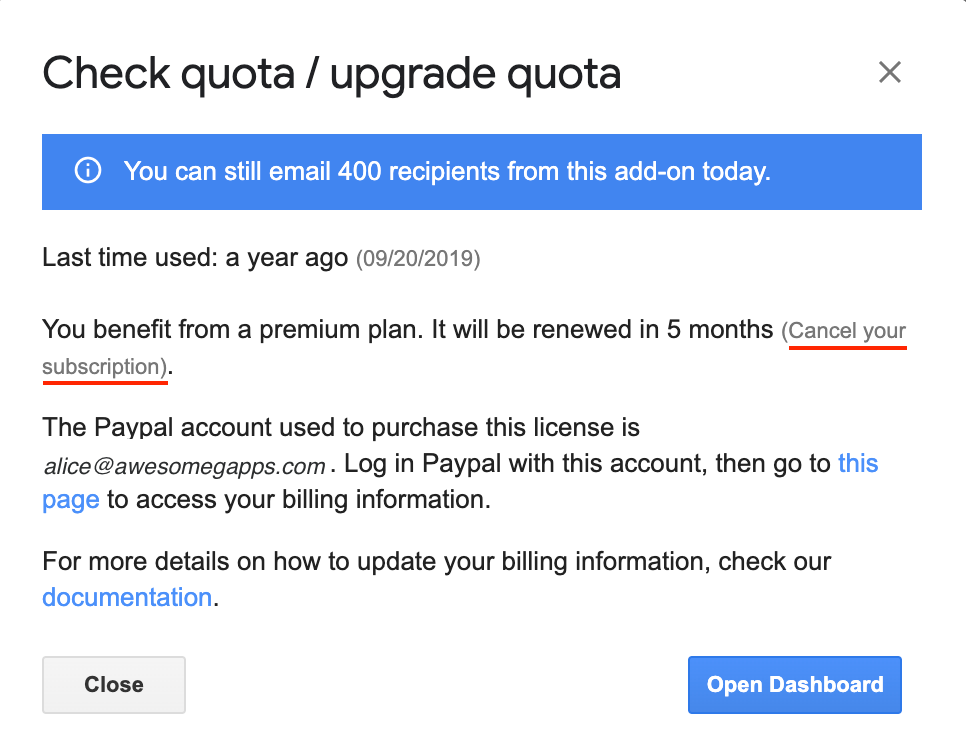
That's it! Your subscription has been canceled, and your YAMM license won't renew automatically. Your plan remains active until the end of your current subscription.
Cancel your subscription from your PayPal account
Sign in to your PayPal customer account.
Sign in to PayPal
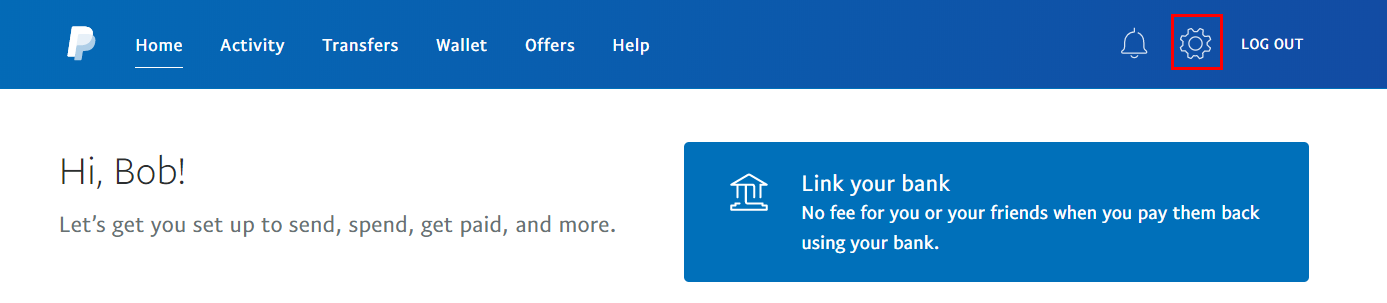
Click the Settings button.
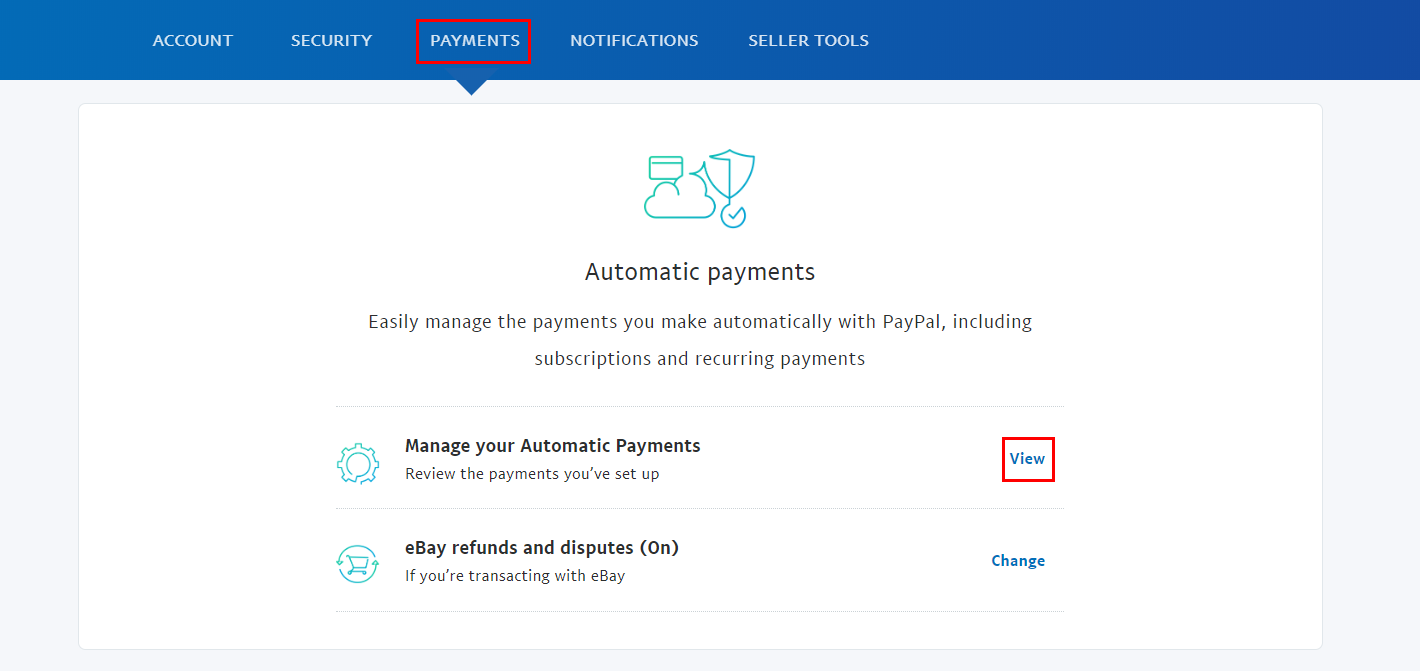
Go to Payments and click View.
Choose Talarian in the merchant list in the left menu, then click Cancel next to Status.
Confirm the following pop-ups.
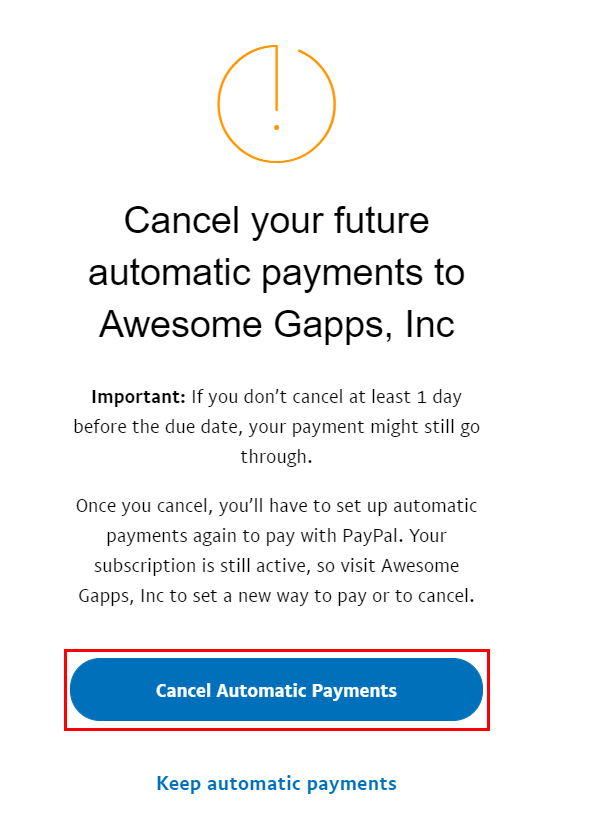
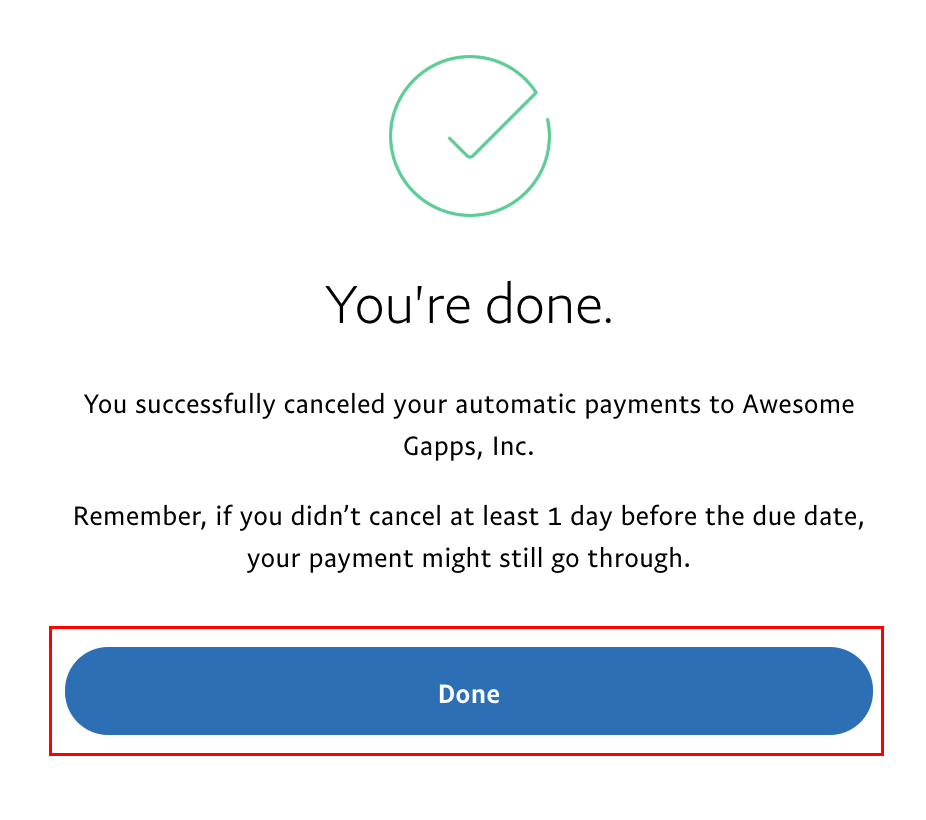
Your subscription status switches to INACTIVE.
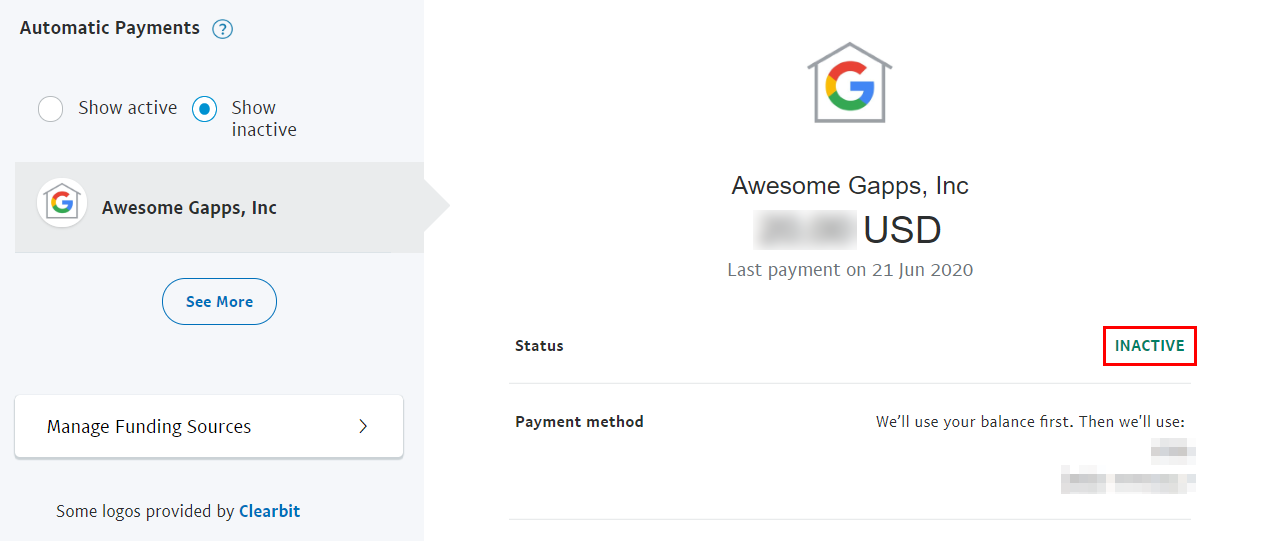
That's it! Your subscription has been canceled, and your YAMM license won't renew automatically. Your plan remains active until the end of your current subscription.
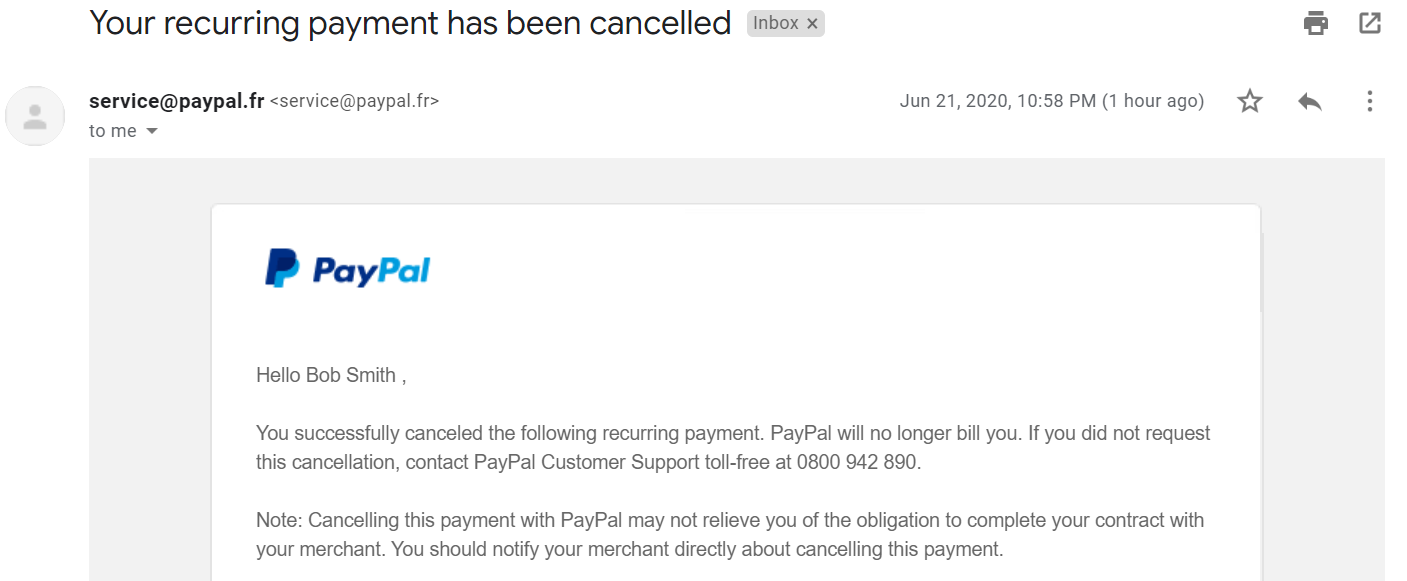
You'll receive a confirmation email from PayPal indicating that your recurring payment has been canceled.
Cancel your subscription from the reminder emails
You receive two automatic notifications by email 30 and 10 days before your license renews, with the following subjects:
-
Your premium plan will renew in 30 days
-
Your premium plan will renew in 10 days
If you don't see them in your inbox, check your spam folder or promotion tab!
In the emails, click Cancel my subscription.
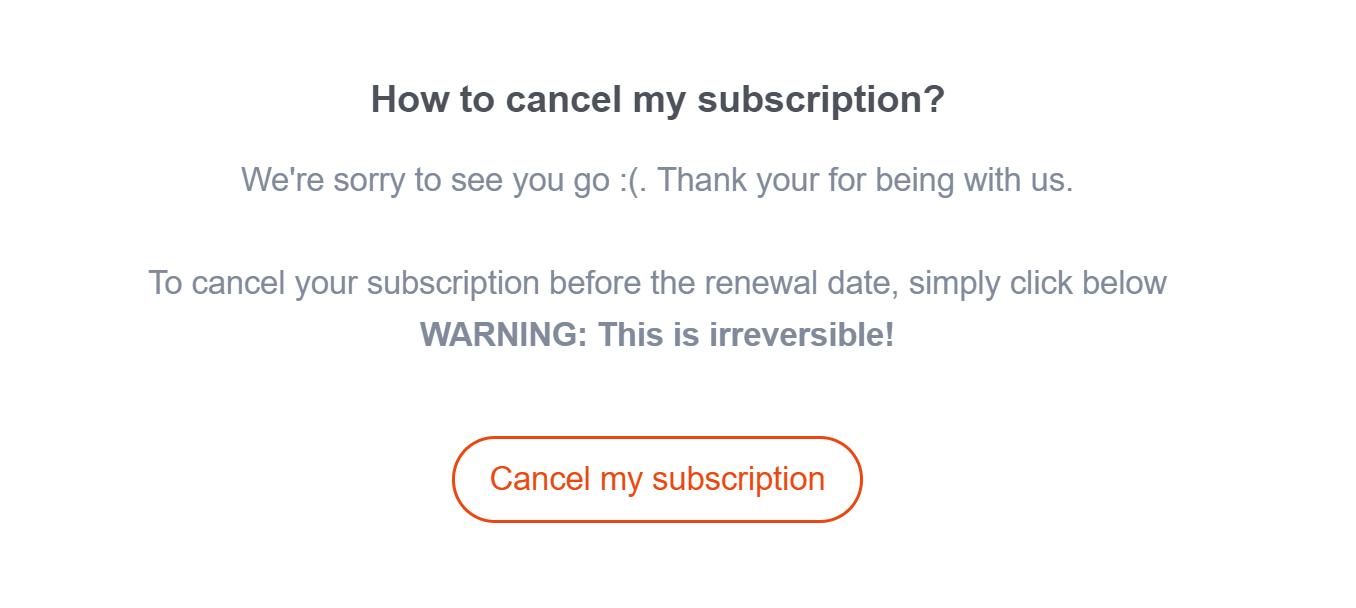
That's it! Your subscription has been canceled, and your license won't renew automatically. Your plan remains active until the end of your current subscription.
To find the answer of our frequently asked billing questions, check our FAQ.