YAMM vs Mailmeteor: Which Mail Merge for Gmail Is Better?
16 min read
Table of contents
YAMM (Yet Another Mail Merge) works inside the Google tools you already own. Mailmeteor brings its own. With YAMM, your list is a Google Sheet, your email is a Gmail draft, and the results come back into the same sheet. Mailmeteor adds its own email editor, contact list, template library and web dashboard, spread across several extensions.
That one difference shapes the rest. YAMM is simpler, because there's very little to learn. It's also more private, because your list and your emails stay in your Google account. YAMM keeps no copies of your emails, and no recipient addresses except those that bounced, unsubscribed or opted out of tracking. Your attachments stay private too. Mailmeteor keeps your recipients' addresses and the sheet data merged into each email for 180 days, and your templates and contacts with no time limit.
YAMM costs less, too, once you need the basics. Mailmeteor's cheapest paid plan leaves out bounce detection, follow-ups and sending from an alias, and stops at 250 emails a day. Its next plan costs $161.99 a year. YAMM includes all of that for $72 a year on a @gmail.com account, with up to 400 emails a day, or $144 on Google Workspace, with up to 1,500.
YAMM has been installed more than 16 million times from the Google Workspace Marketplace, against more than 7 million for Mailmeteor. And on Trustpilot, it scores 4.9 out of 5, against 4.3.
YAMM vs Mailmeteor at a glance
Compared on November 3, 2026. Prices are US prices for one user, billed yearly.
| YAMM | Mailmeteor | |
|---|---|---|
| What you use | One Google Sheets add-on, with your Gmail drafts and Drive files | A Gmail extension, add-ons for Google Sheets and Docs, a web dashboard and its own email editor |
| What it keeps on its servers | Your account details, subject lines and tracking counts, plus addresses that bounced, unsubscribed or opted out of tracking | Recipient addresses and the sheet data merged into each email (180 days), tracking events (90 days), templates and contacts (no time limit) |
| Security certification | ISO 27001 certificate, since 2021 | None; SOC 2 has been "coming soon" since at least November 2025 |
| Private Google Drive attachments | Yes | No: each file must open for anyone with its link |
| Cheapest paid plan with bounce detection, follow-ups and aliases | $72 a year (@gmail.com), $144 (Google Workspace) | $161.99 a year (Premium) |
| Emails a day on Google Workspace | Up to 1,500 for $144 a year | 1,000 for $161.99, 2,000 for $323.99 |
| Free plan | Up to 20 recipients a day, no YAMM branding, and every feature except scheduling | 50 emails a day and 500 a month, with Mailmeteor branding and no bounce detection, reply tracking or follow-ups |
| Polls | Answers land in your sheet | None built in |
| Trustpilot rating | 4.9/5 (457 reviews) | 4.3/5 (113 reviews) |
| G2 rating | 4.3/5 (91 reviews) | 4.1/5 (11 reviews) |
Which is simpler to use?
YAMM. It's one add-on that uses the Gmail, Sheets and Drive you already have, where Mailmeteor adds tools of its own.
| Part of the job | With YAMM | With Mailmeteor |
|---|---|---|
| Contact list | Your Google Sheet | Your sheet, or Mailmeteor's own contact list, kept with no time limit |
| A Gmail draft, with your signature | Its own editor, saved as a Mailmeteor template | |
| Attachments | Files on your Gmail draft, or one private file per person from your Drive | Drive files that anyone with the link can open |
| Results | Columns in your sheet | Columns in your sheet, and its web dashboard |
Fewer tools means less to learn, and fewer places where your data ends up.
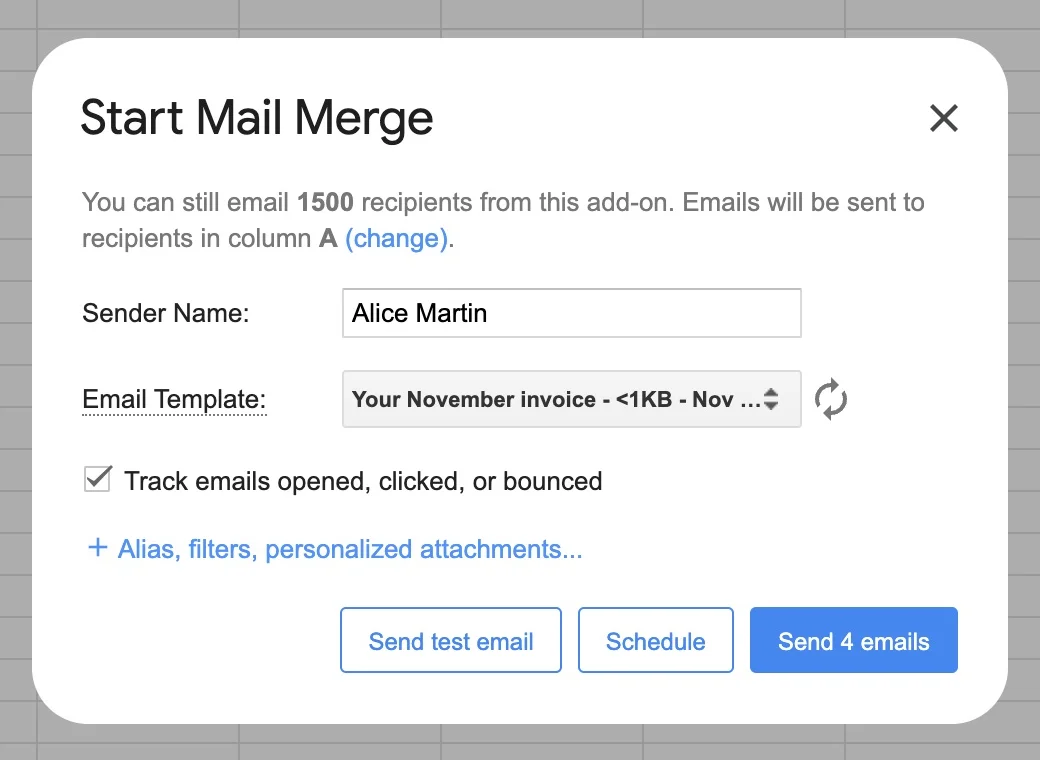
One add-on, one way to work. You install YAMM in Google Sheets, and every mail merge follows the same steps: write a draft in Gmail, put your list in a sheet, pick the draft and send. When the emails go out, the tracking report opens next to your list, and that's where you start a follow-up.
Mailmeteor has more to learn. On top of the mail merge, its pricing page lists sequences, email warm-up, AI drafts, inbox rotation and pipelines.
Your email is a Gmail draft. There's no new editor to learn. You write the email in Gmail like any other, and your signature, formatting, images, attachments, CC and BCC come with it. The draft you sent last month works again for the next merge, and it stays in your Gmail.
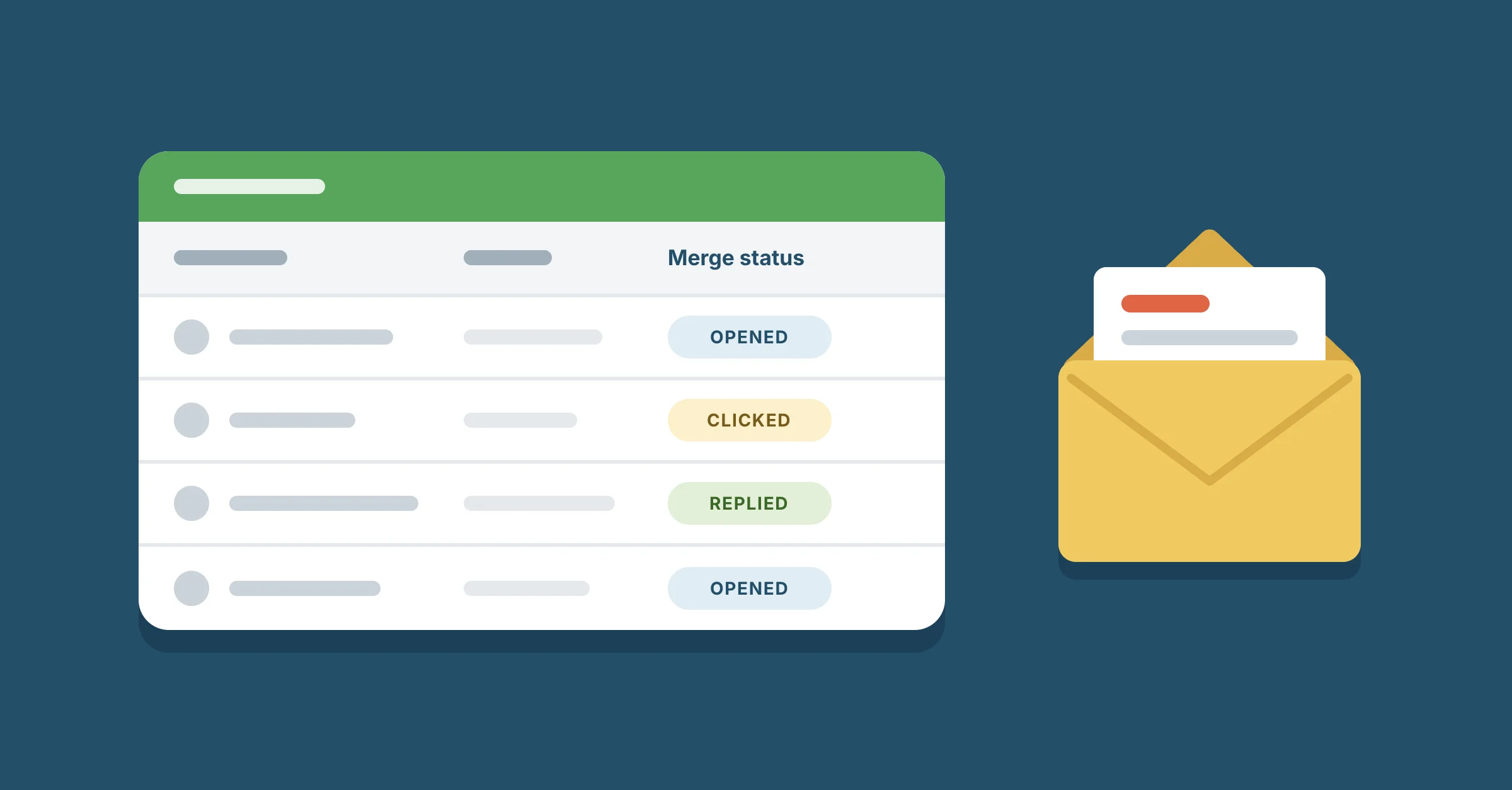
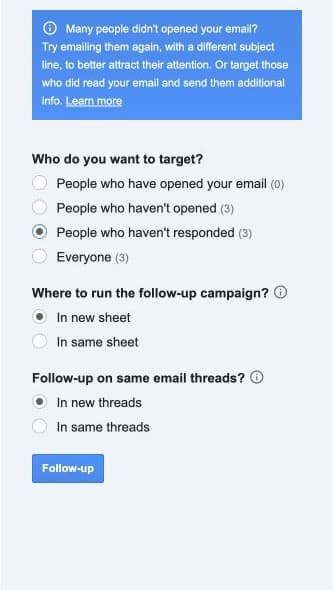
Tracking and follow-ups in the same sheet. YAMM writes each person's status in a Merge status column: sent, opened, clicked, responded, bounced or unsubscribed. Our guide to tracking opens, clicks and replies in Google Sheets explains each one. From the tracking report, you choose who gets a follow-up, such as the people who haven't responded, and send it with a new draft. People whose email bounced or who unsubscribed never get one. Here's how to follow up with people who didn't reply.
A folder of files, matched in one step. To send each person a personalized attachment, put the files in one Google Drive folder and click Import from Drive folder. YAMM matches each file name to a column in your sheet, such as an invoice number, and fills in the attachments. Before anything is sent, it tells you whether every row has its file.

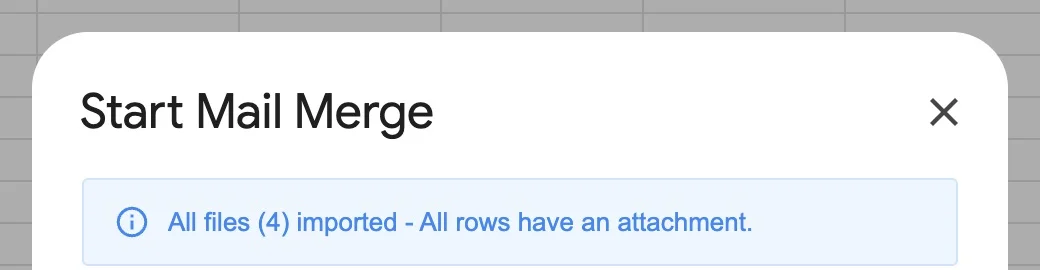
Mailmeteor's attachment guide has you copy each file's link and paste it into that person's row, then "repeat these steps for each recipient". For 300 invoices, that's 300 links. Our guide shows how to add an attachment to a mail merge with YAMM.
Which is more private, YAMM or Mailmeteor?
YAMM, because it holds almost none of your data. Both companies publish what they keep. This table sums up YAMM's data storage page and Mailmeteor's data retention table, as of November 3, 2026.
| What's kept | YAMM | Mailmeteor |
|---|---|---|
| Recipient email addresses | None, except those that bounced, unsubscribed or opted out of tracking | Kept with the sheet data merged into each email for 180 days; contacts kept with no time limit |
| Your emails | No drafts and no copies of sent emails, only subject lines | Templates and their attachments, kept with no time limit |
| Your spreadsheet | Only its ID and title, never its contents | Merge fields from it, for 180 days |
| Tracking | Counts, and random IDs that only your sheet can match to a person | Opens, clicks, replies and unsubscribes, for 90 days |
YAMM tracks opens and clicks, but only your sheet knows who they came from. As its tracking page explains, each recipient gets a random ID, written as a note in your sheet. YAMM's servers only see that an ID opened or clicked, and your sheet is the only place that links that ID to a person. The few addresses YAMM does keep, those that bounced or unsubscribed, are there so it can warn you before you email them again.
Mailmeteor keeps your recipients' addresses and your sheet data for 180 days. Your templates and contacts stay until you delete them yourself. Paying changes none of this: Mailmeteor's retention table says the same periods apply to free and paid plans.
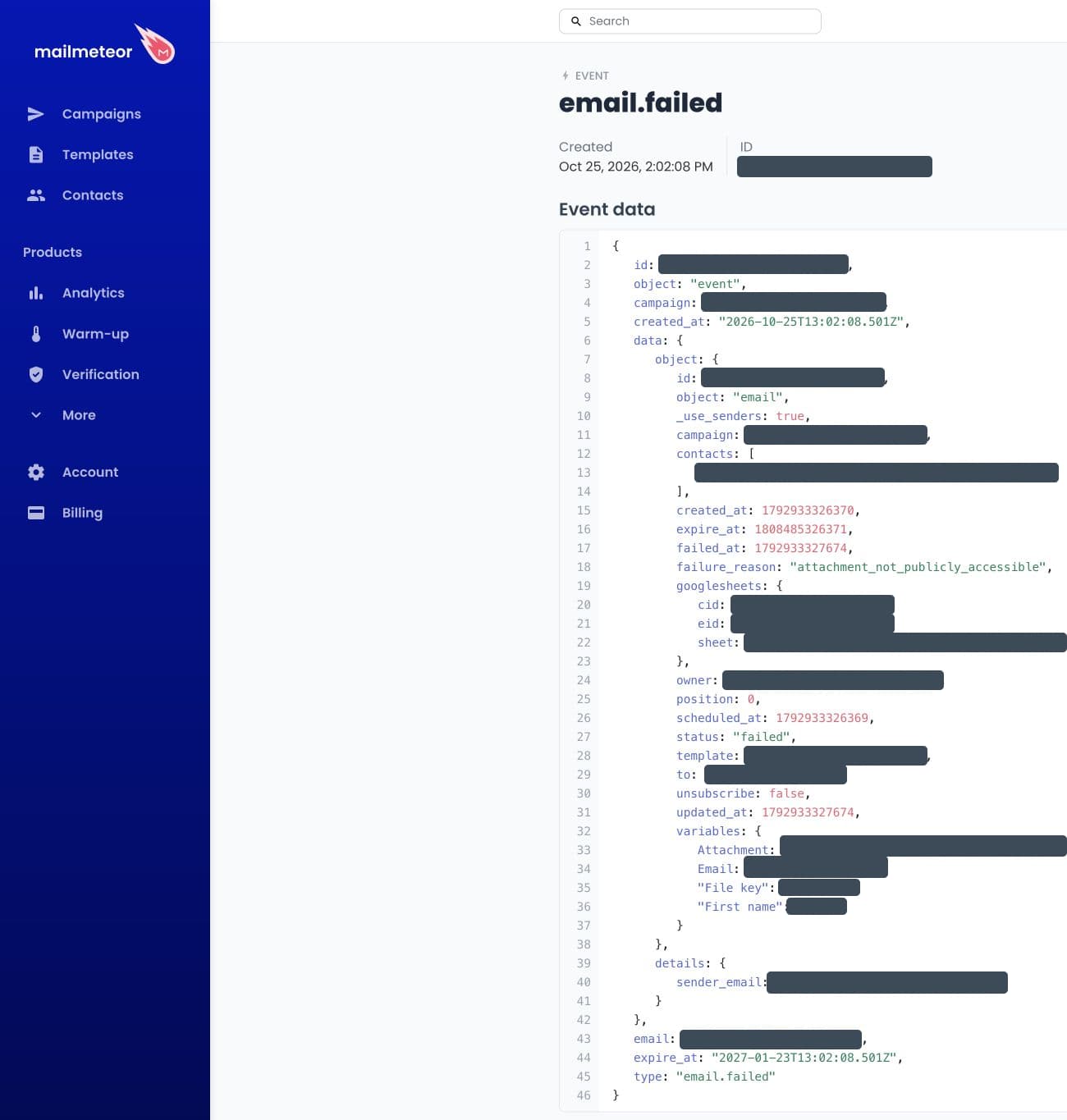
In our test, Mailmeteor kept a record of each email we sent. Each record held the recipient's address, the columns from their row in our sheet, including their first name and the link to their file, our own sending address and the ID of a Mailmeteor contact for that person. Mailmeteor set the event to expire after 90 days, and the email record inside it, with the address and sheet data, after 180 days.
YAMM attachments stay private. That's true for a file you attach to your Gmail draft, which goes to everyone, and for the personal file YAMM attaches for each person from your Google Drive. YAMM uses the access you already have and keeps no copy. Files you attach in Mailmeteor's editor are stored with your template, with no time limit, according to its retention table. And its guide has you set each personal file to "Anyone with link" first. For invoices, payslips or grades, that leaves each of those files open to anyone who gets hold of its link.
YAMM's maker is ISO 27001 certified. Talarian has been certified since 2021. ISO 27001 is the international standard for managing information security. Mailmeteor publishes no such certificate. Its homepage has listed SOC 2 as "coming soon" since at least November 2025, almost a year.
Talarian is ready to sign a GDPR data processing agreement and, for health-related use cases, a HIPAA business associate agreement. What matters most, though, is how much of your data a tool holds in the first place. Every copy is one more place it can leak, and one more processor to vet and list. A school emailing reports about students, an HR team sending payslips or a clinic sending appointment letters can keep all of that in the Google account their organization already controls. Just keep personal details out of your subject lines, the one part of your emails YAMM stores.
Is YAMM cheaper than Mailmeteor?
Yes, for most people. Mailmeteor Starter looks cheaper at $53.99 a year, but it leaves out bounce detection, follow-ups, sending from an alias and emails on Google Form responses. To get them, you need Mailmeteor Premium, at $161.99 a year. That's more than twice YAMM Pro on @gmail.com ($72), and $18 more than YAMM Pro on Google Workspace ($144), which also sends 500 more emails a day.
Bounce detection is the one most people miss. Without it, bounces never reach your sheet, so you keep emailing dead addresses, which hurts your sender reputation.
Starter also stops at 250 emails a day and 5,000 a month. Go past either, and you need Premium again. YAMM Pro has only a daily limit: up to 400 emails a day on @gmail.com and up to 1,500 on Google Workspace, every day of the month.
Prices below are US prices for one user, billed yearly, from YAMM's and Mailmeteor's pricing pages on November 3, 2026.
| Plan | Price a year | Emails a day | Emails a month | Bounce detection, follow-ups, aliases and Google Form emails |
|---|---|---|---|---|
| YAMM Pro @gmail.com | $72 | Up to 400 | No monthly limit | Included |
| YAMM Pro Google Workspace | $144 | Up to 1,500 | No monthly limit | Included |
| Mailmeteor Starter | $53.99 | 250 | 5,000 | Not included |
| Mailmeteor Premium | $161.99 | 1,000, at most 500 on @gmail.com | 30,000 | Included |
| Mailmeteor Professional | $323.99 | 2,000, at most 500 on @gmail.com | 60,000 | Included |
With personalized attachments, YAMM Pro sends up to 100 emails a day on @gmail.com. A new Google Workspace account sends up to 400 emails a day, or 100 with personalized attachments, during its trial and warm-up period. YAMM's daily quota page lists every limit.
Mailmeteor's own quota guide caps its @gmail.com plans at 500 emails a day, which is Gmail's own daily limit for a personal account.
Say your team sends 1,200 emails a day from Google Workspace. YAMM Pro covers that for $144 a year. With Mailmeteor, 1,200 is past Premium's 1,000, so you need Professional, at $323.99.
In the EU, the gap is even wider. YAMM's prices depend on your billing country, and in the EU, YAMM Pro costs €36 a year for @gmail.com and €72 for Google Workspace. Mailmeteor charges the same figures in euros as in dollars: €53.99, €161.99 and €323.99. So an EU team on Google Workspace pays €72 for YAMM, against €161.99 for Mailmeteor Premium.
Which free plan is better?
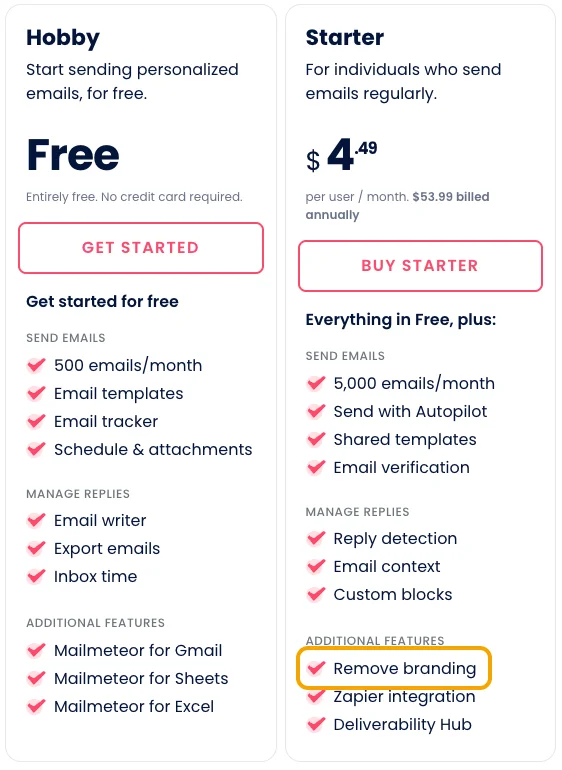
YAMM's. Mailmeteor's free plan sends up to 50 emails a day, but only 500 a month, while YAMM's 20 a day adds up to about 600. And Mailmeteor's pricing page lists "Remove branding" as a paid feature, so every free email carries Mailmeteor's branding. The point of a mail merge is that each email looks like you wrote it to one person. A footer advertising a mass-email tool tells every recipient the opposite. That's not a free plan, it's an ad sent from your address. Mailmeteor's free plan also leaves out bounce detection, reply tracking and follow-ups.
YAMM's free plan sends to up to 20 people a day, with nothing added to your emails. Everything else works as on the paid plans except scheduling: open, click and reply tracking, bounce detection, follow-ups, personalized attachments and sending from an alias.
Which has better support?
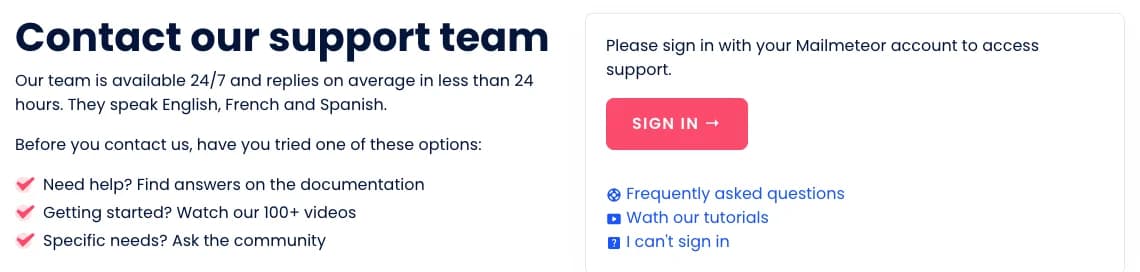
YAMM. Its support form opens without signing in. That matters, because the hardest problems are often with the account itself: a license on the wrong address, an upgrade that didn't apply, a sign-in that fails. Mailmeteor's Get support button asks you to sign in first. If you can't, its "I can't sign in" link sends you to Mailmeteor's subreddit.
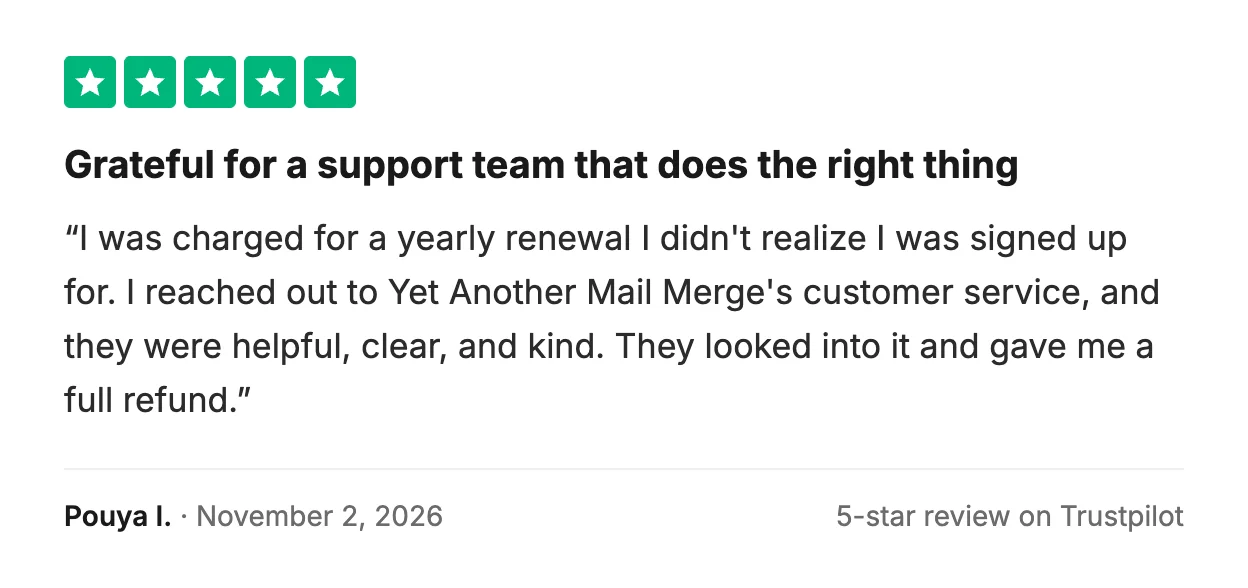
Reviewers say the same. Both tools get praise for being easy to use, but on Trustpilot, support is where they part ways. Of YAMM's 20 most recent reviews on November 3, 2026, 15 praise its support. They describe quick replies, a license moved to a new account without hassle, and renewals refunded right away. Older reviews say the same, like the paid account a domain change had locked, fixed within 20 minutes.

Only one of Mailmeteor's 20 most recent reviews mentions its support. But support is what most of its one-star reviews complain about. Reviewers describe waiting a week or more for a fix, replies that took 20 to 40 hours, generic answers that didn't address the problem, and billing issues that support couldn't resolve. Yet Mailmeteor's contact page says its team is available 24/7 and replies in under 24 hours on average.
Which should you choose?
Choose YAMM if you want a mail merge that stays simple, private, secure and affordable. It's one add-on that works with the Gmail, Sheets and Drive you already use, so there's very little to learn. Your contacts and emails stay in your Google account, and your attachments stay private. Its maker is ISO 27001 certified. And it costs less as soon as you need bounce detection, follow-ups or more than 250 emails a day.
Mailmeteor makes more sense if you need a complex platform with lots of automation features, and don't mind spreading your work across several extensions and a web dashboard. For other options, see our comparison of mail merge tools for Gmail.
Sign up for YAMM with your Google account, open a sheet you already have, and send yourself a test.
FAQ
Does YAMM store my contacts or my emails?
No. Your contact list stays in your Google Sheet and your emails stay in your Gmail. YAMM keeps your account details, the subject lines and tracking counts of your mail merges, and only the addresses that bounced, unsubscribed or opted out of tracking.
Does YAMM have follow-ups and bounce tracking?
Yes, on every plan, including the free one. From the tracking report, you send a follow-up to the people you choose, such as those who haven't opened or replied, in the same thread or as a new email. YAMM also marks bounced emails in your sheet and offers to skip those addresses in your next mail merge.
If you've read otherwise, it's out of date. Mailmeteor's page about YAMM, for example, still says YAMM starts at $24 a year, with 50 free emails a day. YAMM Pro costs $72 a year on @gmail.com and $144 on Google Workspace in the US, and the free plan sends to 20 people a day.
Can I switch from Mailmeteor to YAMM without redoing my list?
Yes. Keep the same sheet. Both tools put your column headers in double curly braces, like {{First Name}}, so a Mailmeteor message usually needs little or no change once you paste it into a Gmail draft. Then open YAMM from the sheet's Extensions menu and pick that draft.
Is Mailmeteor SOC 2 or ISO 27001 certified?
No. On November 3, 2026, Mailmeteor's homepage listed SOC 2 as "coming soon", as it has since at least November 2025, and its security page showed no ISO 27001 or SOC 2 certificate. Talarian, which makes YAMM, has been ISO 27001 certified since 2021.
Which is more popular, YAMM or Mailmeteor?
YAMM. On the Google Workspace Marketplace, it has more than 16 million installs, against more than 7 million for Mailmeteor. YAMM has been there since add-ons came to Google Sheets in 2014.
Does Mailmeteor's free plan add branding to your emails?
Yes, unless you pay. Mailmeteor's pricing page lists removing its branding as a paid feature. YAMM's free plan adds nothing to your emails.
Is Mailmeteor Starter enough for a mail merge?
Only for small sends that need no bounce detection, follow-ups or alias. Starter stops at 250 emails a day and 5,000 a month. YAMM Pro includes all three, with no monthly limit, for $72 a year on @gmail.com or $144 on Google Workspace.
Can I add a poll to my emails with YAMM or Mailmeteor?
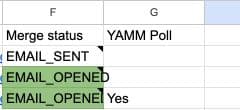
With YAMM, yes: polls are built in. Add a one-question YAMM poll to your draft, such as "Will you attend?" with Yes and No. Each answer appears in a YAMM Poll column, next to the person who gave it. You can sort or filter the list by answer, then email each group.
Mailmeteor has no poll of its own. Its poll tutorial links to a form made with Tally, a separate tool, so your recipients' answers end up with a third company.