Click-through rate
YAMM tracks the number of recipients who clicked on any link in your email and shows the click-through rate in your tracking report.
What is the click-through rate?
Click-through rate (CTR) is the ratio of users who click on a specific link to the number of total users who view a page, email, or advertisement. It is commonly used to measure the success of an online advertising campaign for a particular website as well as the effectiveness of email campaigns.
YAMM currently tracks whether a recipient has clicked at least once on any of the links in your emails. The click-through rate helps you measure the success of your campaign and provides more useful insight than the open rate alone.
You may notice that links in your emails have been rewritten to start with https://yourdomain-dot-yamm-track.appspot.com/Redirect?ukey=.... This is normal — the redirection is required for click tracking to work.
Track clicks on your links
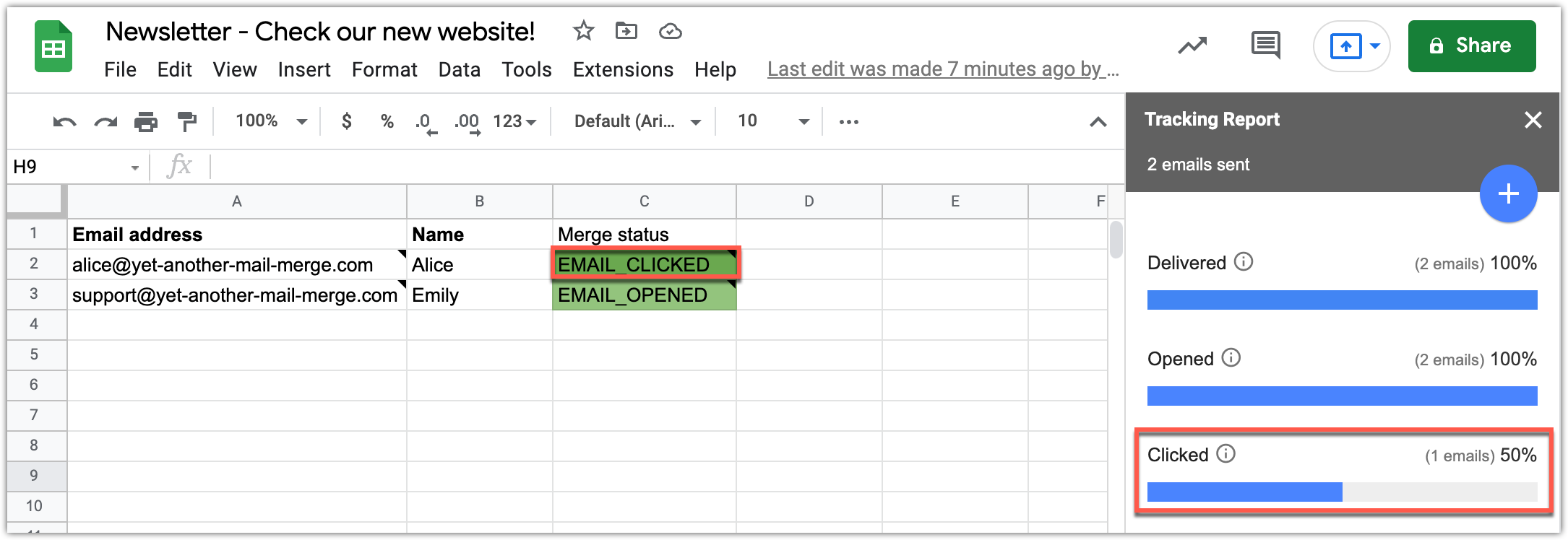
Activating click tracking is easy with YAMM. The results appear directly in your contact list spreadsheet (marked EMAIL_CLICKED) and in your tracking report.
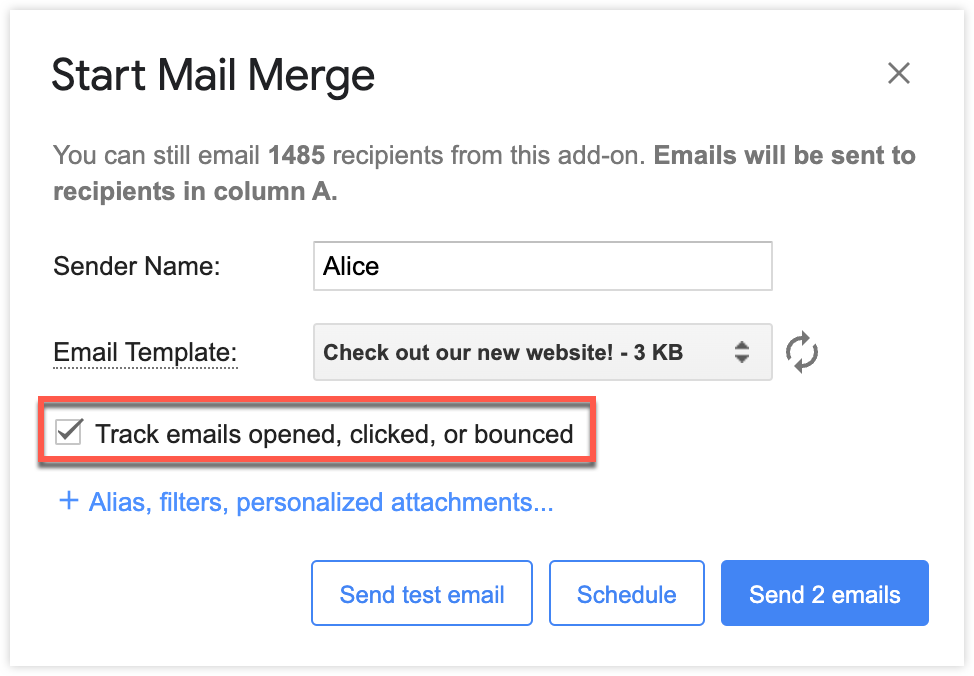
As a reminder, enable tracking right before sending your emails.
After running your mail merge, the tracking report opens at the right of your screen. If you close it, you can open it again by opening YAMM and clicking Open tracking report.
The mention EMAIL_OPENED turns into EMAIL_CLICKED in the Merge status column when a recipient clicks any link in your email.