Upgrade your space plan to Pro
Upgrading to Pro starts a yearly subscription and unlocks additional features.
If your space is on a Team (legacy) plan, see Switch from a Team (legacy) plan to Pro.
Why upgrade to Pro
Upgrading your space plan to Pro unlocks additional features, with some available exclusively to users with a Google Workspace account.
| Feature | @gmail.com | Google Workspace |
|---|---|---|
| Higher daily quotas | Yes | Yes |
| Mail merge scheduling | Yes | Yes |
| Bounce list management | Yes | Yes |
| Buy more seats and add members to your space | No | Yes |
| Grant admin access to your space | No | Yes |
Currently, you can only add members with email addresses in your domain. For example, if your email is alice@example.com, you can add bob@example.com, but not john@company.com.
Upgrade
The steps to upgrade depend on whether you have a Gmail account or a Google Workspace account.
- Gmail
- Google Workspace
-
Sign in to your YAMM dashboard.
-
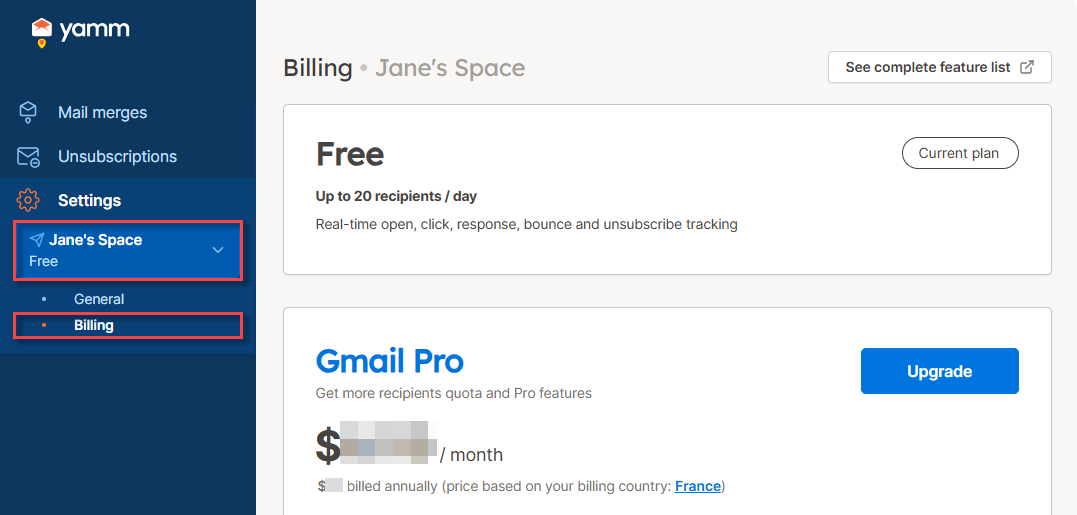
In the sidebar, select the space, and click Billing.
-
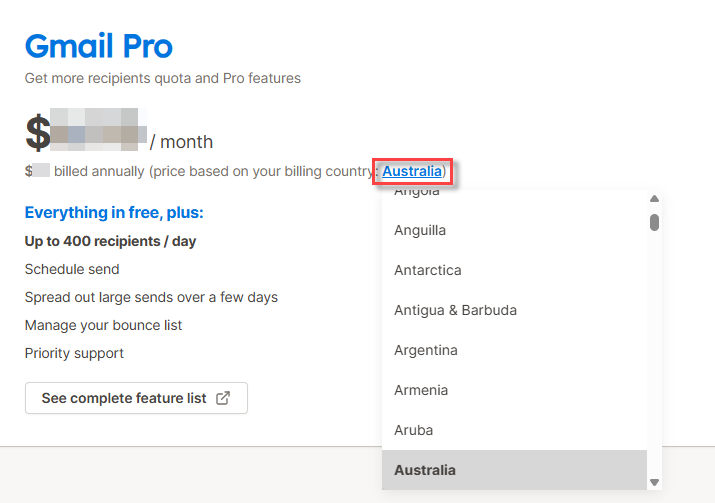
(Optional) To see which price applies to your region, select your billing country.
-
Click Upgrade.
-
Click Next: Billing information and follow the instructions to complete the subscription.
Result
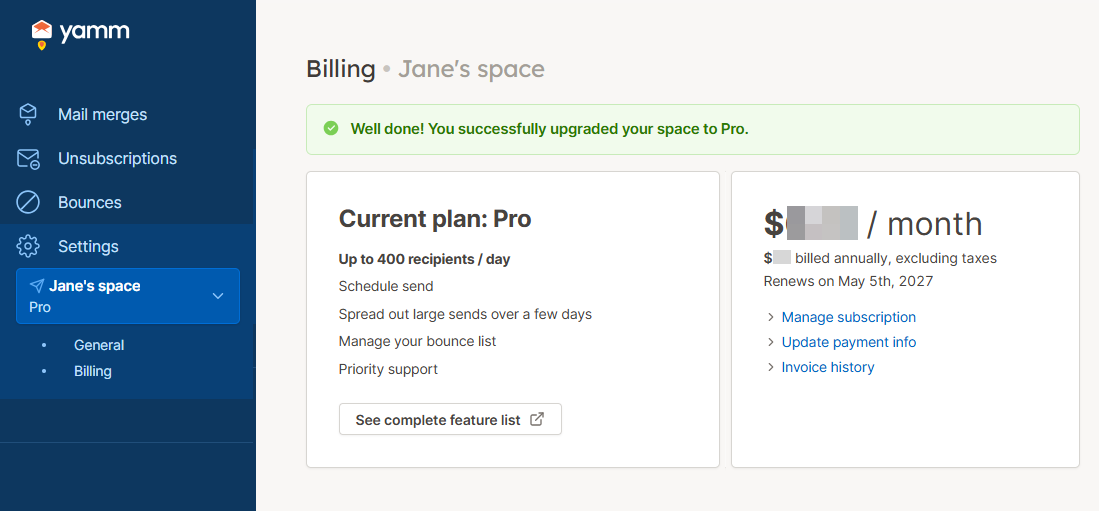
Your Free plan is upgraded to Pro. A yearly subscription starts. You can cancel the auto-renewal of your Pro plan at any time.
You pay upfront for the number of seats you choose.
-
Sign in to your YAMM dashboard.
-
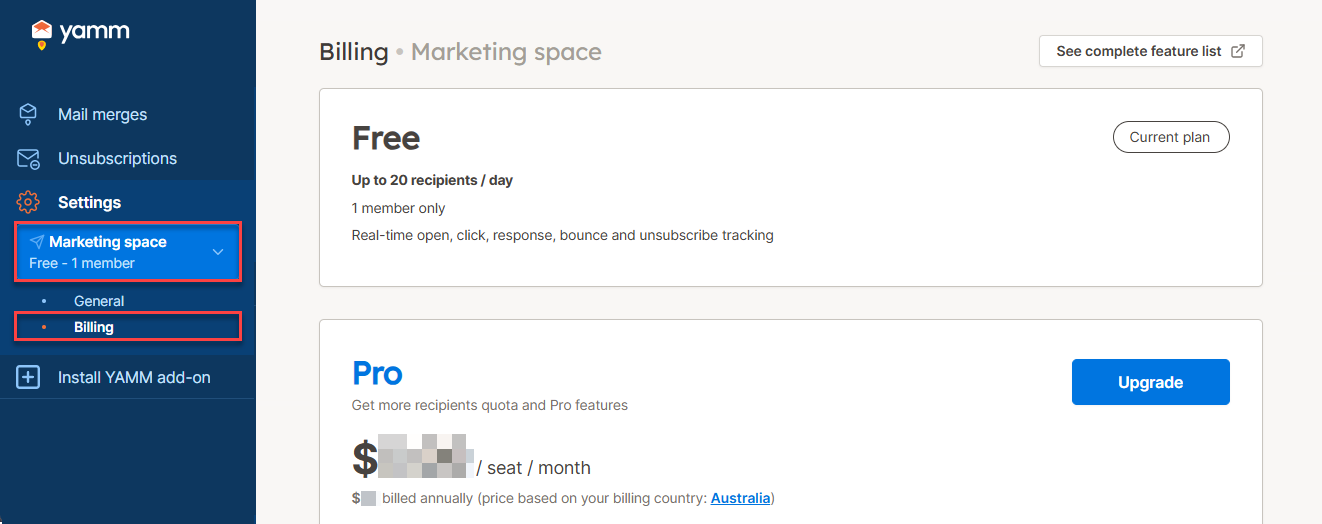
In the sidebar, select the space, and click Billing.
-
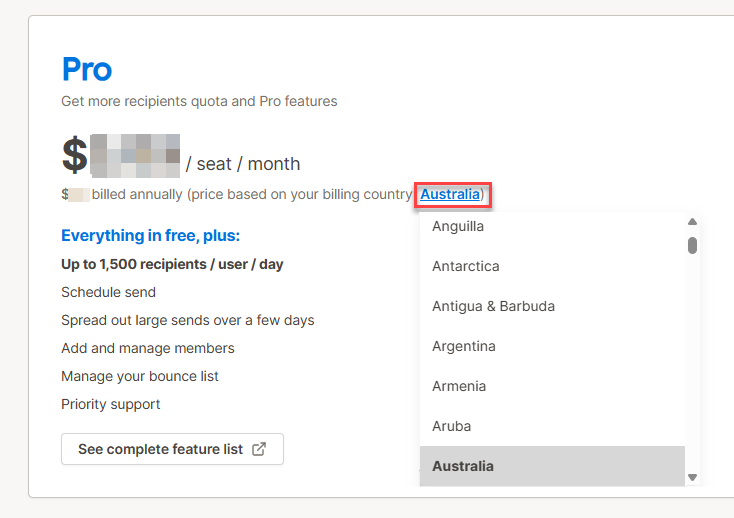
(Optional) To see which price applies to your region, select your billing country.
-
Click Upgrade.
-
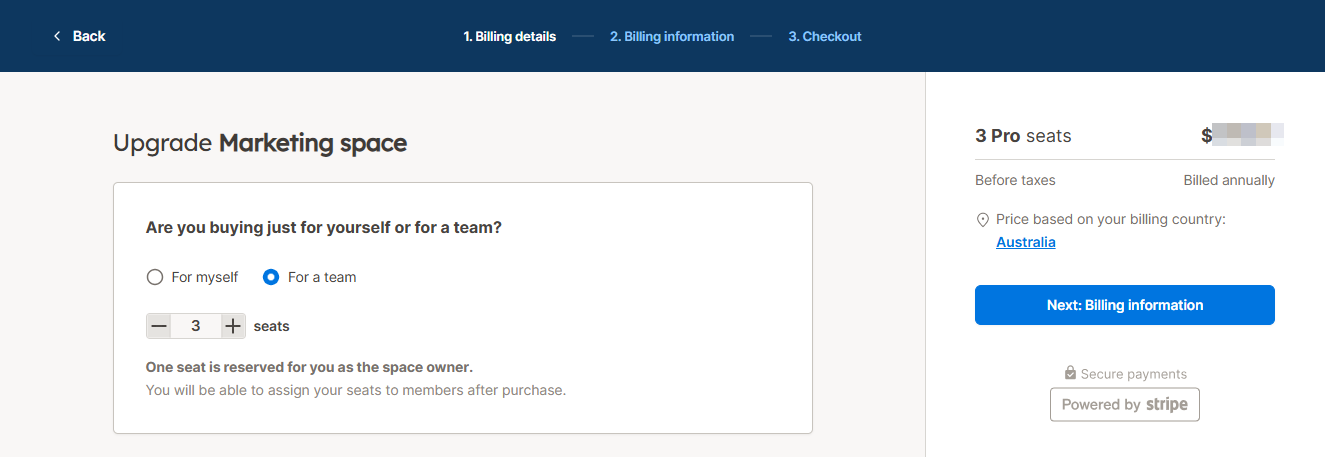
Choose one of the following:
-
For myself - to purchase one Pro seat
-
For a team - to purchase several Pro seats (one seat is reserved for you as the space owner)
-
-
Click Next: Billing information and follow the instructions to complete the subscription.
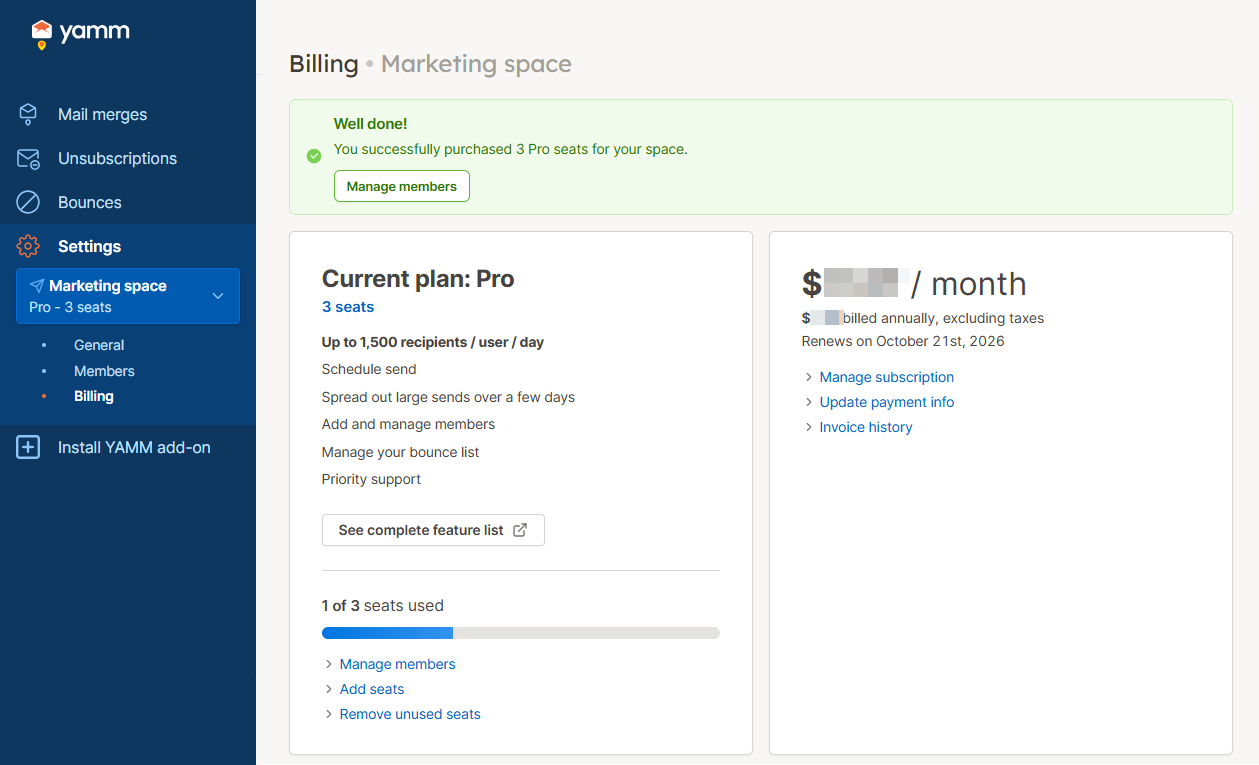
Your Free plan is upgraded to Pro. A yearly subscription starts for the number of Pro seats selected. You can cancel the auto-renewal of your Pro plan at any time.
What's next
- Gmail
- Google Workspace
- Run a mail merge using your new Pro features and limits.
-
Run a mail merge using your new Pro features and limits.
-
Assign your seats to users in your domain if you've purchased more than one seat.