How to reinstall Yet Another Mail Merge?
Sometimes it can happen that Yet Another Mail Merge doesn't work as expected. If there isn't any specific solution to your issue, best would be to reinstall the add-on. This article explains how to reinstall YAMM on your Google account.
Please note that you can remove YAMM from the add-on store only if you installed it from the add-on store. If you have installed YAMM one the marketplace, then you will have to uninstall YAMM from the marketplace. To know more, we recommend reading this article: How to remove YAMM from your Google account?
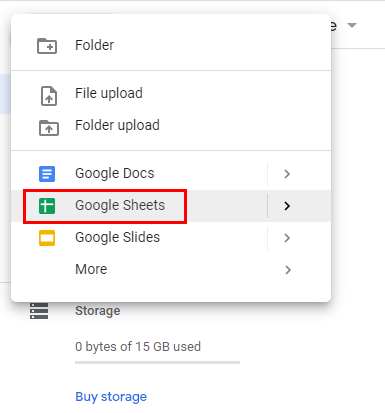
Open a new or an existing Google Sheet.
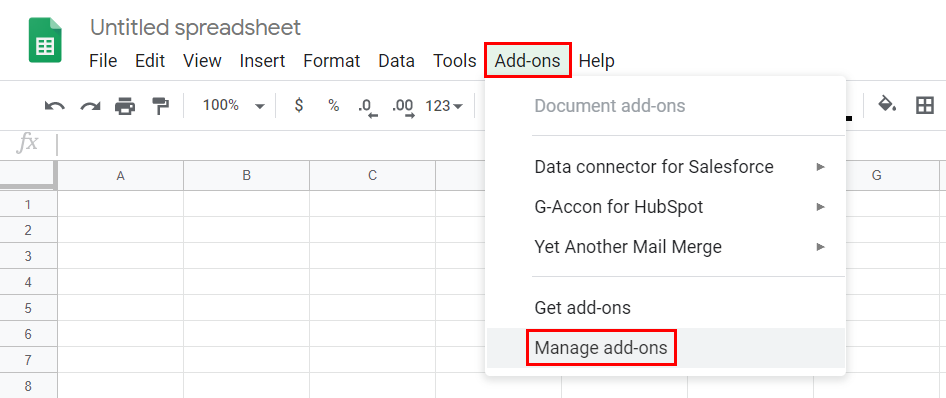
Click Add-ons > Manage add-ons.
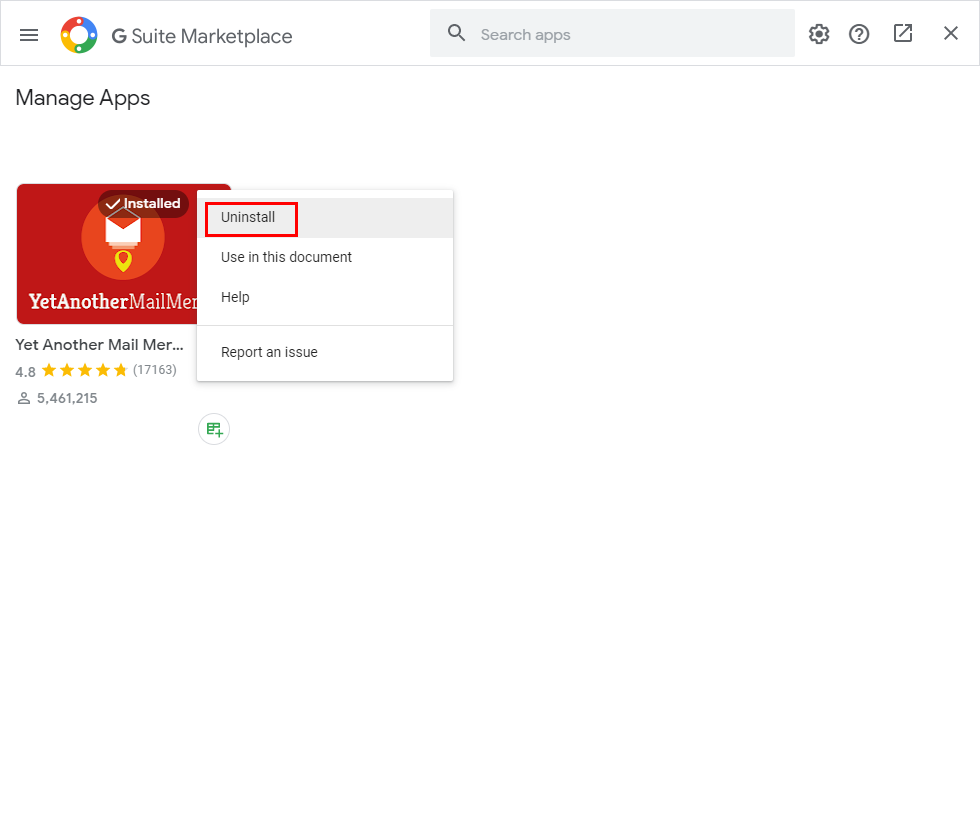
A pop-up opens, click the three dots button on YAMM icon > Uninstall.
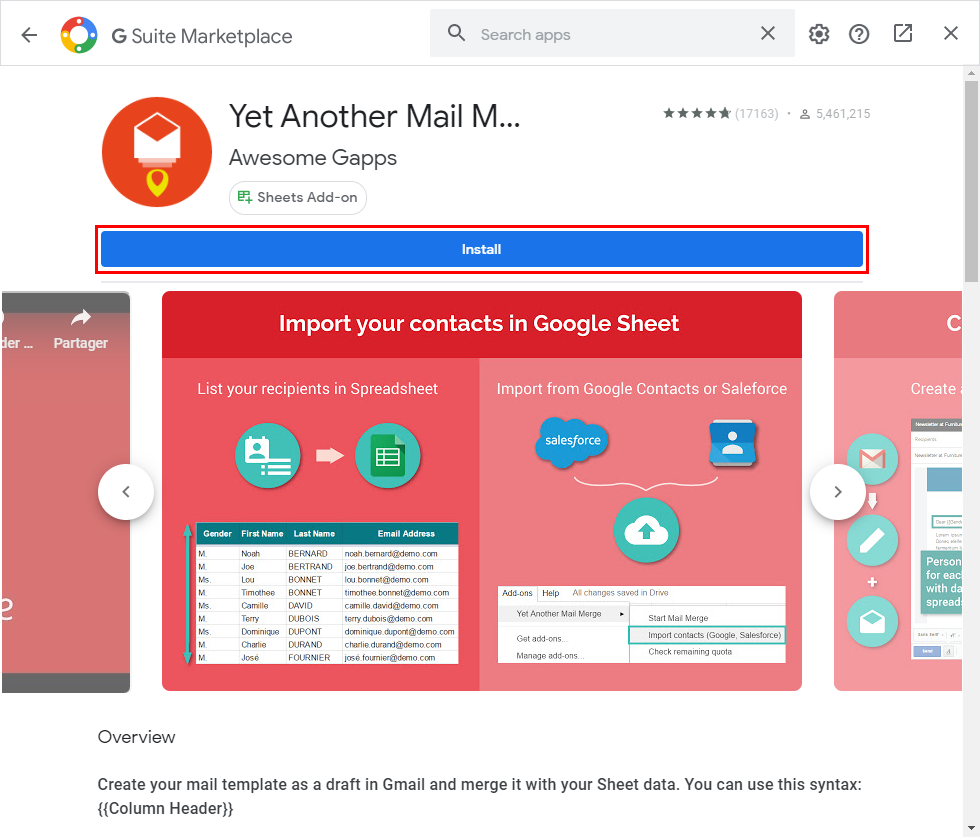
Once done, type Yet Another Mail Merge in the search bar to find the add-on. Click Install to reinstall YAMM.
Learn more on the following article: 'Install Yet Another Mail Merge on your individual account'.