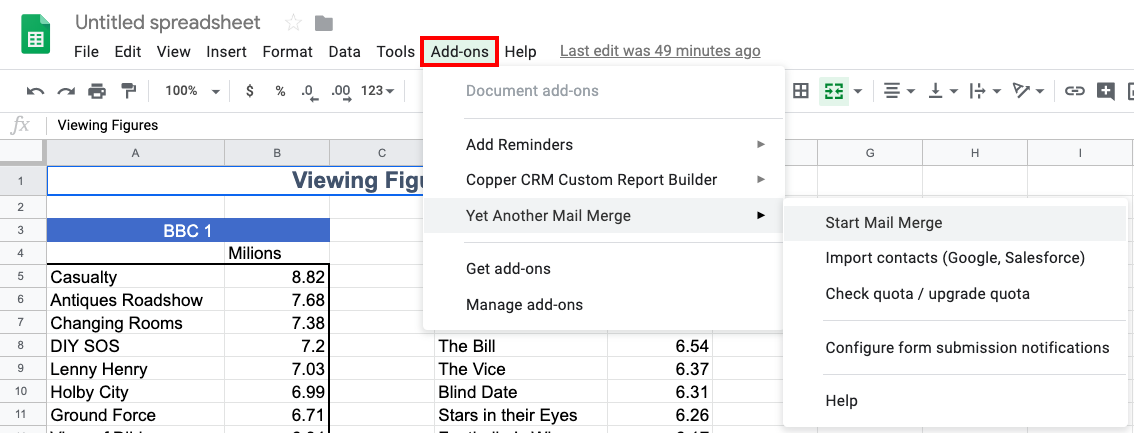
The YAMM add-on menu doesn't load properly
It can happen that YAMM menu doesn't load properly, or that some entries are missing. That is just a temporary issue, and in general, it is fixed within a few seconds automatically.
Only 'Help' is displayed in the add-on menu
If you can only see 'Help' under Add-ons > Yet Another Mail Merge, it is usually an issue related to Google Sheets:
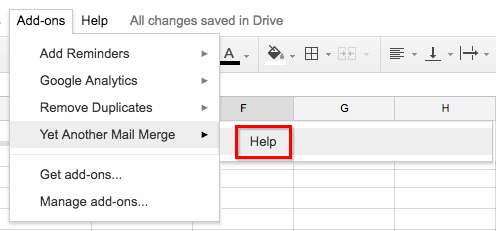
Refresh your spreadsheet, wait a few seconds, then try YAMM again.
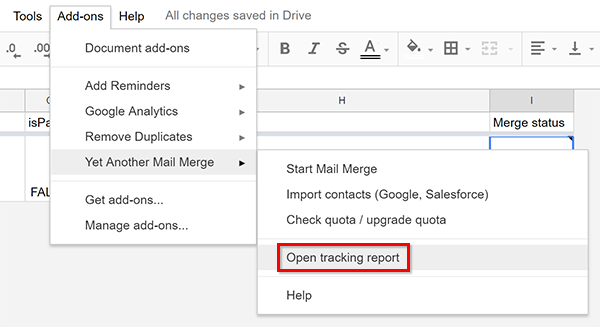
The 'Open tracking report' button doesn't appear
When you open a spreadsheet that has been shared with you, you might see 'Configure form submission notifications' instead of 'Open tracking report':
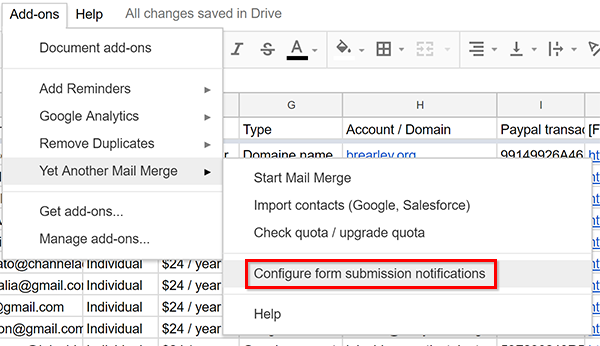
That is because YAMM is not activated in this Google Sheets yet. To do so, click 'Add-ons' > 'Manage add-ons...'. Then next to YAMM, click the green button 'Manage' and select 'Use in this document':
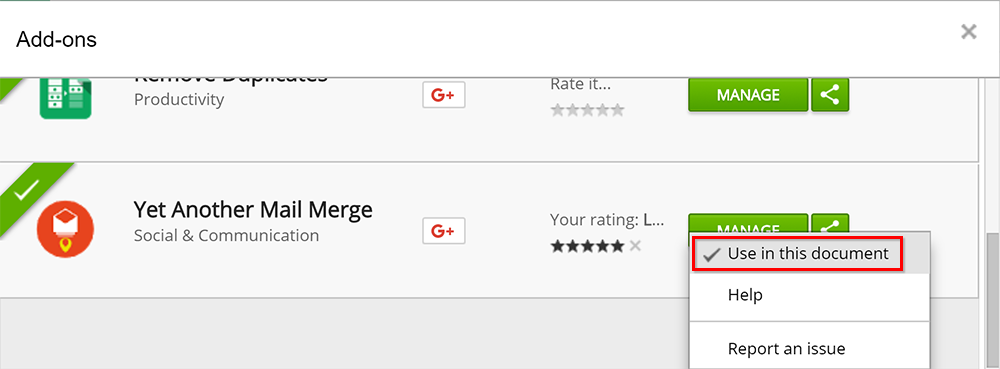
Close this pop-up, refresh your spreadsheet, and you should see 'Open tracking report' again:
The 'Add-ons' menu doesn't appear on my spreadsheet
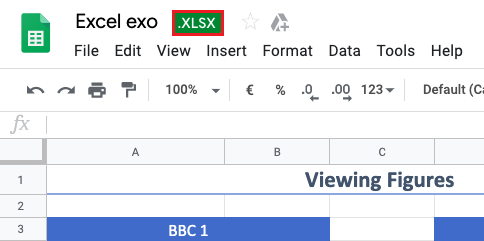
When you open your Google Spreadsheet, the 'Add-ons' menu doesn't exist so you can't send a mail merge. That is because you probably used an Excel file as the original spreadsheet.
If so, a green '.XLSX' information at the top of your spreadsheet appears:
To see the 'Add-ons' tab, you have two possibilities:
-
Use a Google Spreadsheet as the original file, and
-
Import your data from your Excel file to a new Google Spreadsheet.
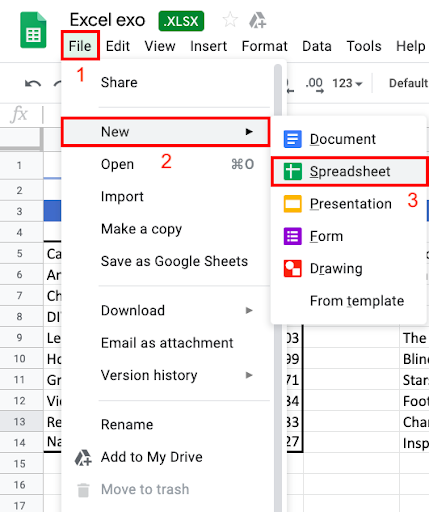
To import your data, open a new Google Spreadsheet from your Excel original file.
To do so, click 'File' > 'New' > 'Spreadsheet':
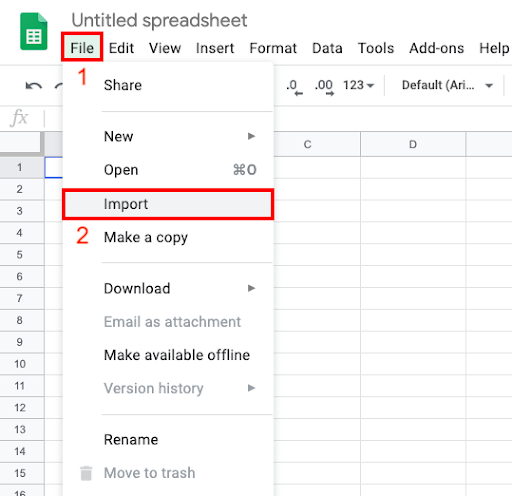
Then, click 'File' > 'Import':
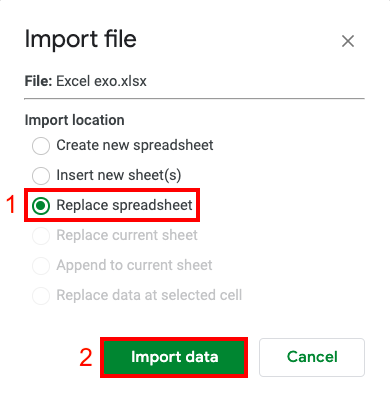
A pop-up appears. In our example, we decided to select 'Replace spreadsheet' so the data is imported in the spreadsheet we've just created.
Then, click 'Import data':
That's it! Your data has been imported on your new Google Spreadsheet. You are now able to see the 'Add-ons' tab and send a Mail Merge: