Install YAMM
YAMM installs from the Google Workspace Marketplace, in one of two ways:
- On an individual account (personal @gmail.com account or individual Google Workspace account): Anyone can do this for themselves.
- On a whole domain: A Google Workspace admin installs YAMM for everyone in the organization, or for selected organizational units (OUs) or groups.
Install on your individual account
Prerequisites
If you use multiple Google accounts, we recommend creating a browser profile for each account.
-
Go to the YAMM page in Google Workspace Marketplace.
-
Click Install.
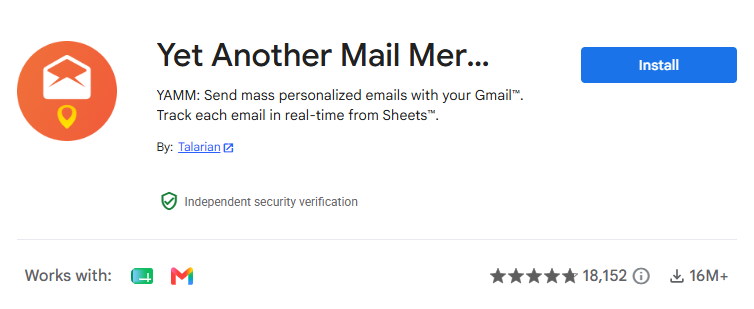
If you are a Google Workspace admin, the listing shows two buttons instead. Click Individual install to install YAMM on your own account only.
-
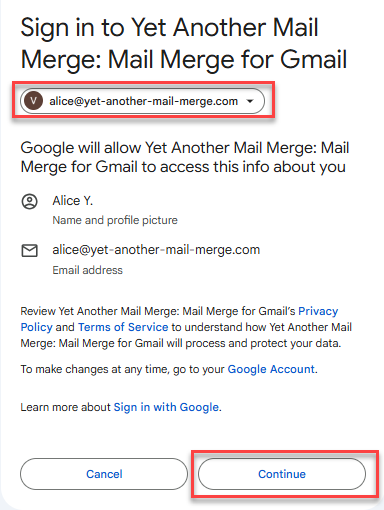
Select for which Google account you want to install YAMM, and click Continue.
-
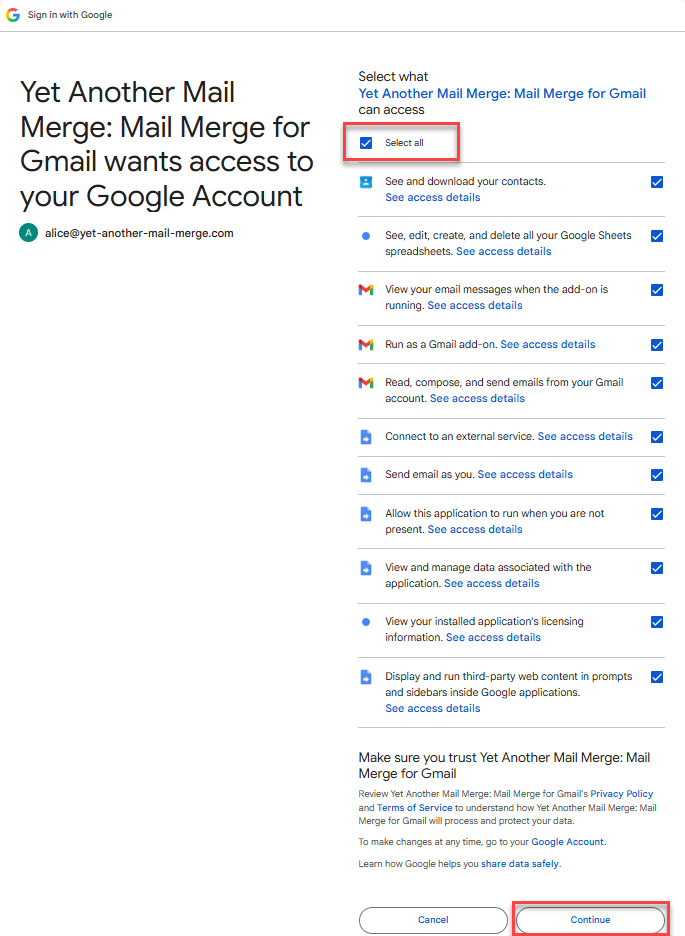
Click Select all to grant YAMM the required permissions, and click Continue.
A pop-up window indicates that YAMM has been installed. The add-on is available in your Google spreadsheets from Extensions > Yet Another Mail Merge: Mail Merge for Gmail > Start Mail Merge.
Install on your whole domain
Google Workspace super administrators can install YAMM for every user in the organization, or for selected organizational units (OUs) or groups. Users don't have to install or authorize anything themselves.
Prerequisites
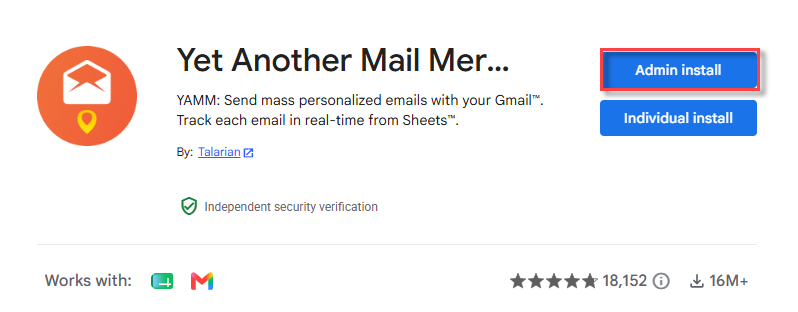
You have the Super Admin role — no other admin role can accept the authorizations on behalf of the domain, and the **Admin install** button doesn't appear without it.
-
Go to the YAMM page in Google Workspace Marketplace.
-
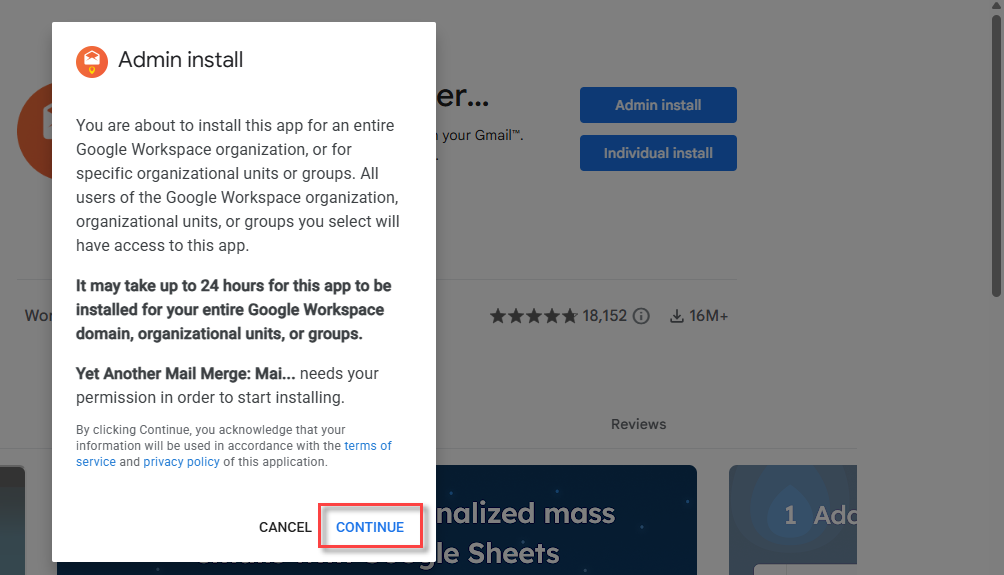
Click Admin install.
-
In the Admin install window, click Continue.
-
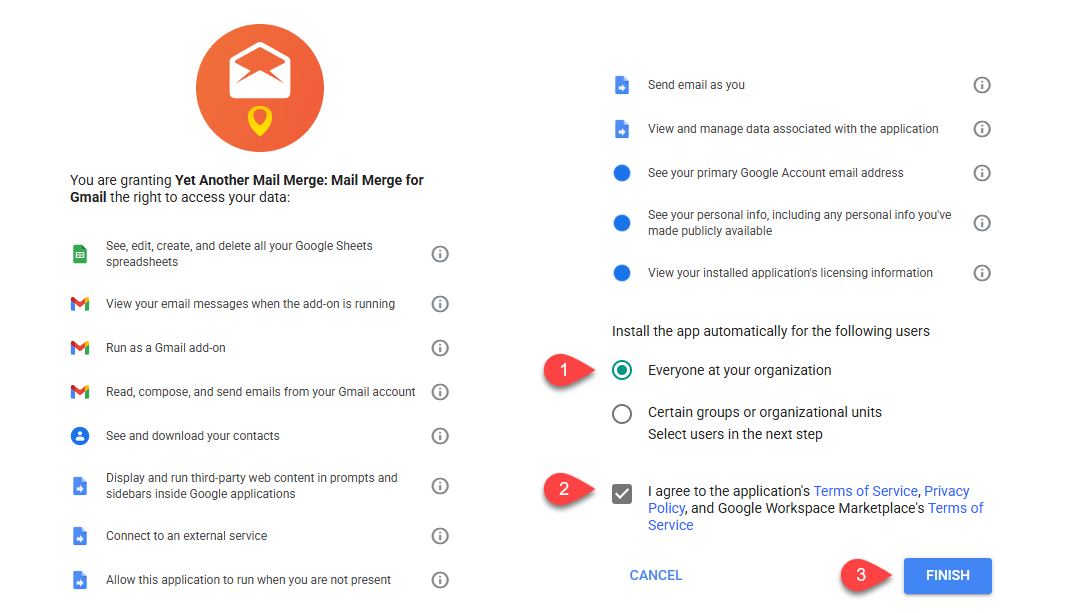
In the permission screen:
-
Choose who gets YAMM in your organization.
-
Agree to the Terms of Service and Privacy Policy.
-
Click Finish.
-
YAMM is installed for the domain, OUs, or groups you selected. Allow up to 24 hours for YAMM to reach every user in the domain.
Installing YAMM across a domain does not give YAMM domain-wide access to your users' data. See Does domain-wide installation of YAMM by a Google Workspace admin put company data at risk?