Revoke YAMM permissions
Use this when you want to revoke the permissions you previously granted to YAMM — for example, before handing the account over to someone else, or as a security reset. Until you re-authorize, YAMM cannot read your Gmail drafts, write to your Google Sheets, or run mail merges on your behalf.
Revoking permissions doesn't uninstall the add-on from Google Sheets. The next time you open YAMM, Google asks you to re-grant the permissions before YAMM can run. If you want to remove the add-on itself, see Uninstall.
-
Sign in to the Google account you want to revoke YAMM access from.
-
Open the Linked apps page in your Google Account settings.
-
Locate Yet Another Mail Merge in the list of apps and select it.
-
Select Delete all.
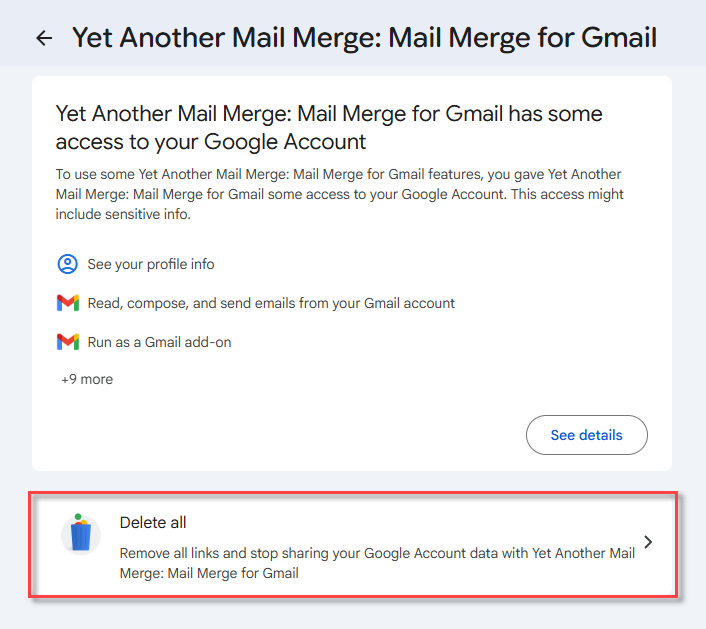
-
Click Confirm to finalize.
YAMM no longer has access to your Google account. To use YAMM again on this account, open it from Google Sheets and grant the permissions again. See Launch YAMM.
What's next
- Uninstall to remove the YAMM add-on entirely.
- What permissions are needed to use YAMM?
- Have your data deleted from YAMM