Sign in
You need a Google account to use YAMM.
When you run a mail merge, YAMM sends your emails from the Google account you are currently signed in to in Google Sheets. If you have multiple Google accounts, such as a personal account and a work account, you can switch between them to ensure you are using the correct account in YAMM.
Check which account you're using
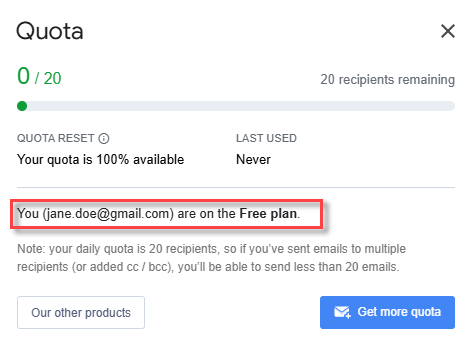
Confirm which Google account YAMM is currently running with before launching a campaign.
-
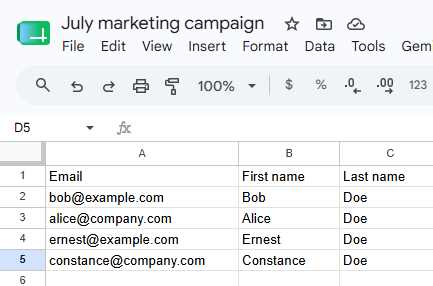
Open your contact list spreadsheet.
-
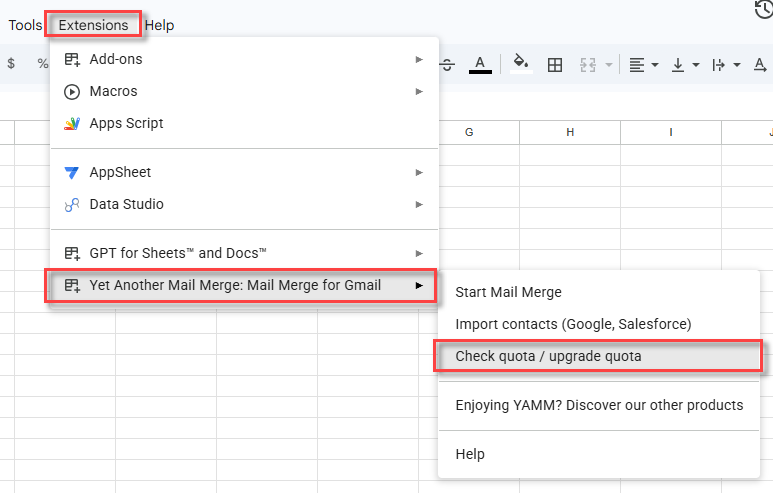
Select Extensions > Yet Another Mail Merge: Mail Merge for Gmail > Check quota / upgrade quota.
The Quota screen shows the Google account YAMM is currently running with, along with your YAMM plan.
Create a browser profile for each Google account
If you use several Google accounts, create a separate browser profile for each one, with a single Google account signed in per profile. Separate profiles keep each account in its own browser session, which is what lets Google add-ons work reliably.
Signing several Google accounts into the same browser session is the main cause of YAMM technical issues — duplicated emails, delivery problems, quota errors, and freezes. If you are already signed in to several accounts, log out from multiple accounts first.
The steps below cover Google Chrome. On other browsers, see Create a profile in Microsoft Edge or Create a profile in Apple Safari.
-
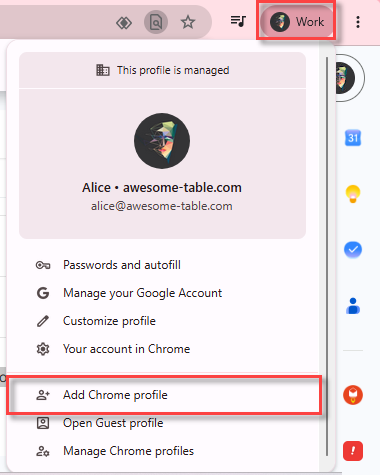
In your Chrome browser, select your profile picture at the top right, and click Add Chrome profile.
-
Click Sign in.
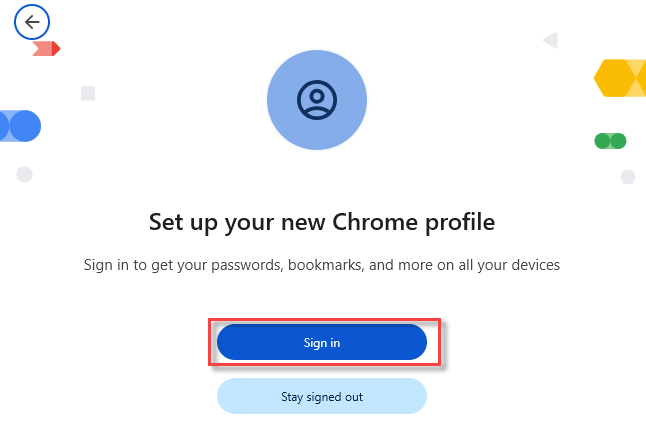
If you don't want to link the Chrome profile with a Google account, select Stay signed out and pick a name for your profile.
-
On the Sign in to Chrome page, sign in with your Google account.
-
Confirm whether to sync this profile between devices.
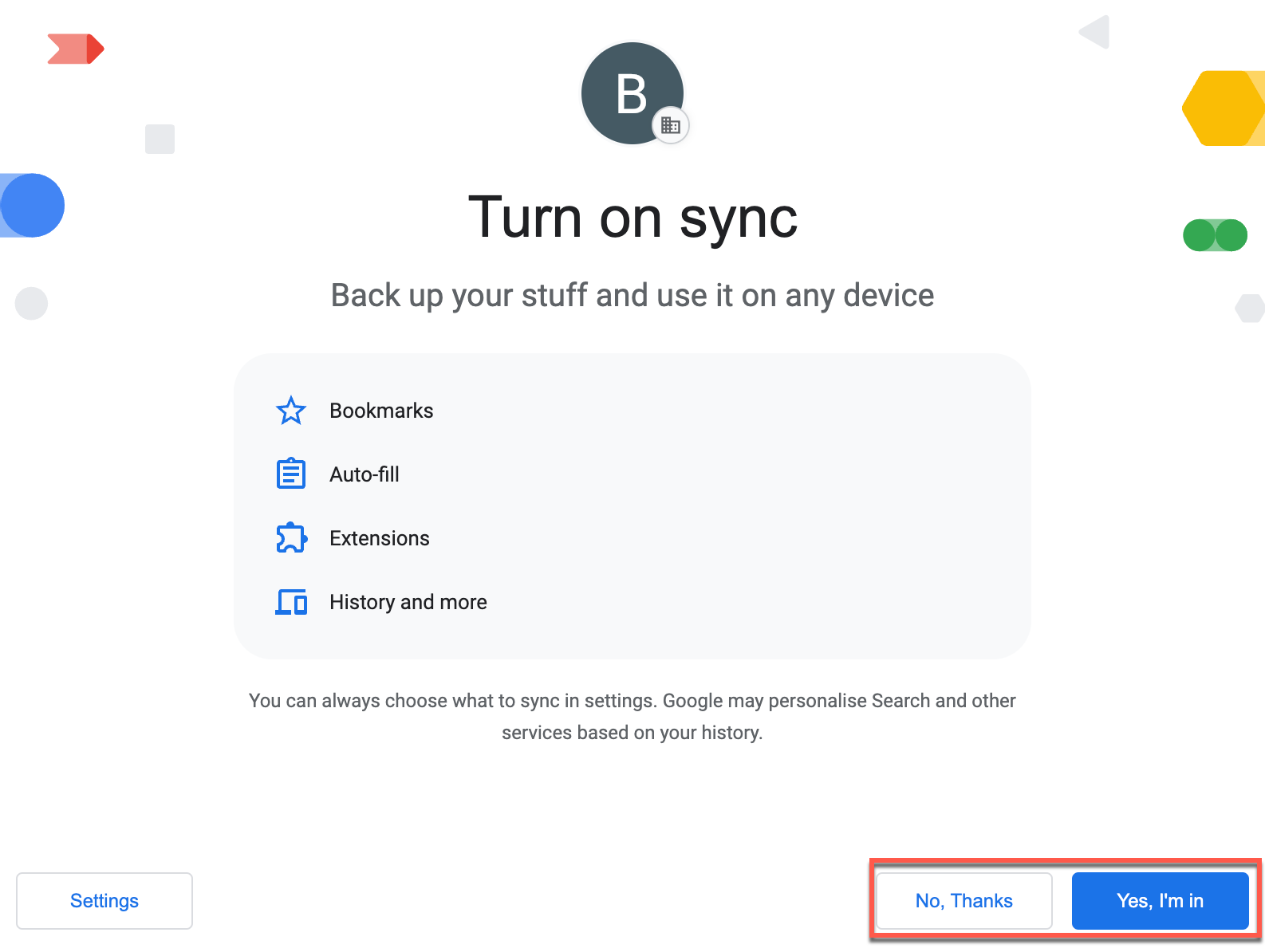
-
Choose your search engine, and click Set as default.
You now have one browser profile per Google account. Switch between them to use YAMM with each account.
Switch to another account
Prerequisites
-
Open your web browser.
-
In the upper-right corner of the browser, click the profile icon.
-
Select the profile you want to use.
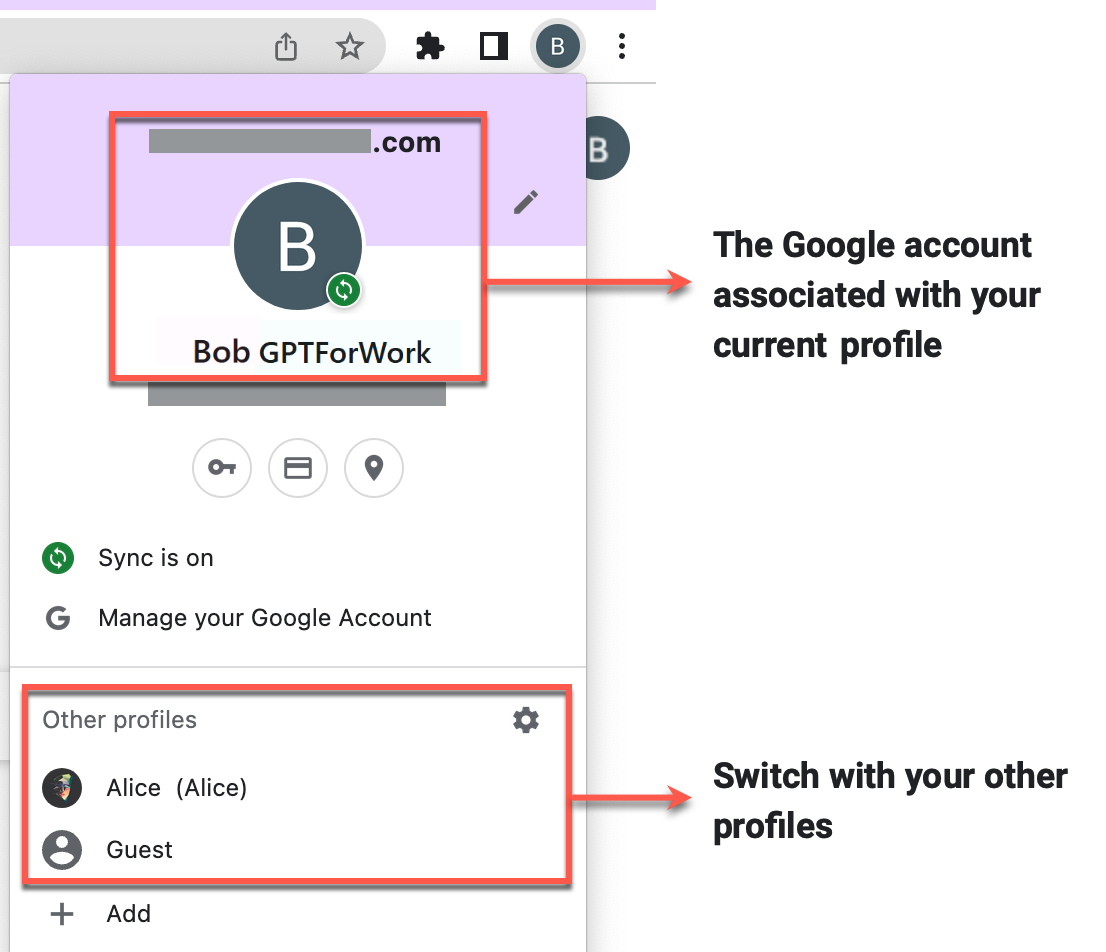
You have switched to another account. You can now launch and use YAMM with the new account.