Insert a tracking opt-out link
Add a tracking opt-out link to your email so recipients can ask not to be tracked. Recipients who click it are excluded from open and click tracking in all future campaigns you send. They will still receive your emails as usual. This can help you comply with data protection guidance on tracking pixels, such as from the CNIL (France) or the Garante/GPDP (Italy).
Third-party email tracking tools may interfere with YAMM's tracking opt-out. Disable them before inserting the tracking opt-out link into your Gmail draft.
Both steps below are required. The tracking opt-out link only works if tracking is also enabled when you send.
1. Insert the tracking opt-out link
-
Open your template in Gmail or Google Docs.
-
Copy the following tracking opt-out link:
https://app.yamm.com/do-not-track -
Insert the copied link at the end of your template.
 warning
Copy the link exactly as shown above. Don't copy it from a previously sent email: once sent, the link is re-encoded for that specific recipient.
2. Activate tracking
Before sending your mail merge, make sure to activate tracking to enable the tracking opt-out link.
-
Open your contact list spreadsheet in Google Sheets.
-
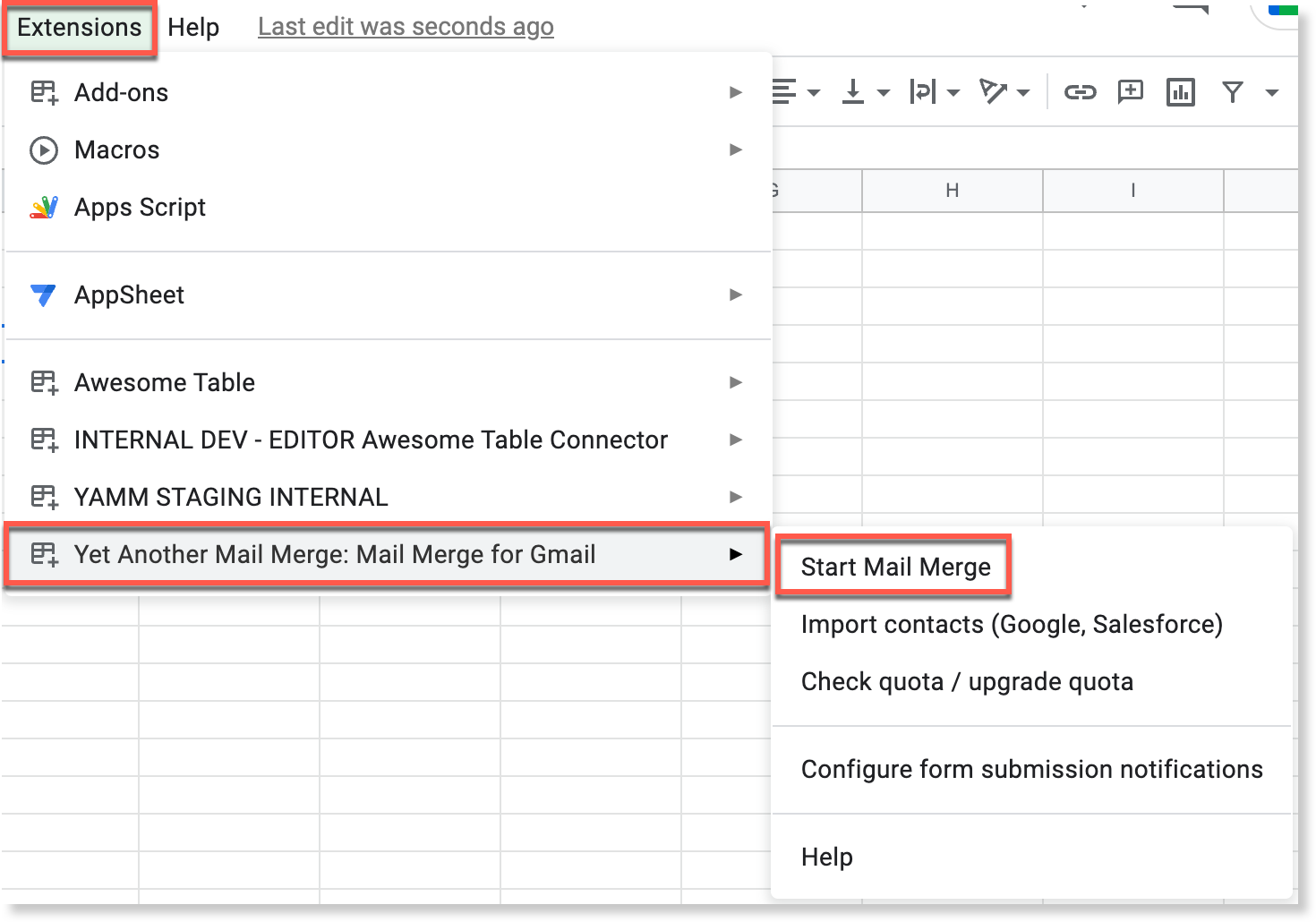
Select Extensions > Yet Another Mail Merge: Mail Merge for Gmail > Start Mail Merge.
-
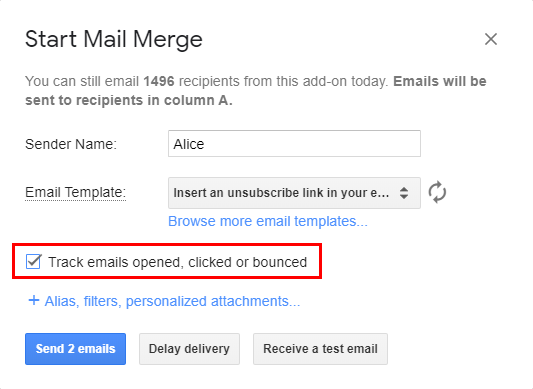
Select the template containing the tracking opt-out link.
-
Select Track emails opened, clicked or bounced.
-
Click Send emails.
What happens when a recipient opts out
The recipient is redirected to a confirmation page asking them to confirm that they no longer want their opens and clicks tracked.
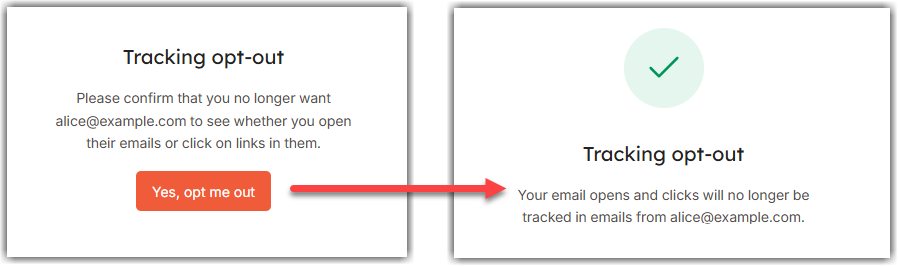
Once they confirm:
-
In the campaign you just sent, their
Merge statuschanges toDO_NOT_TRACK. For more information about merge statuses, see What the tracking stats mean.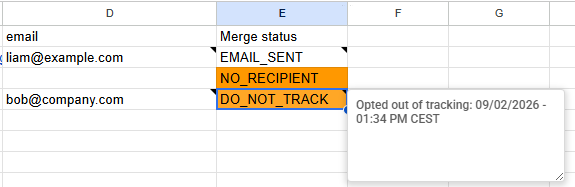
-
In every campaign you send afterward, YAMM automatically excludes them from tracking.
Because opted-out recipients are excluded from tracking, they're also excluded from the Opened and Clicked rates in your tracking report. For more information about these metrics, see All tracking stats in the tracking report.
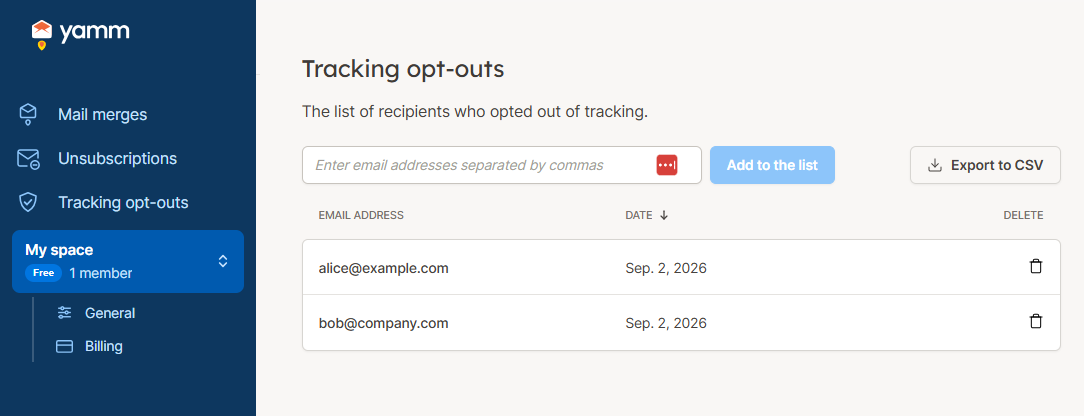
Manage your tracking opt-out list
Go to the Tracking opt-outs page in the YAMM web app to view and manage the list of recipients who opted out. The list is specific to your account and isn't shared with other members of your space.