Insert an unsubscribe link
Add an unsubscribe link to your email and track recipients who unsubscribe. YAMM records this in the tracking report, and unsubscribed addresses are automatically excluded from future mail merges.
YAMM is not an Email Service Provider. It is an add-on that sends emails via your Google account. So it is your responsibility to add an unsubscribe link to your emails when needed. As a reminder, this is mandatory for newsletters. If your recipients are not able to unsubscribe from your list, your email might be flagged as spam. Learn more.
Third-party email tracking tools may interfere with YAMM's unsubscribe tracking. Disable them before inserting the unsubscribe link into your Gmail draft.
Both steps below are required. The unsubscribe link only works if tracking is also enabled when you send.
1. Insert the unsubscribe link
-
Open your template in Gmail or Google Docs.
-
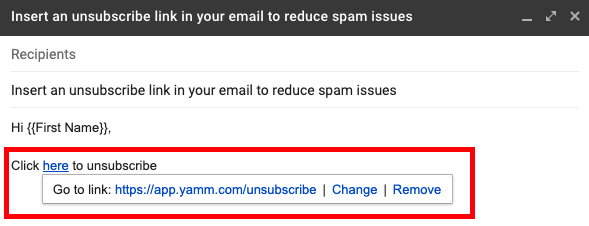
Copy the following unsubscribe link:
https://app.yamm.com/unsubscribe -
Insert the copied link at the end of your template.
 warning
Don't copy the link from a previously sent email: once sent, it's re-encoded for that specific recipient.
2. Activate tracking
Before sending your mail merge, make sure to activate tracking to enable the unsubscribe links.
-
Open your contact list spreadsheet in Google Sheets.
-
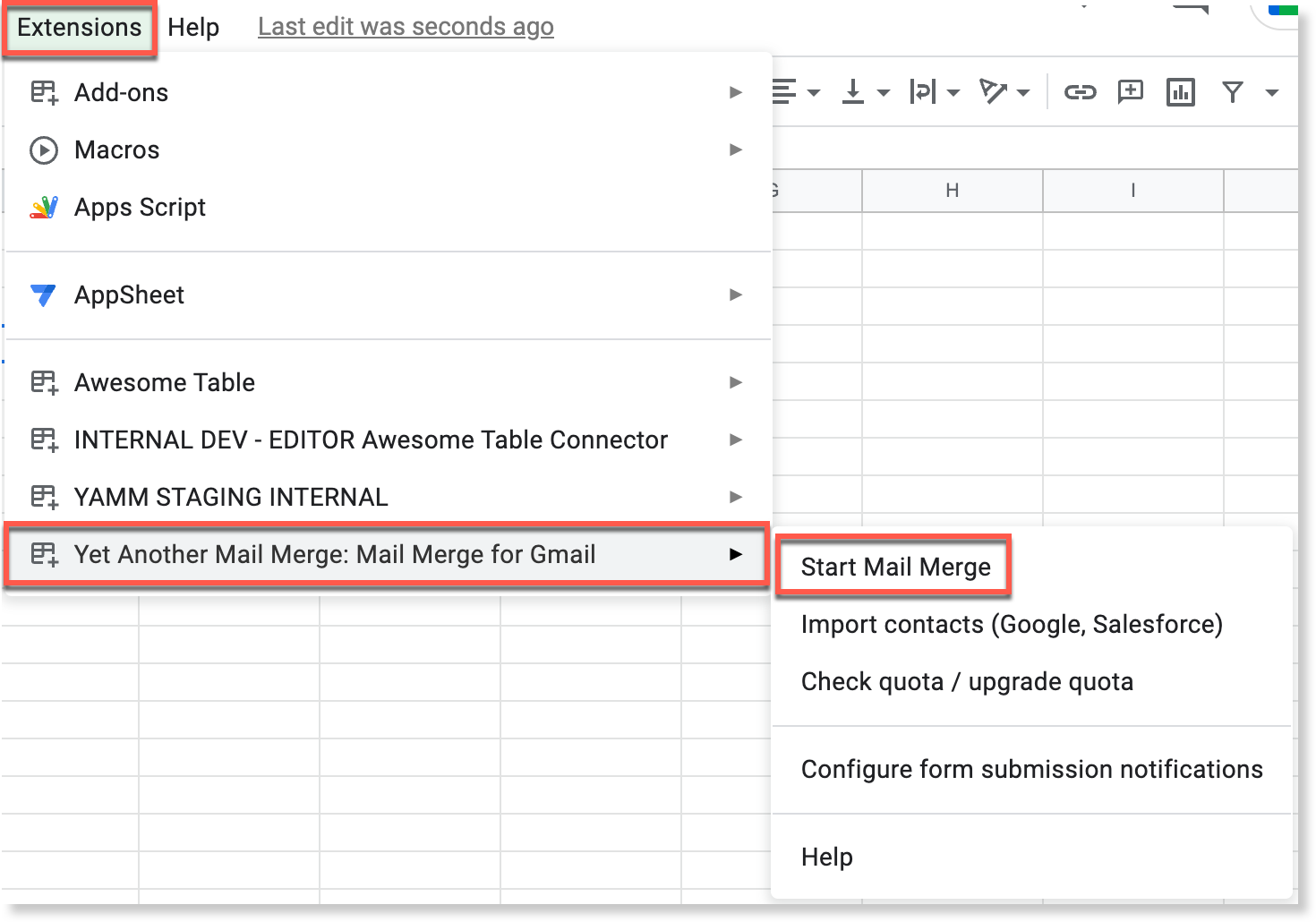
Select Extensions > Yet Another Mail Merge: Mail Merge for Gmail > Start Mail Merge.
-
Select the template containing the unsubscribe link.
-
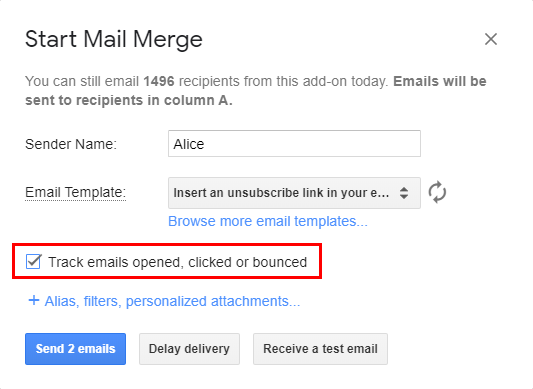
Select Track emails opened, clicked or bounced.
-
Click Send emails.
Check the status of your unsubscribe link
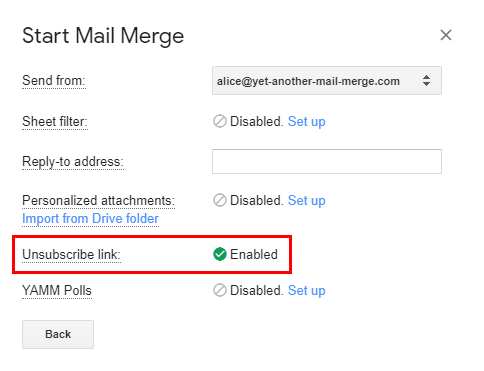
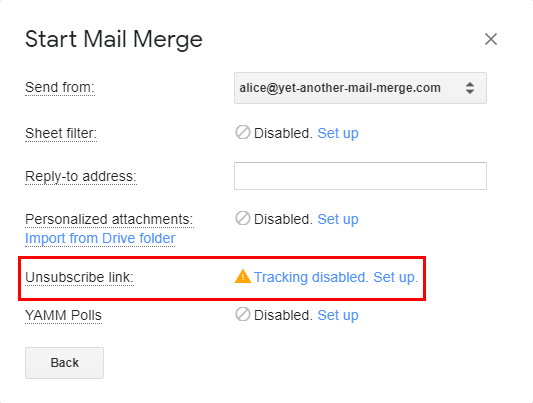
If the unsubscribe link is inserted and tracking is enabled, the unsubscribe feature appears as Enabled in the advanced features panel. If tracking isn't enabled, YAMM displays a warning.