Check sent emails
YAMM automatically labels your sent campaigns in Gmail so you can retrieve them easily. Show the label next to each message and give it a color to spot a campaign at a glance.
Retrieve campaigns with labels in Gmail
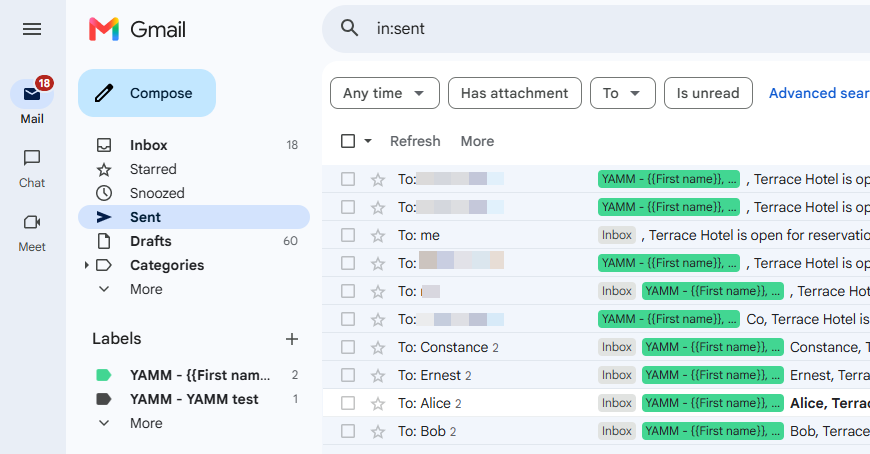
After running your mail merge, YAMM automatically labels your sent emails in Gmail. All emails from the same campaign land under one label, named YAMM - your subject line, visible in the Gmail sidebar.
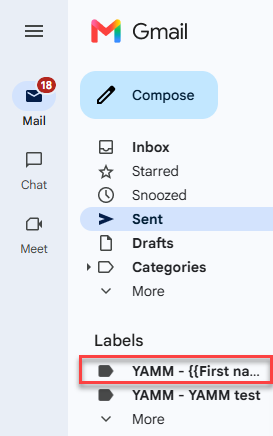
Opening an email from your Sent folder is recorded as OPENED. To avoid skewing results, only open emails that have already been opened by your real recipients (those marked EMAIL_OPENED in your contact list spreadsheet).
Show labels next to each message
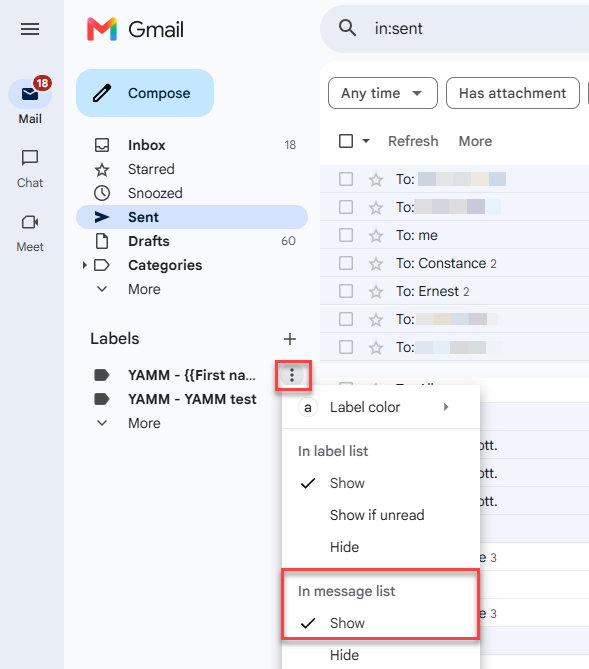
By default, labels show only in the Gmail sidebar. To display the label next to each email in your message list:
-
In the Gmail sidebar, hover over your campaign label.
-
In the three-dots menu, select Show.
The label now appears next to each email for your campaign in the sent folder.
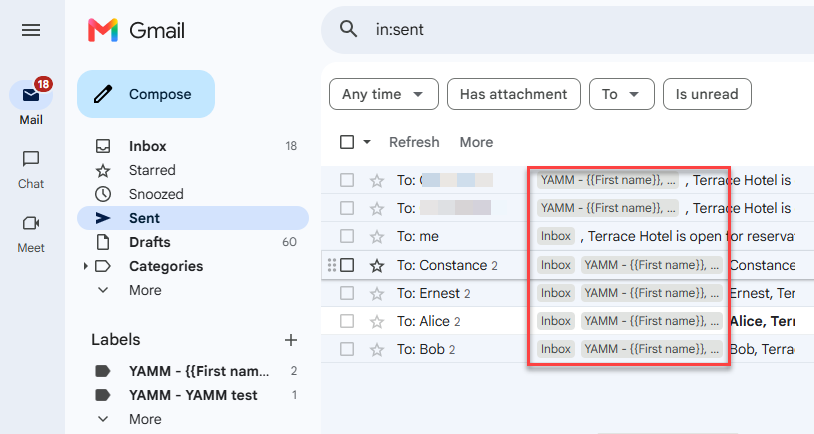
Set a label color
Give your campaign label a color to spot it at a glance in the sidebar and message list.
-
In the Gmail sidebar, hover over your campaign label.
-
In the three-dots menu, select Label color, and pick a color.
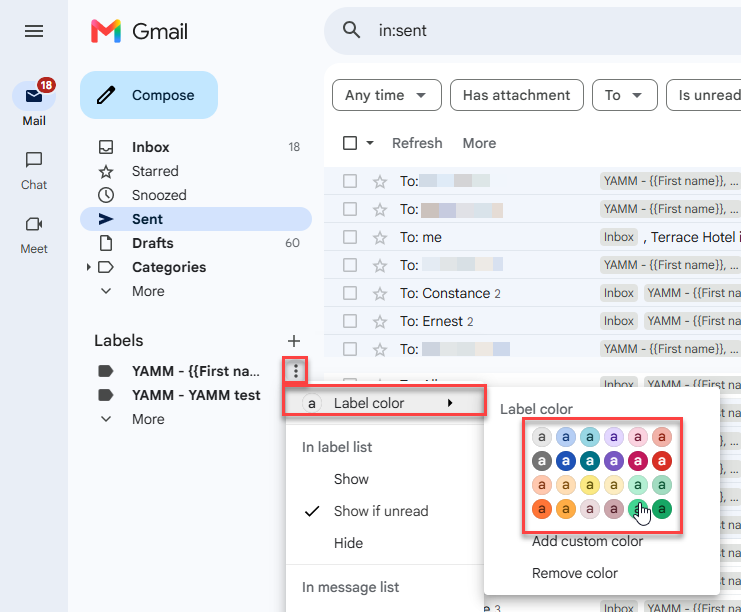
You can now spot your campaign at a glance.
What's next
-
Track your campaign for opens, clicks, responses, bounces, unsubscribes.
-
Re-run a mail merge, or run a follow-up with non-openers or non-repliers.