Tracking issues
Fixes for common tracking problems: clicks not tracked, the sheet not linked to a campaign, responses or bounces not appearing, and missing colors in the Merge status column.
Clicks not tracked in YAMM
You sent emails with personalized links using YAMM, but clicks aren't being recorded in the tracking report. This happens when your personalized links contain whitespace or double quotes. These characters prevent click tracking in YAMM when used in spreadsheet-based URLs.
Encode your query parameters with the ENCODEURL() function — see Send personalized links to each recipient.
- ❌ Incorrect (with spaces or unencoded quotes — tracking fails):
https://example.com/?productid="Yet Another Mail Merge" - ✅ Correct (encoded — tracking works):
https://example.com/?productid=%22Yet%20Another%20Mail%20Merge%22
Use ENCODEURL to encode query parameters, not full URLs. It also encodes slashes (/) and colons (:) in the base URL, which breaks the link.
Sheet not linked to a mail merge
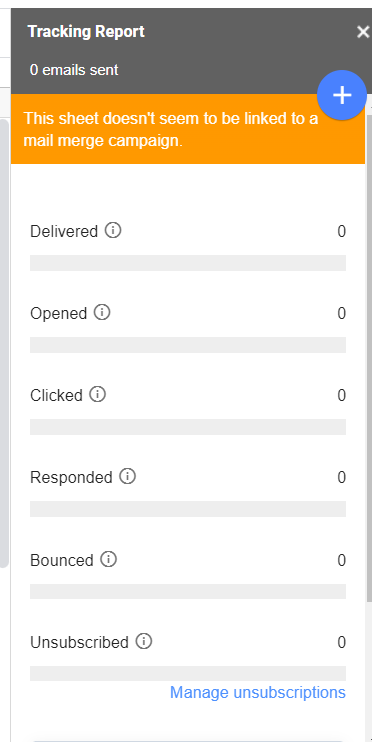
If your tracking report shows "This sheet doesn't seem to be linked to a mail merge campaign", YAMM can't find the YAMM-ID notes anymore.
When you check Track emails opened before sending, YAMM creates a unique identifier (the YAMMID) for each email and stores it as a note on the cell of the Email Address column.
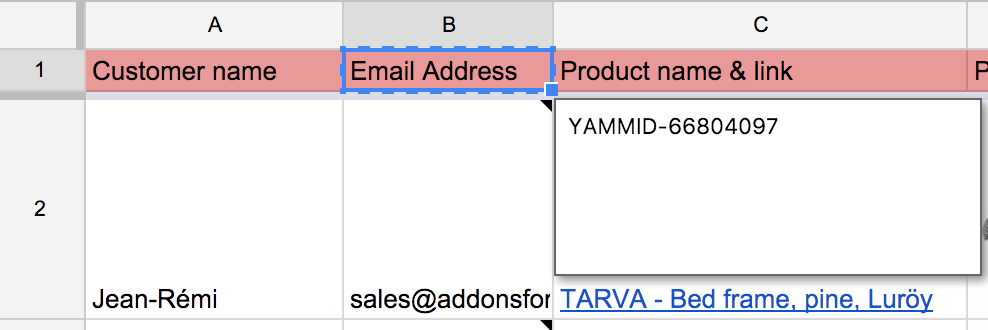
When you open the tracking report, YAMM uses those notes to look up read receipts. If your YAMMID ends with U (e.g., YAMMID-1668695048242U), it means email tracking wasn't activated for the merge.
If you deleted the notes or accidentally clicked Follow-up from the tracking report, use the revision history of your Google Sheet to restore the notes and fetch your receipts.
Why are responses and bounces not tracked by YAMM?
You received responses or bounces in your inbox, but your Merge status stayed EMAIL_SENT instead of changing to RESPONDED or BOUNCED.
Gmail labels are missing in your sent emails
At the end of a mail merge, YAMM tags emails with a Gmail label (YAMM - Your subject line). YAMM uses this label to detect responses and bounces.
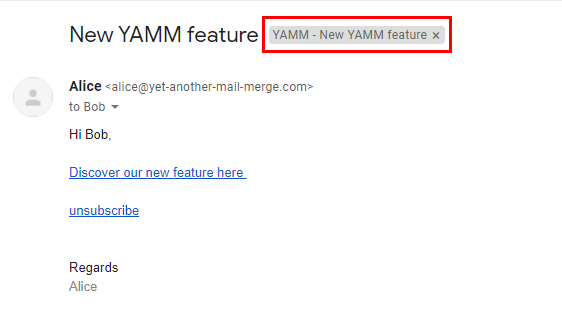
If the Gmail label is missing on a response or bounce, YAMM won't record it.
If all your emails are labeled correctly — open the tracking report again (Extensions > Yet Another Mail Merge > Open tracking report). Responses and bounces under the correct label appear in your spreadsheet.
If some emails aren't labeled — search for your subject line in Gmail, select the matching emails, and drag them into the YAMM label folder. Reopen the tracking report.
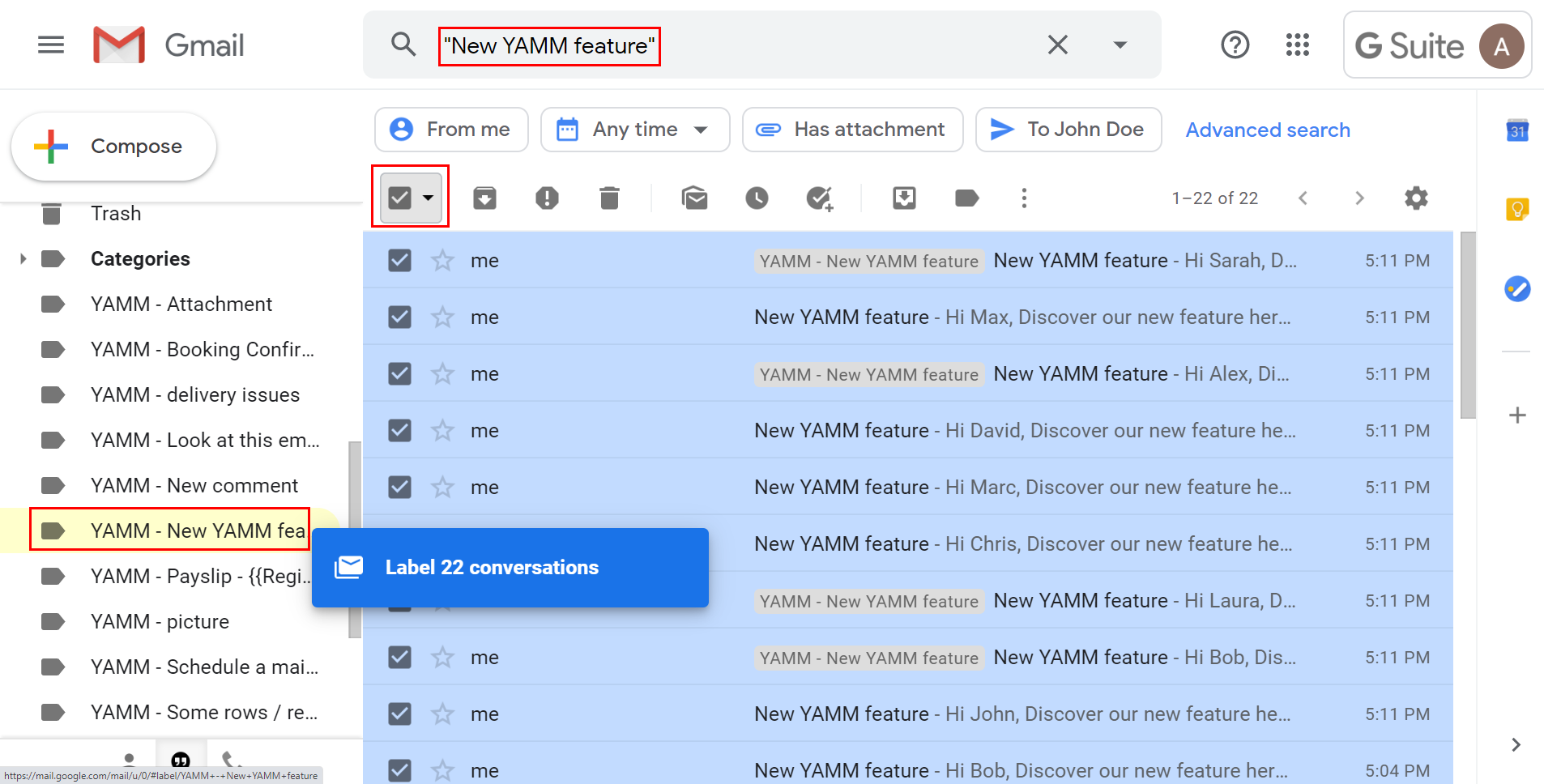
If no Gmail label exists — YAMM didn't tag your emails. Have YAMM generate the label:
- Add your own email address to the sheet.
- Run the same mail merge to yourself using the same subject line.
- YAMM creates the missing label on this new email.
- Apply this label to all emails from the initial merge.
Labels must be generated by YAMM, not manually created.
The bounce email is sent from a different thread
If the bounce message is sent in a separate thread (depending on the recipient's mail server), Gmail can't group it correctly and YAMM won't detect it. See Gmail threads.
A different reply-to or sender email address was used
If you change the reply-to address or send from an alias, YAMM can't track responses sent to that other address.
The subject line changed between two merges in the same spreadsheet
If you change the subject line between two mail merges in the same spreadsheet, YAMM only tracks the most recent one — the first becomes untracked.
- Don't change the subject line if using the same spreadsheet for multiple merges.
- If the subject must change, use a different spreadsheet for the second merge.
Tracking stats colors are missing in the spreadsheet
Usually appears after running multiple mail merges across several tabs in the same Google sheet.

Re-enable colors by copying conditional formatting
Open a sheet where colors still work after running a YAMM mail merge.

Select the Merge status column header, right-click > Copy.
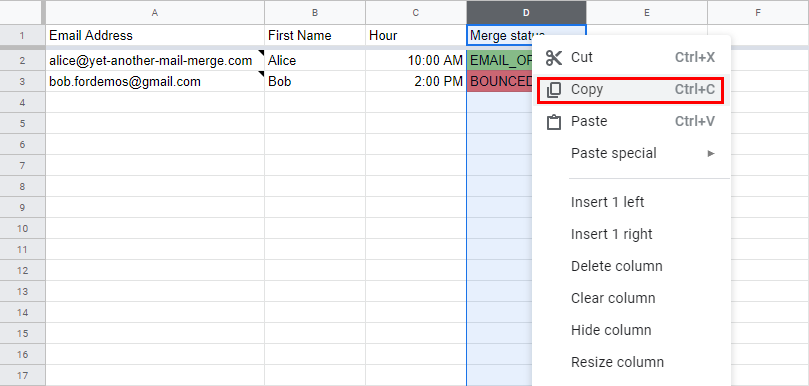
In the affected sheet, right-click the same column > Paste conditional formatting only.
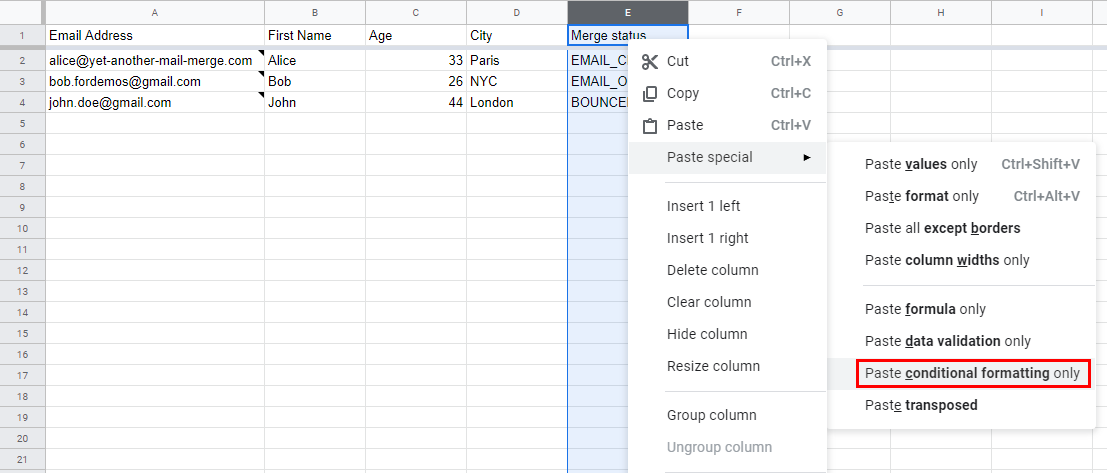
Re-add the colors manually
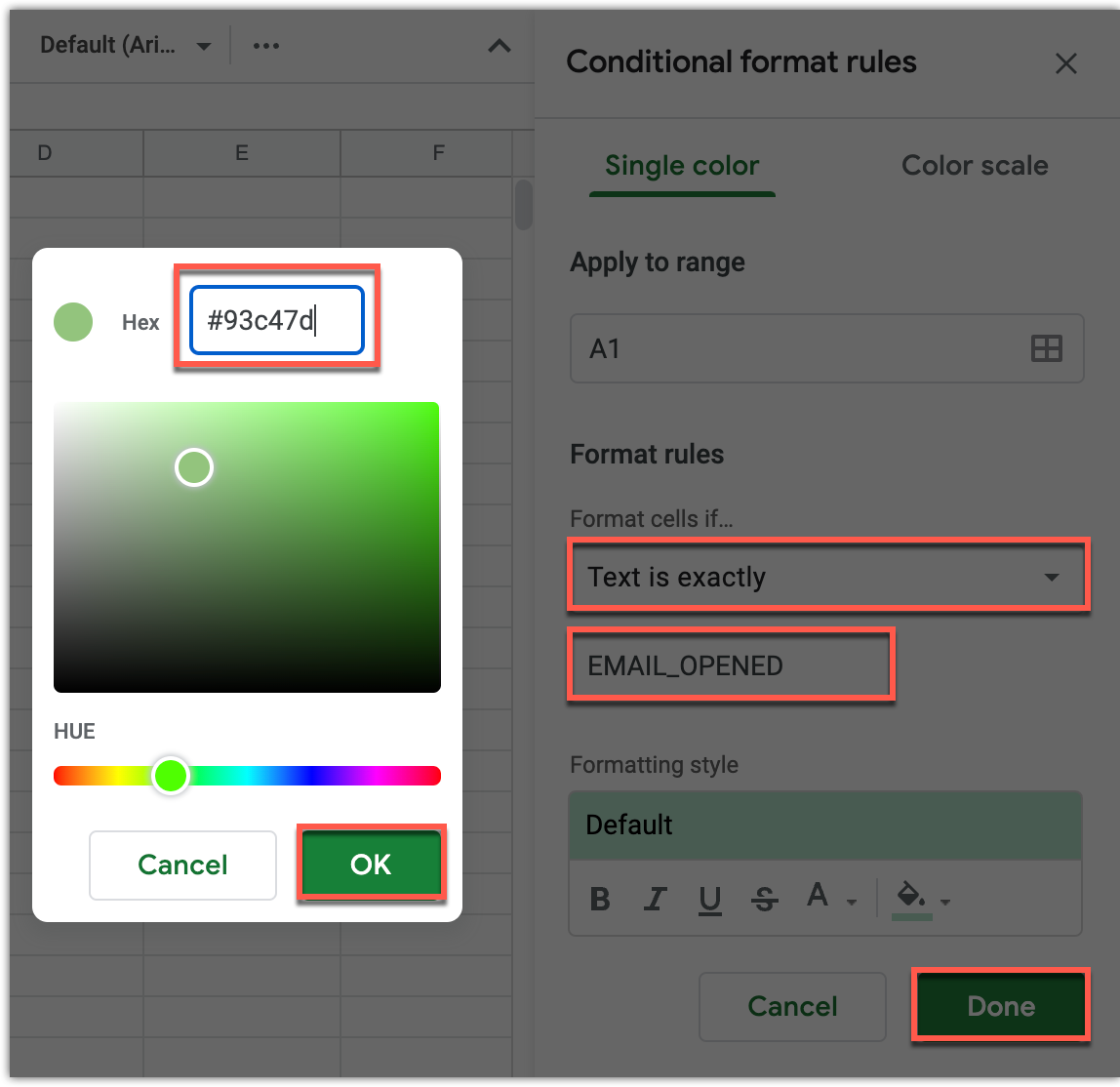
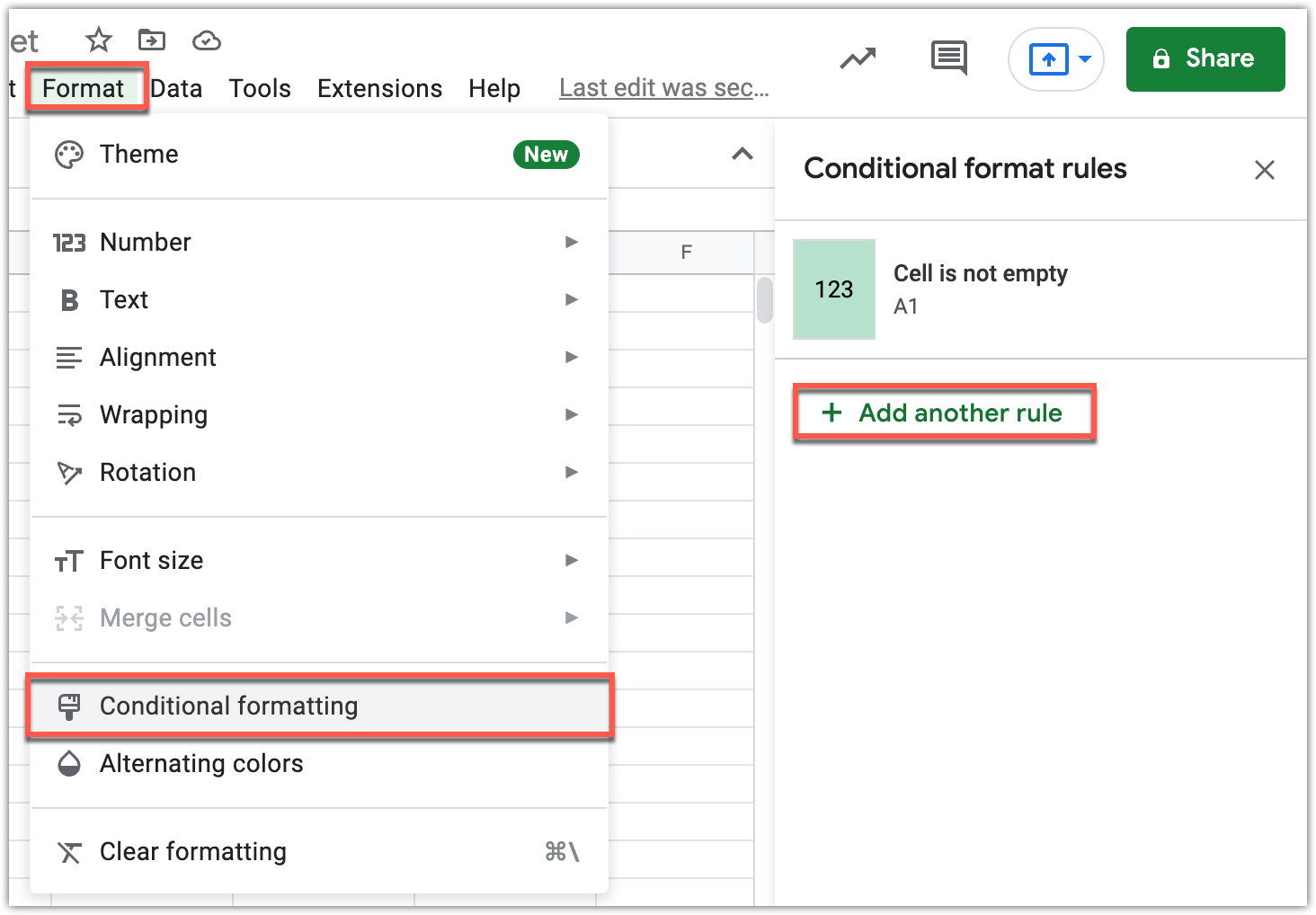
If that didn't work, Format > Conditional formatting > Add another rule for each tracking status.
| Merge status | HEX code |
|---|---|
EMAIL_SENT | #ffffff |
EMAIL_OPENED | #93c47d |
RESPONDED | #6aa84f |
BOUNCED | #e06666 |
EMAIL_CLICKED | #6aa84f |
UNSUBSCRIBED | #ffa726 |
ERROR | #ff0000 |
NO_RECIPIENT | #ff9800 |